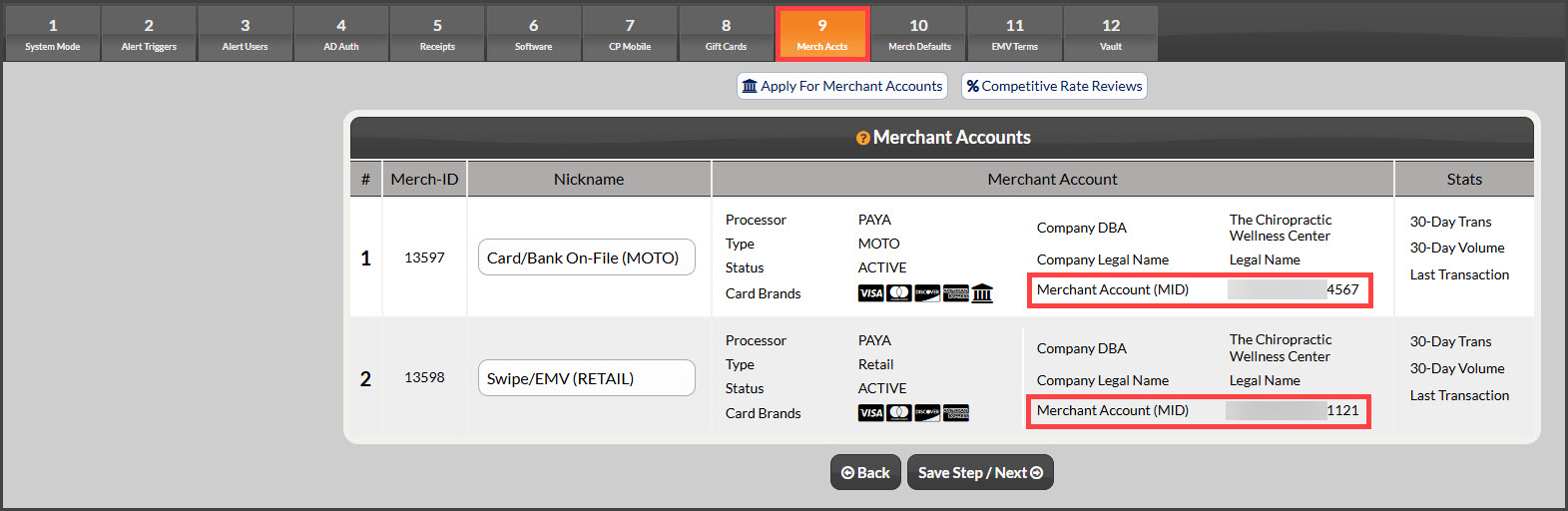
Why do I need my Merchant ID?
Your Merchant ID can be used for multiple things: accessing your Merchant Statements, completing your PCI Certification, and signing up for our uAttend promotion! (For help with accessing your merchant statements or completing PCI, please contact our Merchant Services Department at (877) 343-8950 x 105 or MerchantAccounts@CashPractice.com)
Follow these simple instructions to view your Merchant ID:
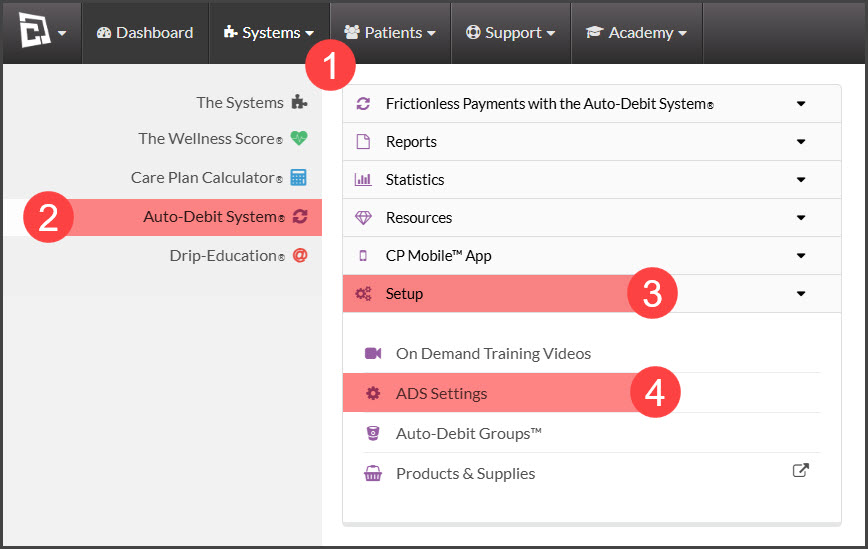
Step 1: Go to [Systems] → [Auto-Debit System®] → [Setup] → [ADS Settings].
Step 2: Click on the tab for Step 9 [Merch Accts]. All of your merchant accounts with corresponding Merchant ID numbers will be listed here. You can view or highlight/copy your Merchant ID numbers to use for accessing your merchant statements, uAttend®, or anything else that requires your Merchant ID.