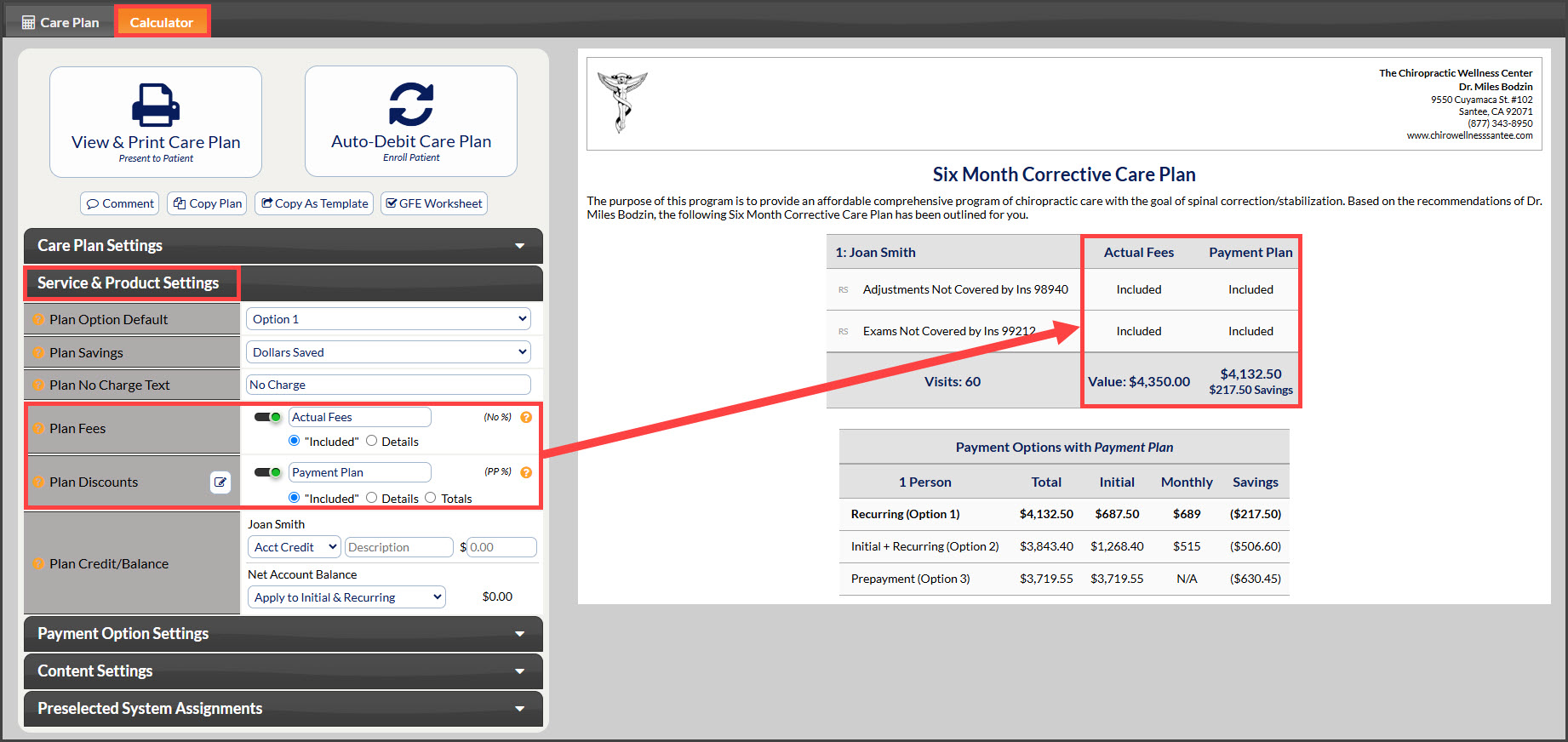
Instead of showing specific fees, you can now choose to display only the Payment Option pricing by selecting the "Included" option. This makes it easier for patients to quickly understand their financial responsibility. This simplified view helps patients make informed decisions and allows providers to tailor their plans to their practice's needs.
You can access and adjust these settings when previewing a plan or template before printing or enrollment.
The images below are for demonstration purposes only and not a recommendation of what fees you charge, what your discounts should be, or what your treatment plans should be.
Here are two examples:
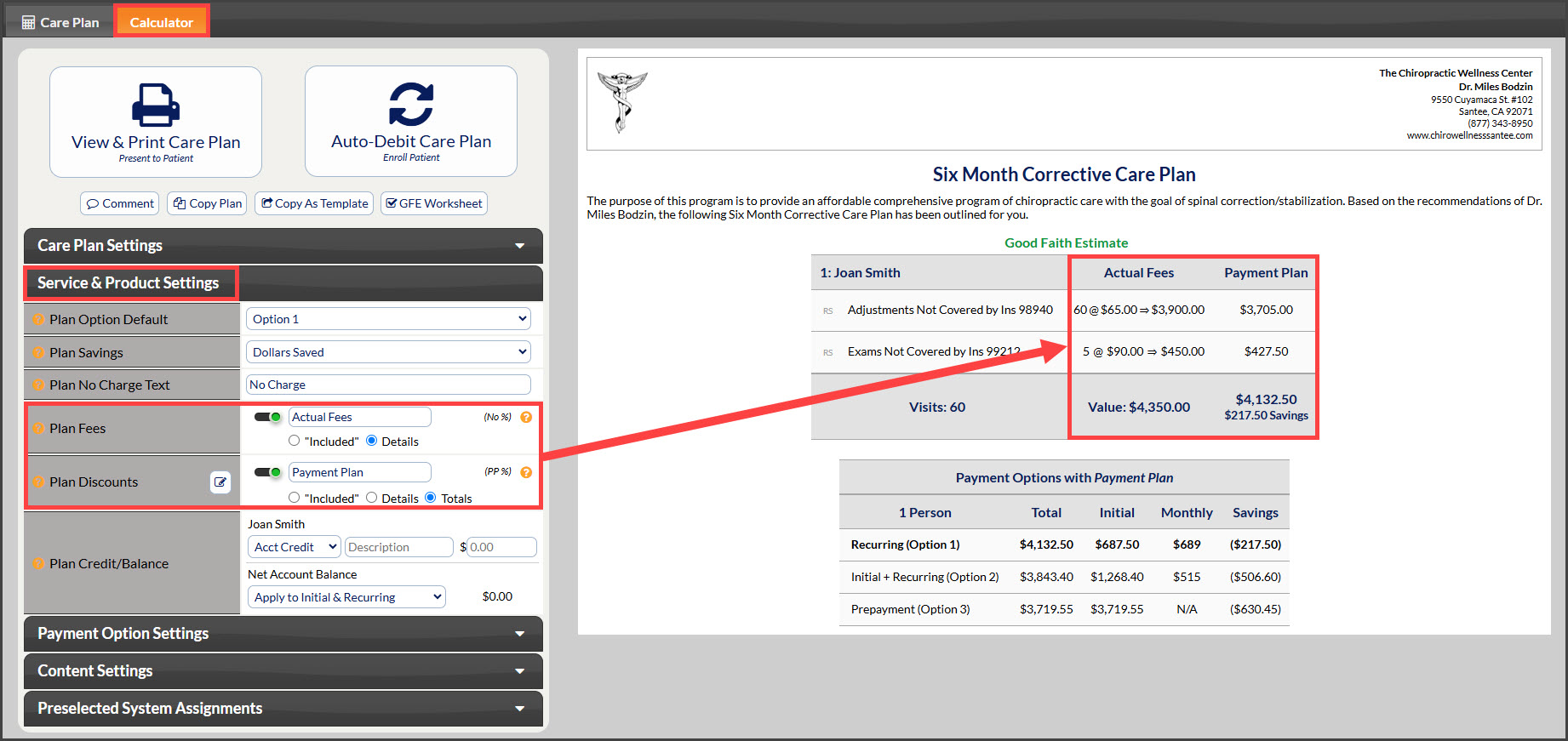
Example 1: Default Settings
Plan Fees: The Actual Fees column is visible and displays detailed fee information.
Plan Discounts: The Payment Plan column is visible and displays total discounts.
Example 2: Simplified Fee Display (New Feature)
Plan Fees: The Actual Fees column is visible but displays "Included" instead of specific fees.
Plan Discounts: The Payment Plan column is visible and displays "Included" instead of specific discount amounts.