

Do you need an easy way to collect a payment from a patient through your website?
Yes? Well, we have the solution for you! By using the Collect Payments Online form through your Auto-Debit System®, you can easily use a pre-created link to embed it into your website so that the patients themselves can quickly make one-time payments to you! Watch the video below to learn more!
*Note: Cash Practice® representatives are not web designers and cannot assist with the insertion of CP Online Forms™ into your website. This will be the responsibility of the office to ensure this is completed correctly.
Important: To create a professional and trustworthy experience for your patients, we highly recommend you customize your online forms. By uploading your company logo and adjusting the colors to match your website's branding, you can build confidence and assure patients that their billing information is being submitted in a safe and secure environment.
Getting Started:
Step 1: Follow the sequence below.
A: Hover over [Systems]
B: Click on [Auto-Debit System®]
C: Select [CP Online Forms™]
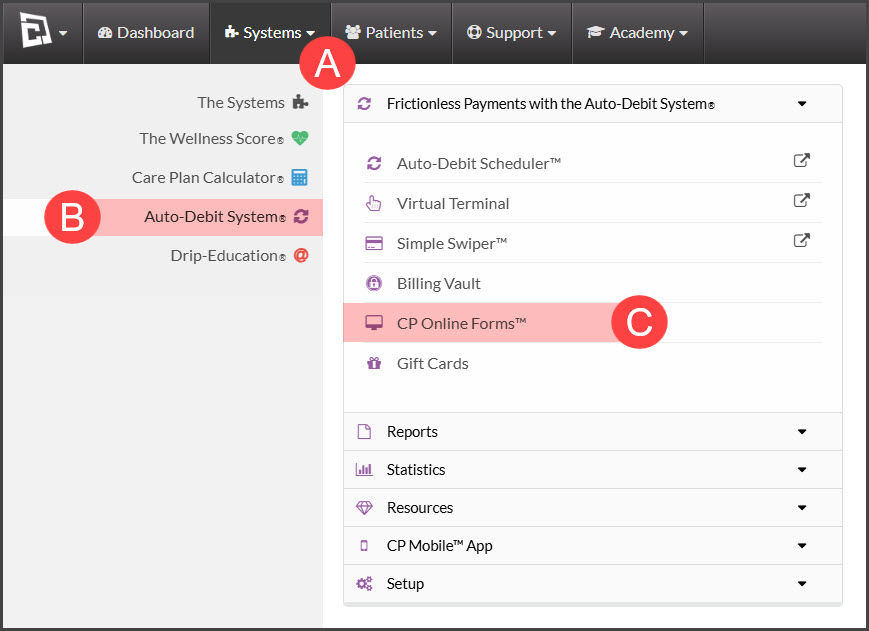
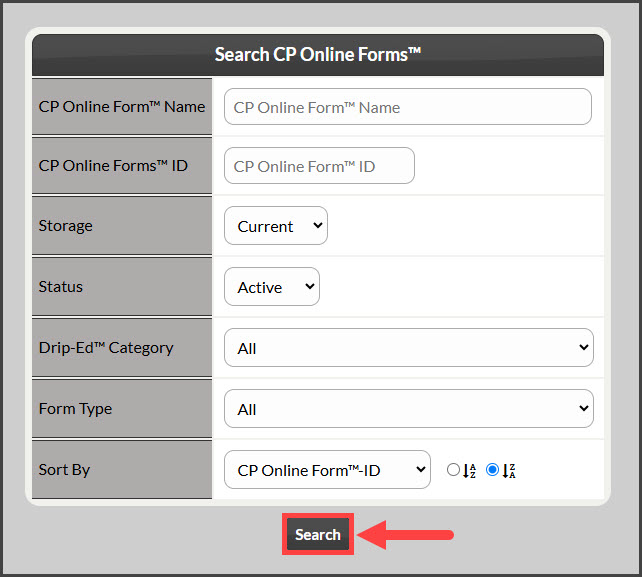
Step 2: From the Search Options page, enter your search criteria and select [Search].
To pull a list of all forms, simply click [Search] and leave other criteria blank.
Step 3: Locate the [Collect Payments Online] form from the list of your CP Online Forms.
You may need to click the [All] option to view your complete list of forms.
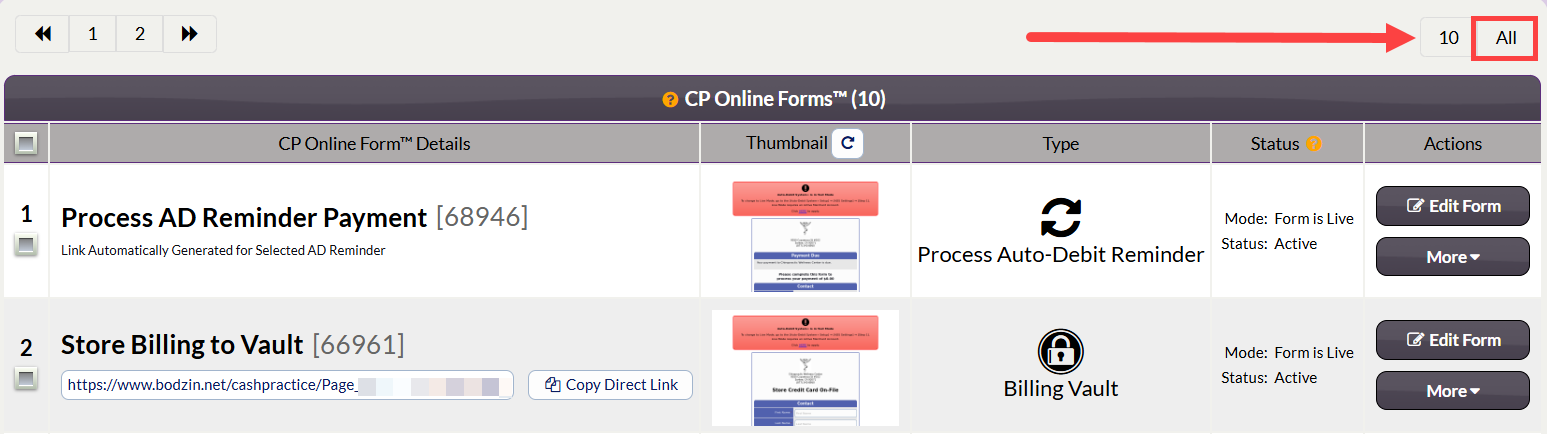
Recommended: To customize the branding of your form or edit your form settings, click the [Edit Form] button to access the customizations.

If you would like to preview the form before you decide to post it to your website, click the live image of the form in the [Form Thumbnail] column.

Step 4: Copy the direct link using the link/button directly under the form title.

You can also find the direct link in Step 12: Links from the [Edit Form] section. To use the link from this section, select [Copy Link].
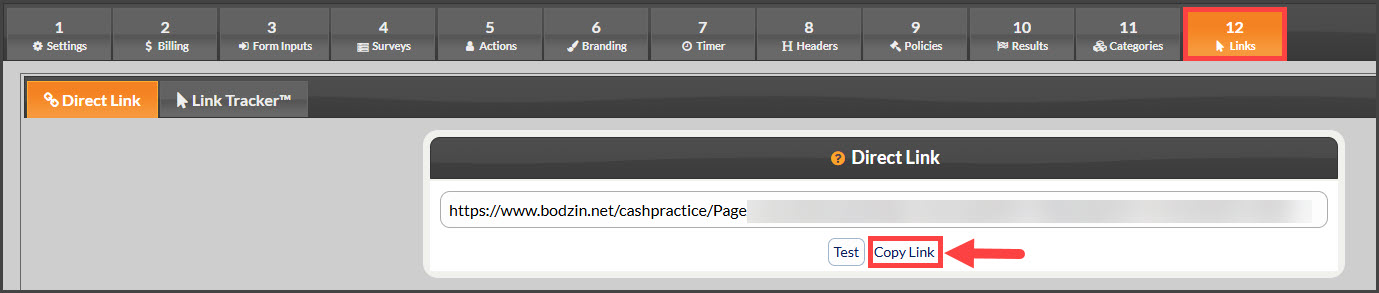
How do I use this link on my Website? Provide this direct link to your web developer. This link can be embedded or used to redirect your patients straight to the CP Online Form.
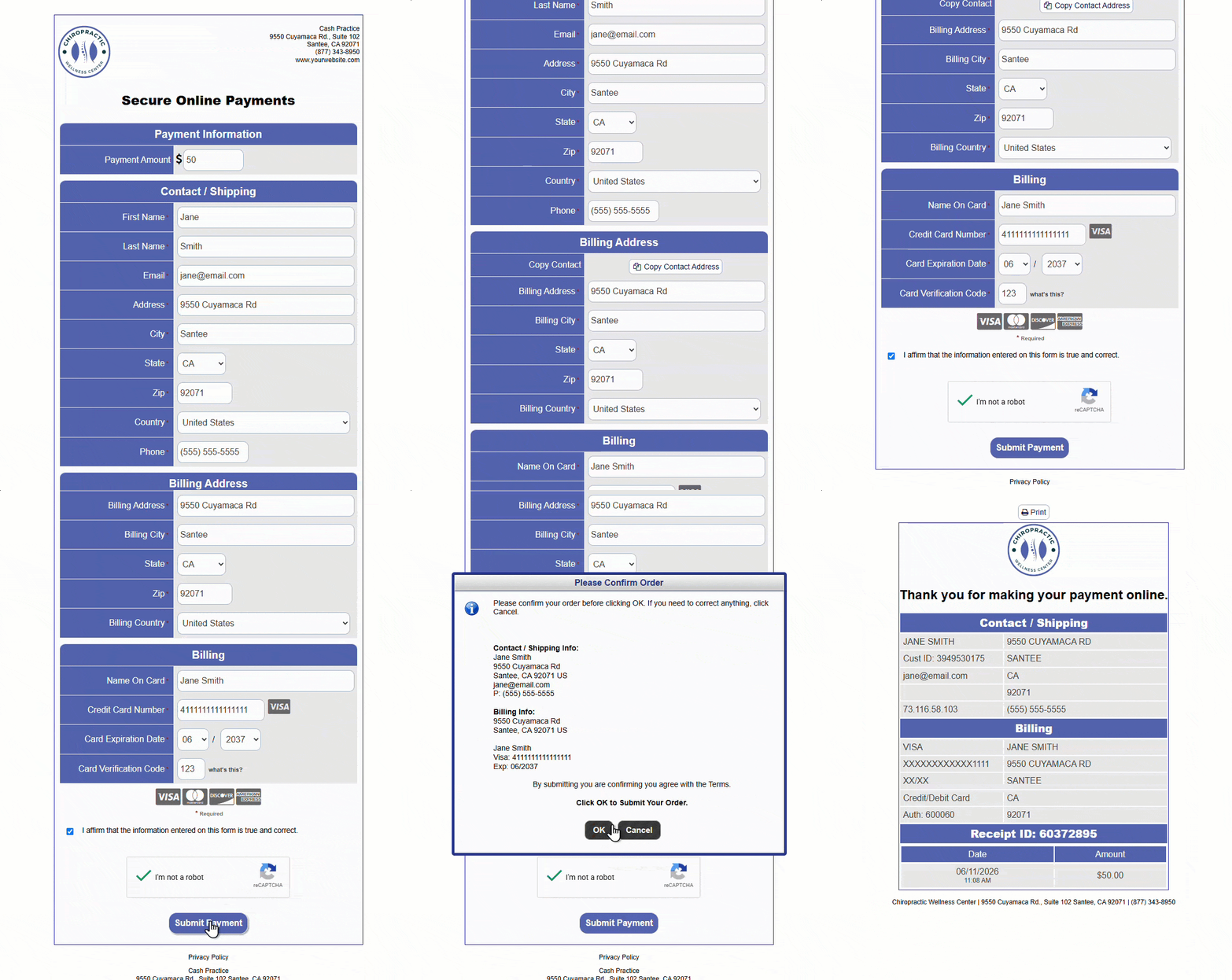
Example of a CP Online Form:
Where can I find this payment?
Transactions collected through the CP Online Forms can always be located within the Posted Payments Report Generator or simply through the [Search Payments] button on the Dashboard. For full details, refer to the article below.