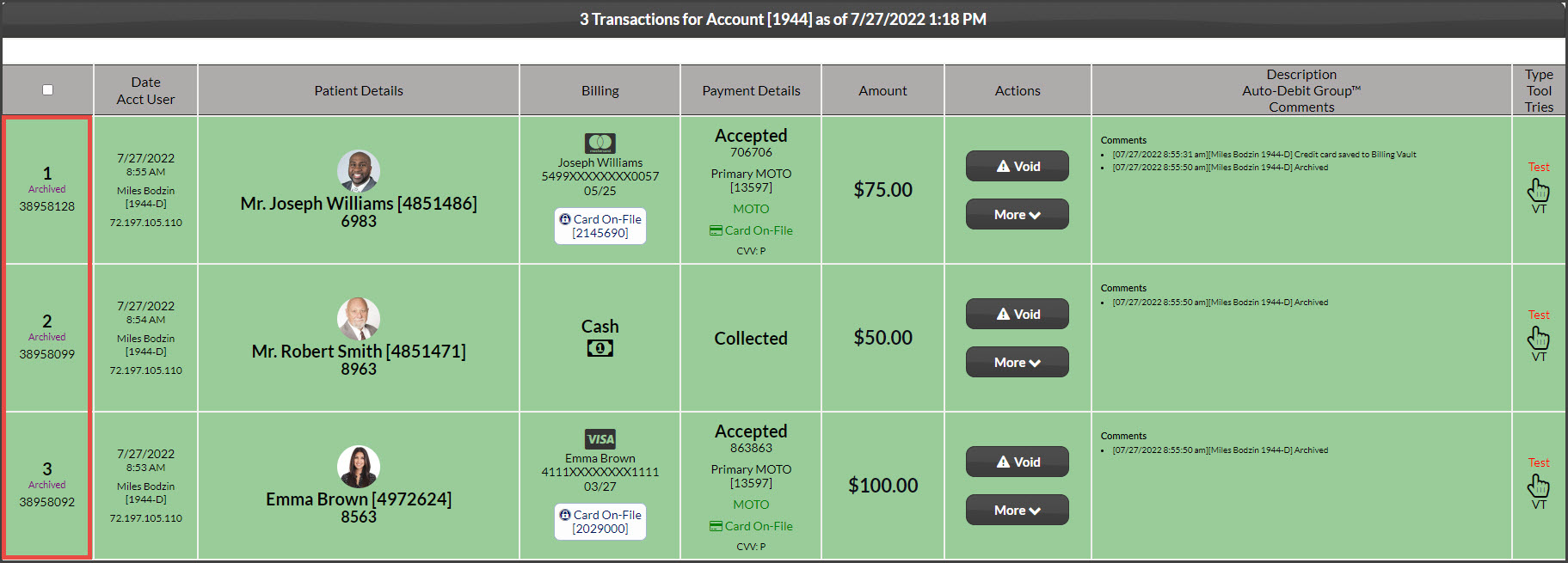
Once transactions are archived, they cannot be unarchived and put back on your Dashboard.
However, they can be found again if needed by searching for payments; as archived transactions are put away into a storage state. Follow the instructions on how to search for archived transactions:
How to access archived transactions:
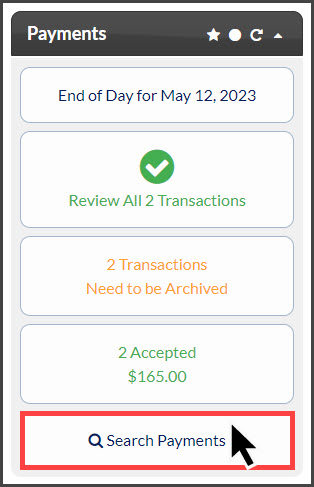
Step 1: From the [Dashboard] under Payments, click on [Search Payments].
Step 2: In the [Search Options] designate your search options for the transaction(s) you would like to view (i.e.enter the date range). Be sure to change the [Storage] field from "Current" to "All" or "Archived" then click [Search] at the bottom of the page to produce the report.
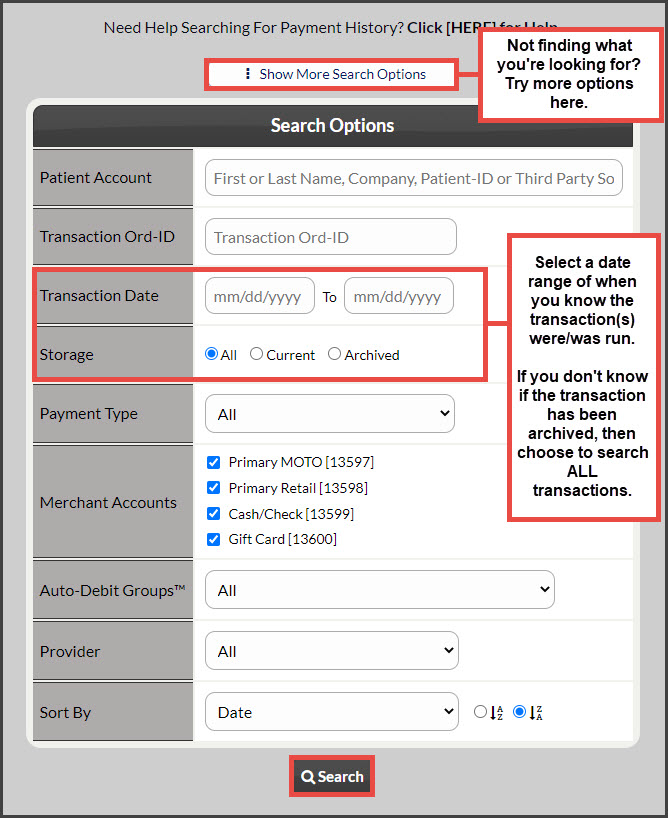
Example: