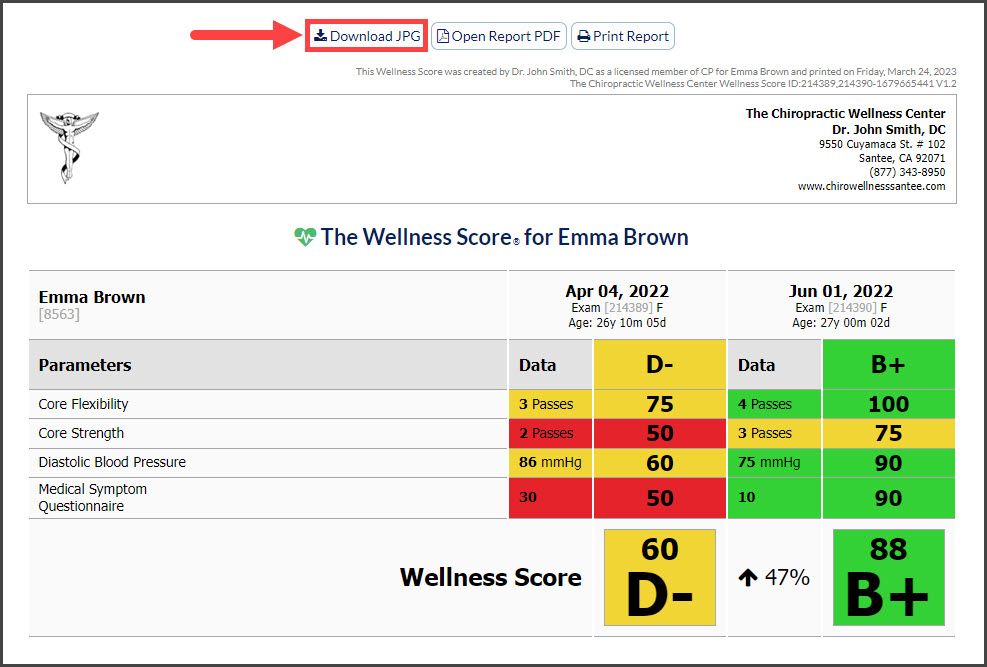
You can create an image of both a [Wellness Report] and/or a [Comparison Report]. These images can be used on your business social media pages by telling a story, generating referrals, or keeping patients exposed to the results you get in your practice. All images generated automatically remove the patient name so that you have a HIPAA-compliant image to use. See the example below:
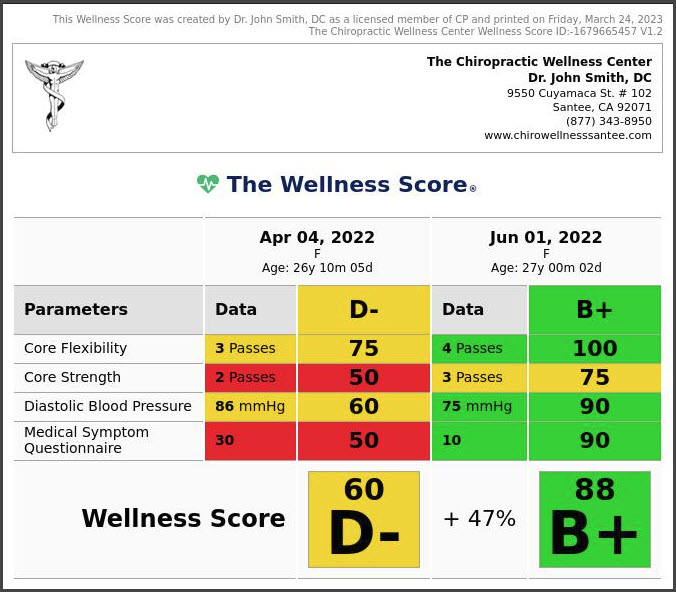
Instructions:
Step 1: Locate the wellness or comparison report that you would like to download a HIPPA-compliant image of.
For step-by-step instructions on how to find a Wellness Score® Report click HERE
For assistance with creating a Comparison report, click HERE
Step 2: When viewing any page of the report click the [Download JPG] button to save the image to your computer. Once the image is saved, you can use the image to your liking.