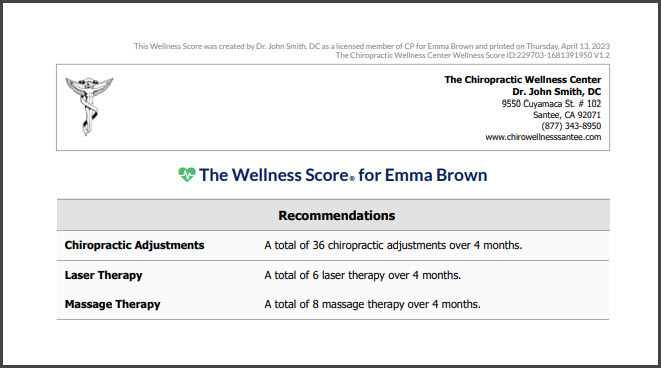
Services may be added to your patient's Wellness Scores® as recommendations for care and will appear in your Service Group. This helps the patient understand what it will take to get them on the road to wellness. See the image at the bottom of this article.
Showing services on your patient's Wellness Scores® is optional. If this is something you would like to add to your exams, follow the instructions below:
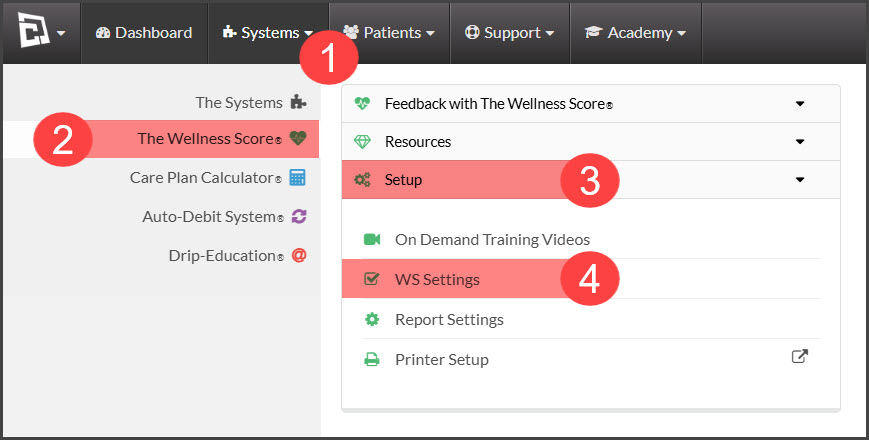
Step 1: Hover over the [Systems] menu → click on [The Wellness Score®] → click [Setup]→ select [WS Settings].
Step 2: Click on the [Services] tab → sub-tab [Services].
Step 3: Type in the name of the Service you would like to add to your account. Select the [Save] icon to the right.

Step 4: The page will reload, and you will now see the newly added service.
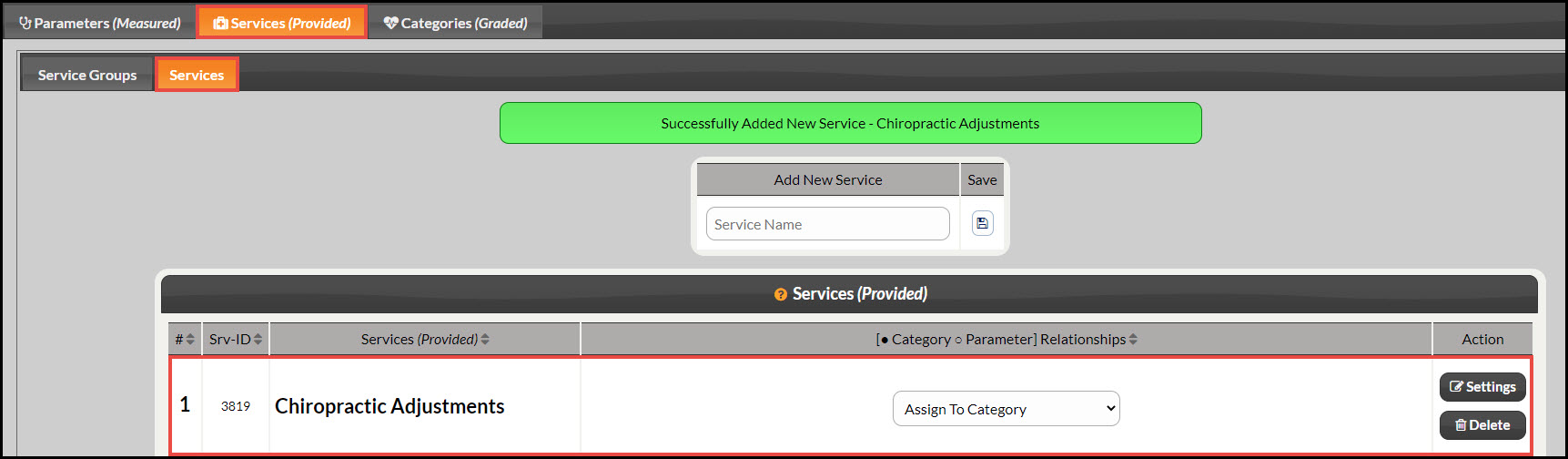
Image example of a Service added onto a Wellness Exam.: