
Getting started:
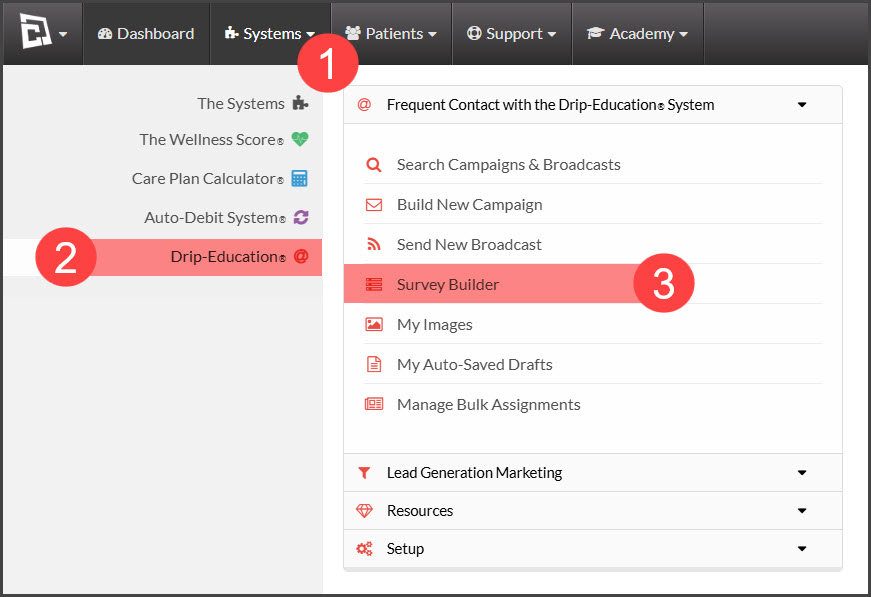
Step 1: From the [Systems] menu → select [Drip-Education] → Click on [Survey Builder].
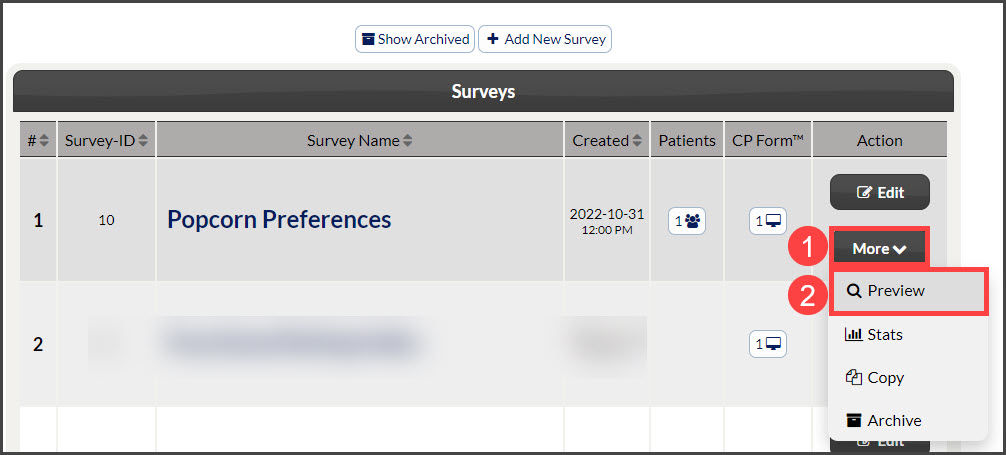
Step 2: Locate the survey to be viewed → select [More] → [Preview].
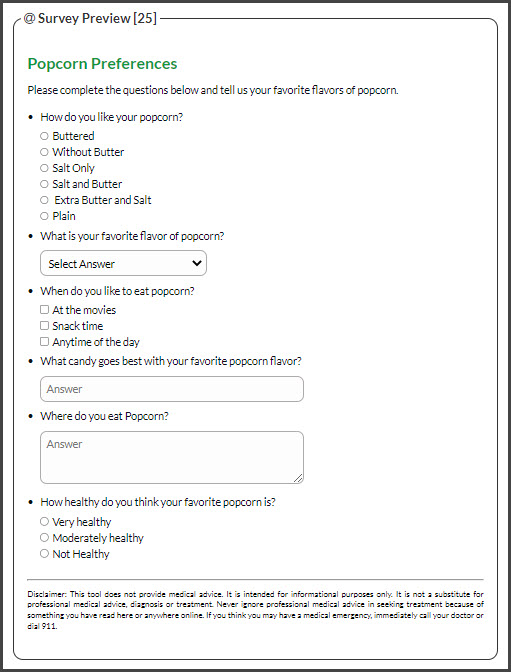
Step 3: View the preview.

Cash Practice® Systems Help Center
Search our knowledge base to get answers to your questions, access video training & more!
Surveys: How to Preview a Survey
Drip-Education® Email Marketing System (Frequent Contact)
Last updated on 13 Sept, 2025
Getting started:
Step 1: From the [Systems] menu → select [Drip-Education] → Click on [Survey Builder].
Step 2: Locate the survey to be viewed → select [More] → [Preview].
Step 3: View the preview.