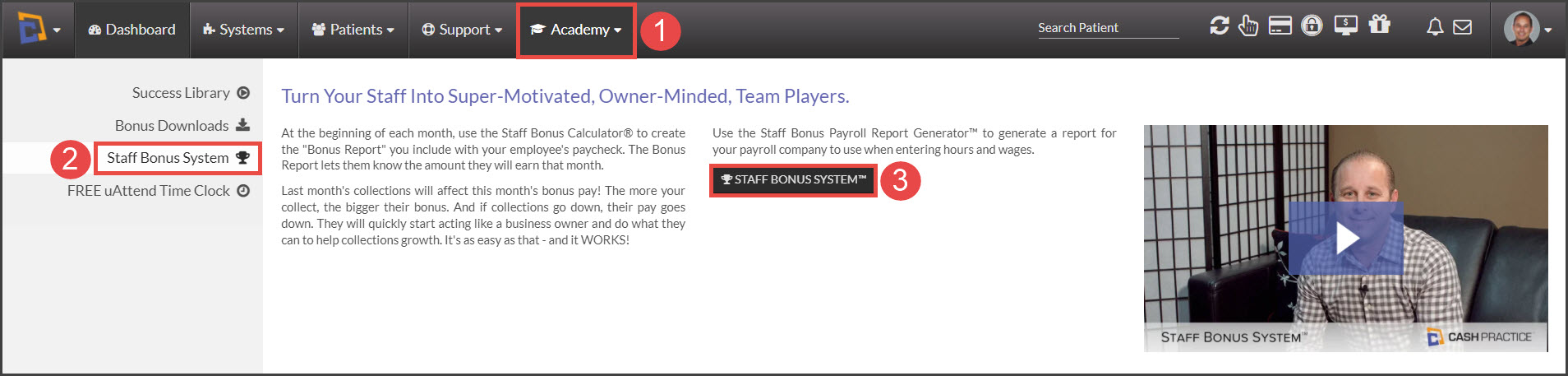
Step 1: Hover your mouse over the [Academy] menu → Select [Staff Bonus System] → [Staff Bonus System™].
Step 2: Access the [Bonus Settings] tab.
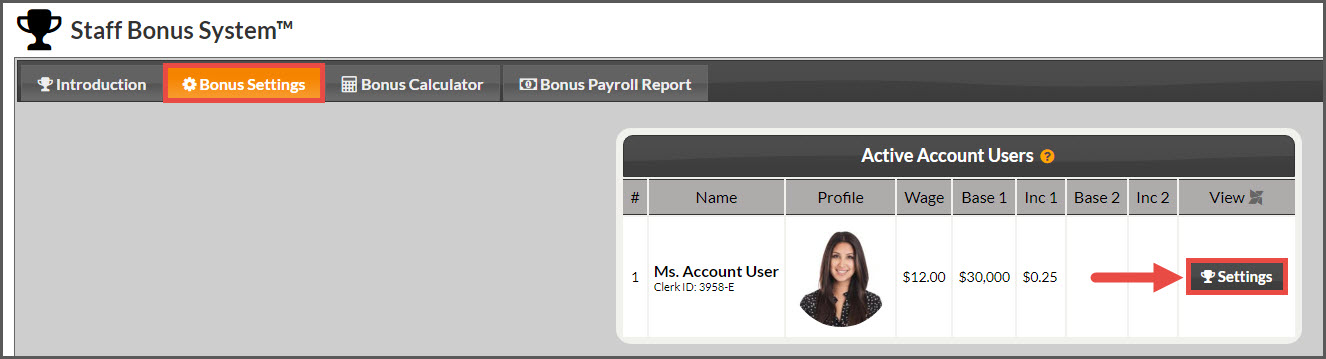
Step 3: Click the [Settings] tab next to the account user that you want to include in the Bonus Reports.
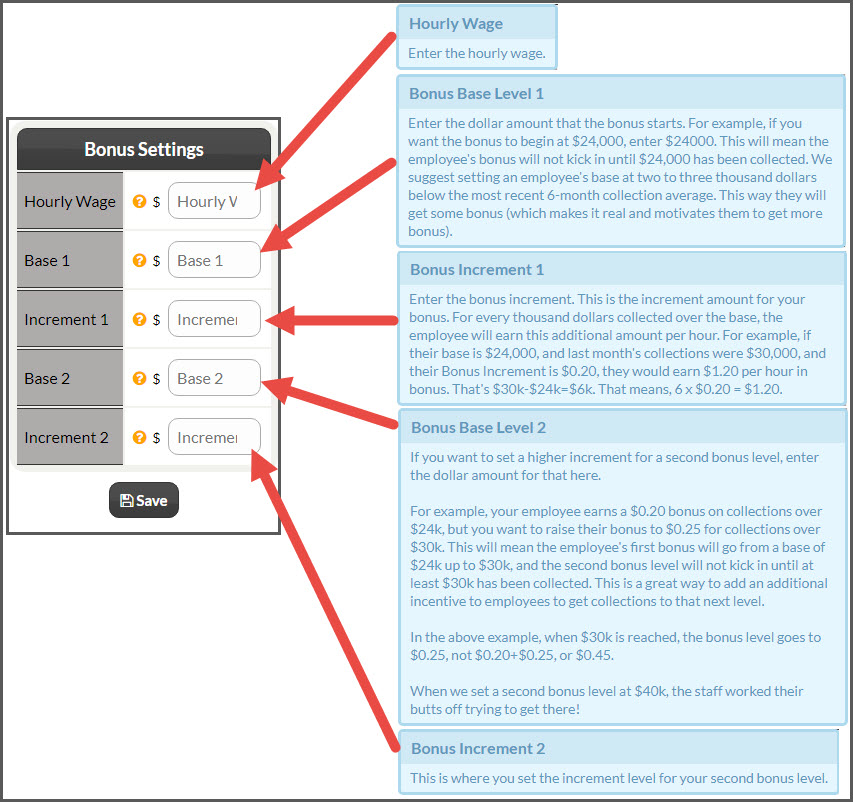
Step 4: Enter the bonus settings for the account user. All active account users will appear in the payroll report (with or without bonus bases & Increments).
Step 5: Click the [Save] button
Step 6: Repeat for each account user you want to include in the bonus reports.