
Logo

Cash Practice® Systems Help Center

Search our knowledge base to get answers to your questions, access video training & more!

Account Information: Where can I view or edit my Admin email address?

My Account Guide

Account Information: Where can I view or edit my Admin email address?

Last updated on 14 Sept, 2025

Step 1: Log in to your CashPractice.com account as the Admin/Owner.

Step 2: Hover over your [User Profile] menu → hover over your account name → click [My Profile].
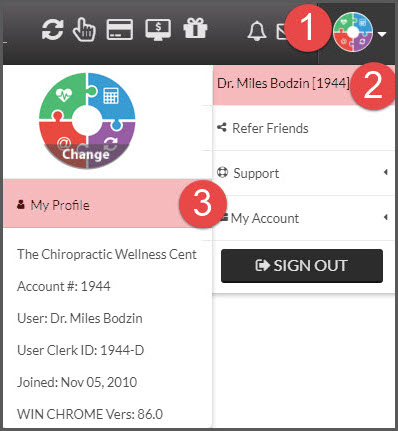
Image

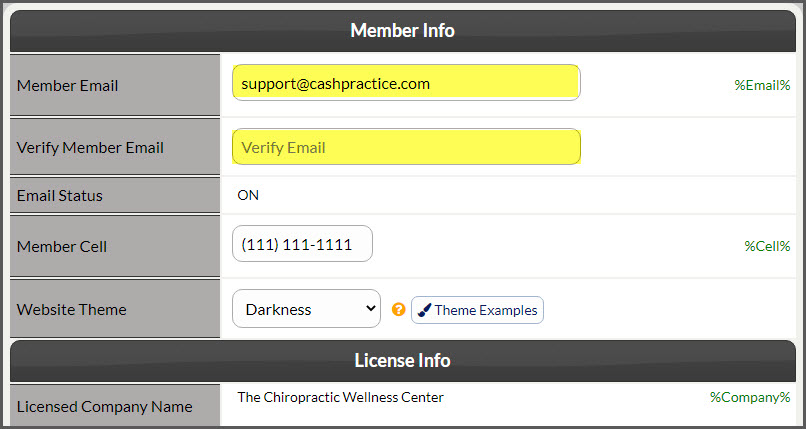
Step 3: View or edit the new email address. Verify the email address → click [SAVE].
Image

NOTE:  This information is used by the Drip-Education® Email Marketing System.

Did you find this article helpful?
Previous

Account Information: Where do I change my username? (Admin)

Next

© 2026 Cash Practice Systems. All rights reserved.