
Logo

Cash Practice® Systems Help Center

Search our knowledge base to get answers to your questions, access video training & more!

Resources: How do I view all of the Wellness Score Biomarkers in the account? (The Wellness Score® System Version 3)

3.0 The Wellness Score® System (Feedback)

Resources: How do I view all of the Wellness Score Biomarkers in the account? (The Wellness Score® System Version 3)

Access Biomarkers that come preloaded into the Biomarker Library as well as a list of Biomarkers that you have checked out of the library.

Last updated on 05 May, 2026

Let's do it together!

Step 1: Navigate to the Wellness Score Menu

Hover over the Systems menu→ click on The Wellness Score → then click Resources
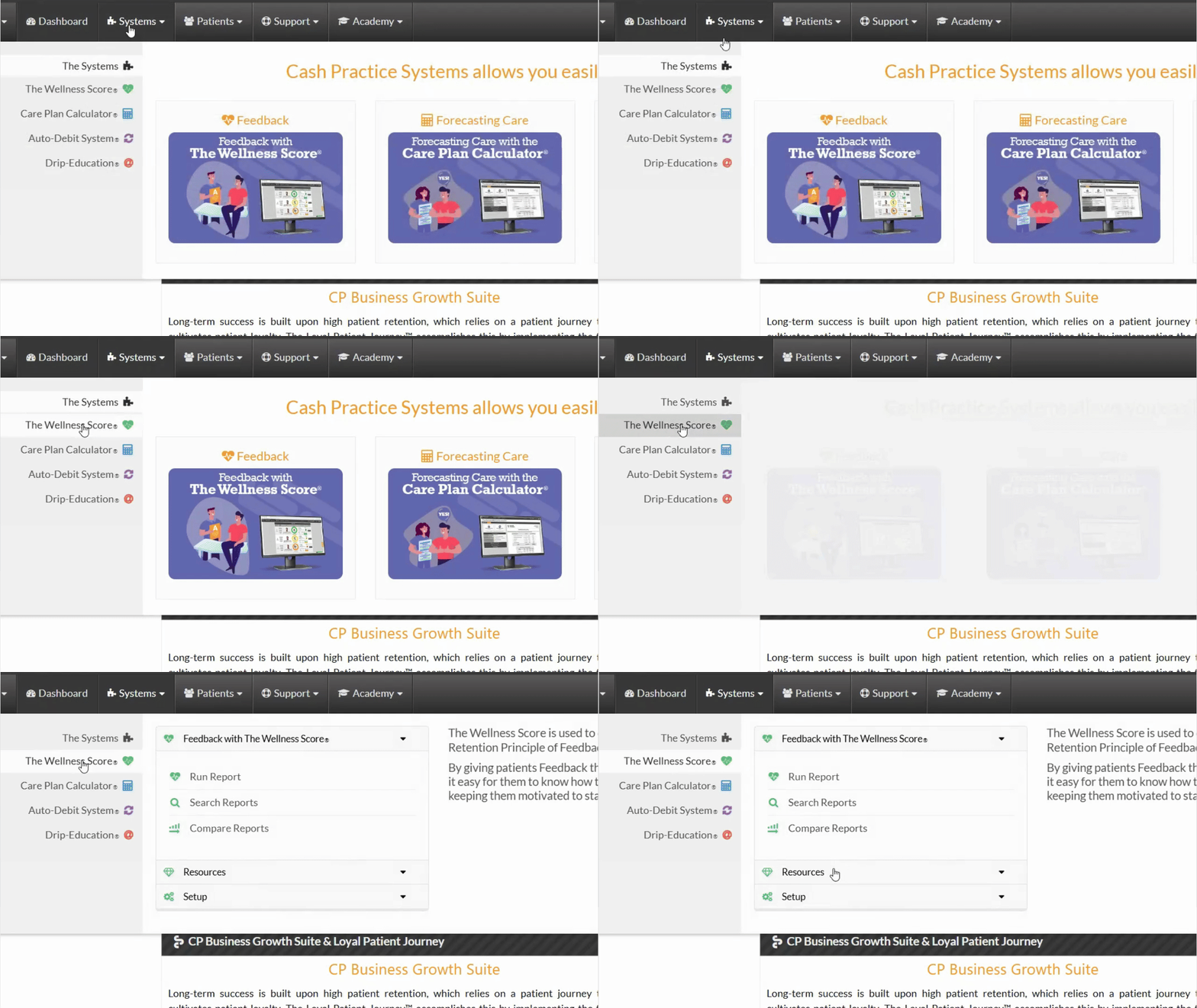
Snapshot

Step 2: Access the Biomarker List

Click on My Biomarkers to view the list of Biomarkers that you have created and/or checked out of the Biomarker Library.

Click on Biomarker Library List to see an easy to read list of all available Biomarkers that are preloaded into the Library for you to check out and use.
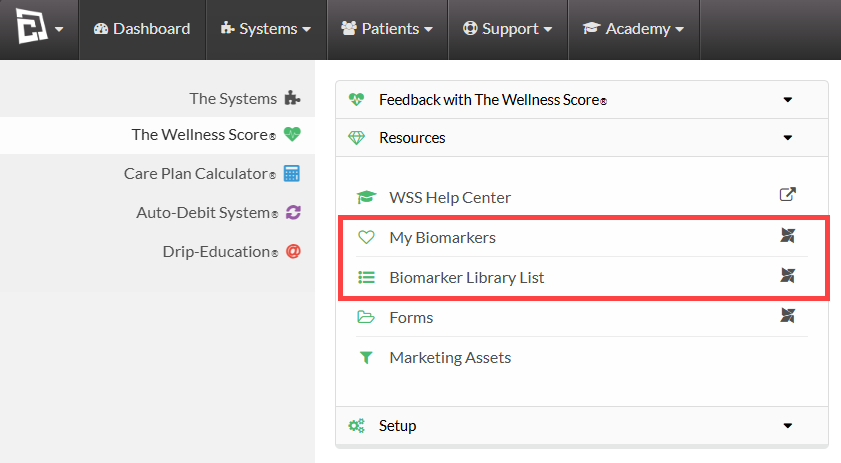
image.png

Did you find this article helpful?
Previous

Setup: Wellness Score® System (The Wellness Score® System V3)

Next

© 2026 Cash Practice Systems. All rights reserved.