

Your account has been pre-loaded with over 100 biomarkers that are commonly measured in a chiropractic exam. Simply pick and choose the biomarkers that you're measuring in your practice by adding them to a Biomarker Exam then you're set run your Wellness Score Report!
This article will guide you through setting up your Wellness Score System.
Getting started:
Hover over the [Systems] menu
Click on [The Wellness Score®]
Select [Setup]
Click on [WS Settings].
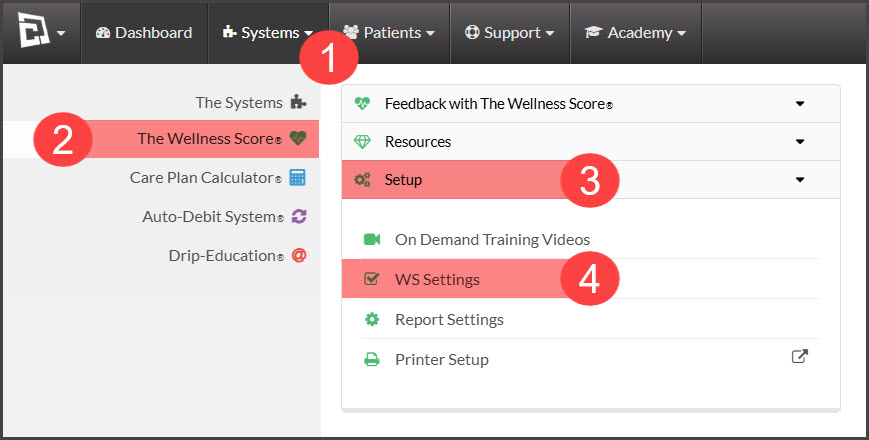
Once clicked, the page will load to display your Wellness Score System set up. Review and complete them in the order listed below:
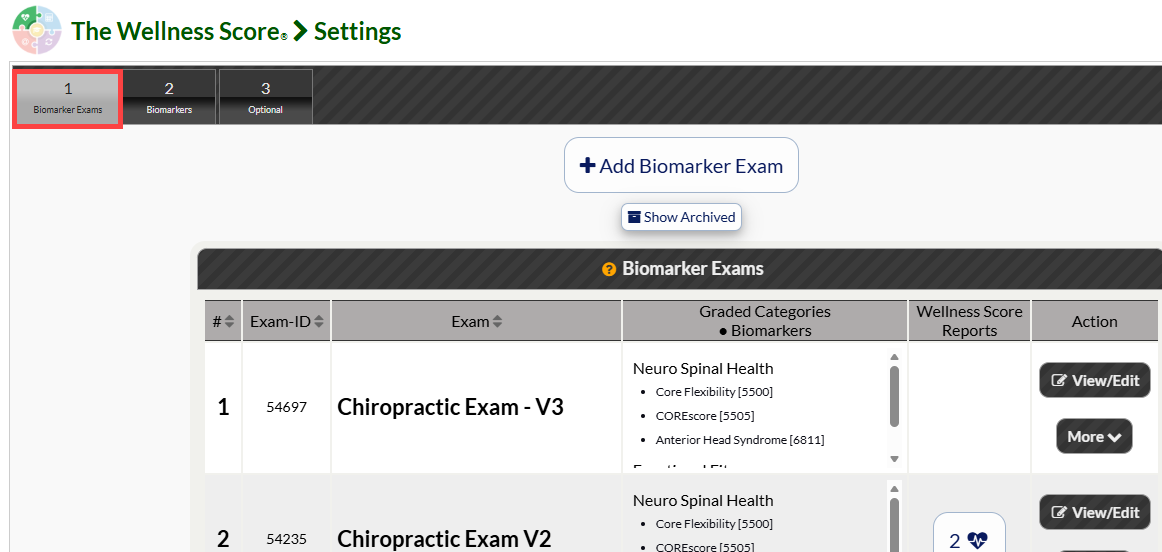
Tab 1: Biomarker Exams
What are Biomarker Exams? These are the sets of the biomarkers (tests) used to score a patient’s Wellness. You may use our premade biomarker sets, create your own, edit, reorder, copy, or archive these to fit your specific needs. See the instructions below:
Tab 2: Biomarkers
These are the tests or clinical measurements that you perform during an exam. Biomarkers can be Physical Exams, Radiology, Objective Assessment Tools, Subjective Assessment Tools, Blood Labs, Urine Labs, Saliva Labs, or any other bio-marker. You may use our preloaded biomarkers from the Biomarker Library or create your own.
Graded Categories: Health Categories appear on your Wellness Score® Reports in order to effectively communicate with your patients why what you have measured and scored affects their overall health. All biomarkers are assigned to Categories, and those Categories appear on every Wellness Score® exam.
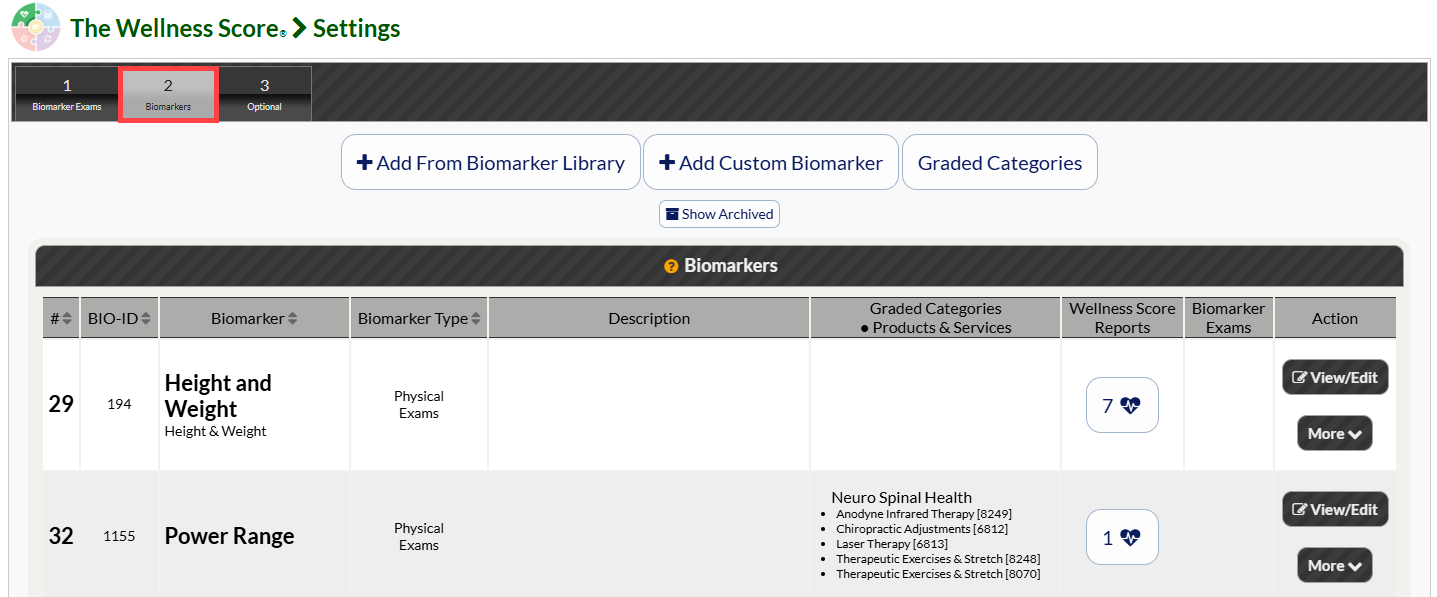
Remember to add your custom biomarkers to a category so that you can ensure your Wellness Score Report's category grades reflect accurately.
Tab 3: Optional
In this tab, you will find your optional settings for your Wellness Score® reports in each individual sub tab.
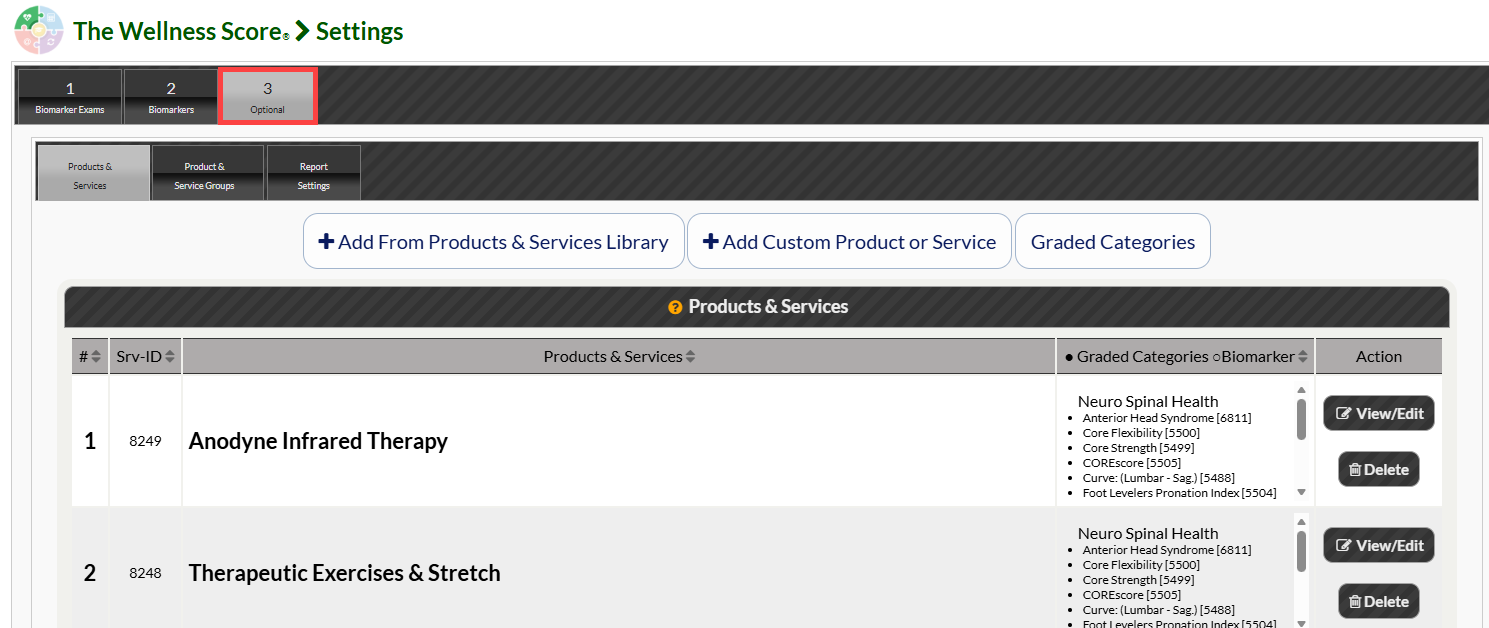
Sub Tabs:
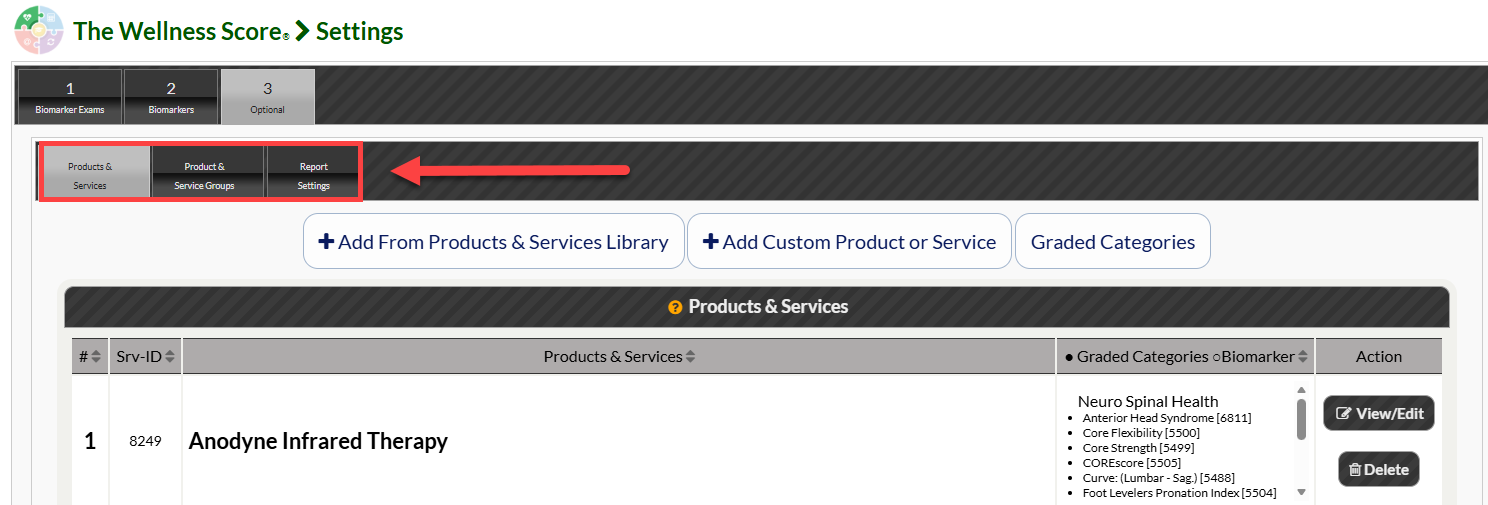
Products & Services: Services are the things you do or offer and can be included on The Wellness Score® Report Treatment Plan as part of a Service Group. We have several Services already pre-loaded into your account, but you may add your own.
Service Groups: This is a group of services that can be offered on the Wellness Score® Report as an outline for treatment. Examples of a Service Group would be Chiropractic, Massage, Group Trainings, etc.
Report Settings: Customize your Wellness Score report by choosing your color options, grade display options, and more.