
Logo

Cash Practice® Systems Help Center

Search our knowledge base to get answers to your questions, access video training & more!

Reports: How do I print a Wellness Score® report? (Wellness Score® Version 3)

3.0 The Wellness Score® System (Feedback)

Reports: How do I print a Wellness Score® report? (Wellness Score® Version 3)

Learn how to search, view, and print your Well Score reports from your Dashboard.

Last updated on 09 Jan, 2026

Let's do it together!

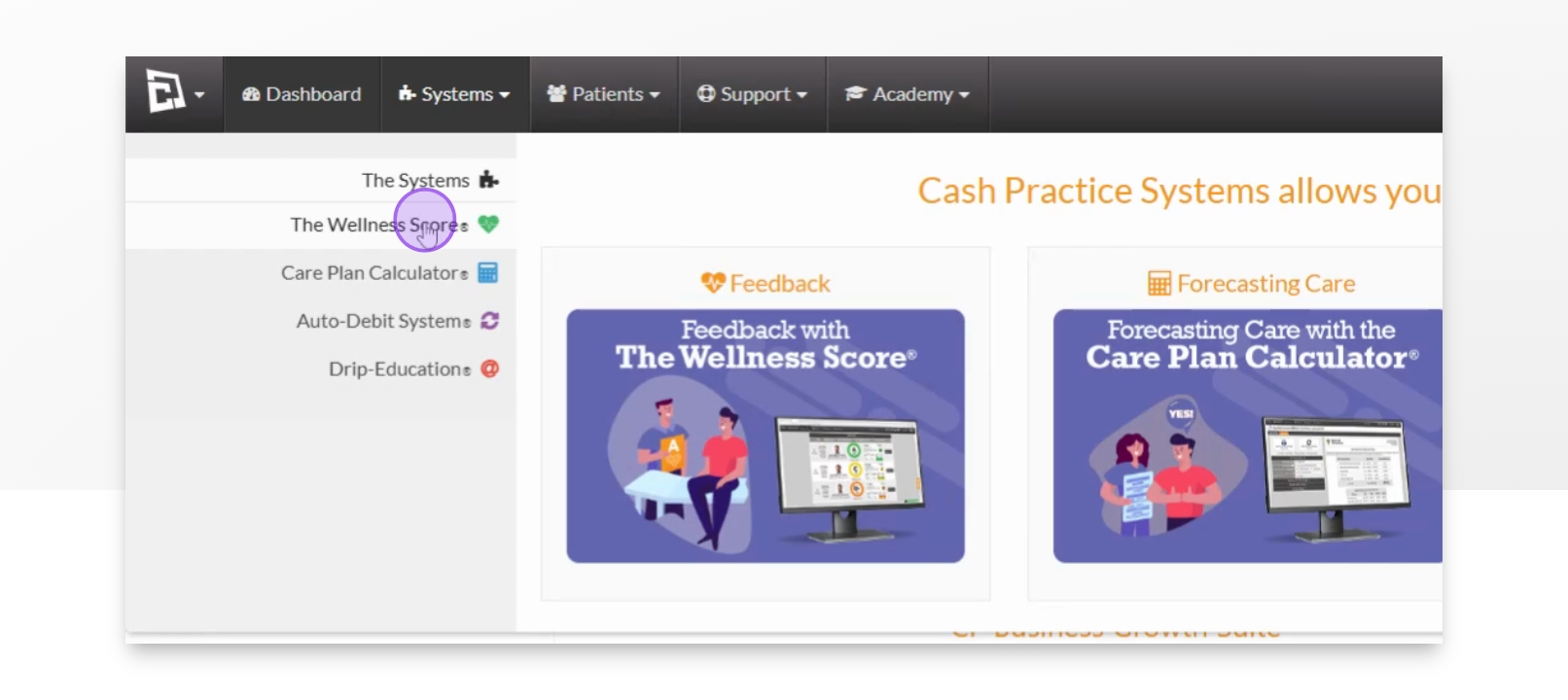
Step 1: Hover over Systems

From your dashboard, hover over the Systems tab.

Step 2: Select Wellness Score

Select the Wellness Score from the dropdown.
Snapshot

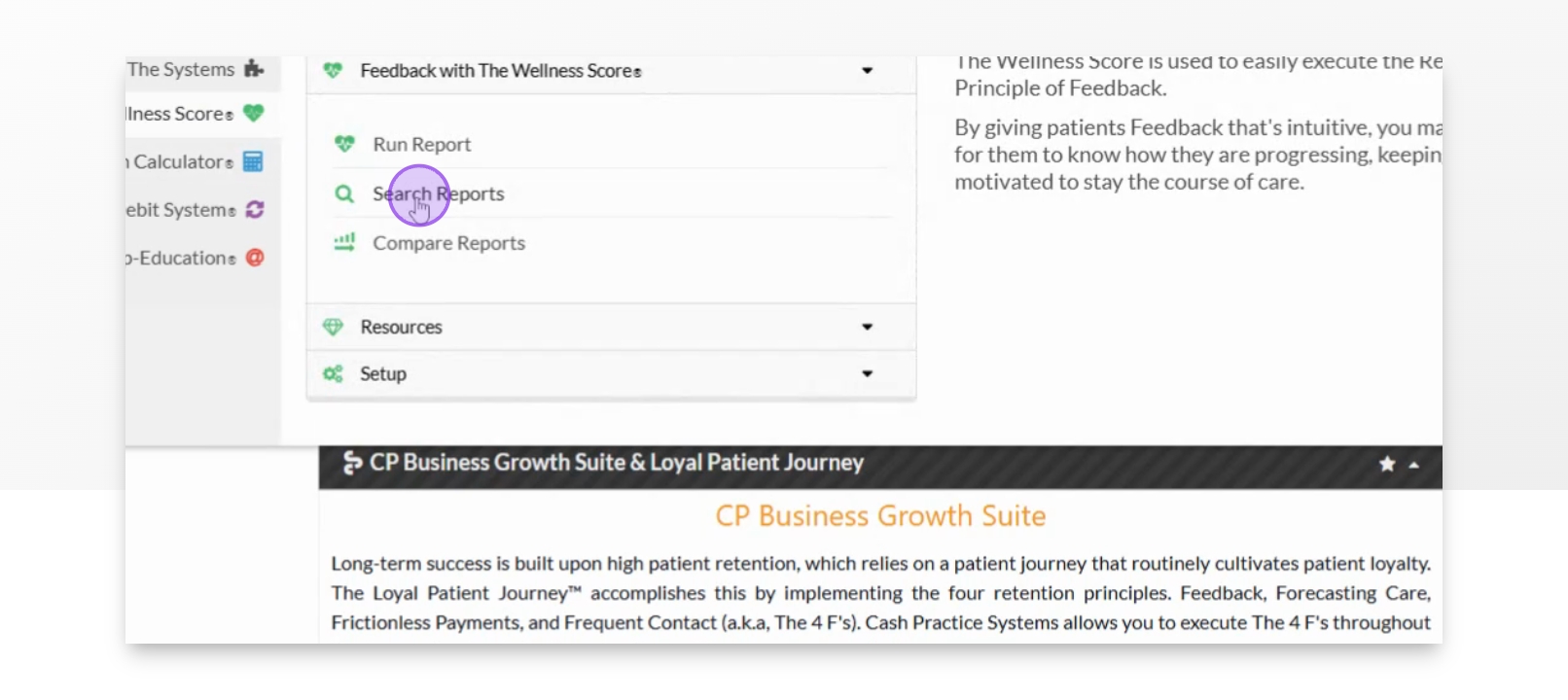
Step 3: Click Search Reports

Then click on Search Reports.
Snapshot

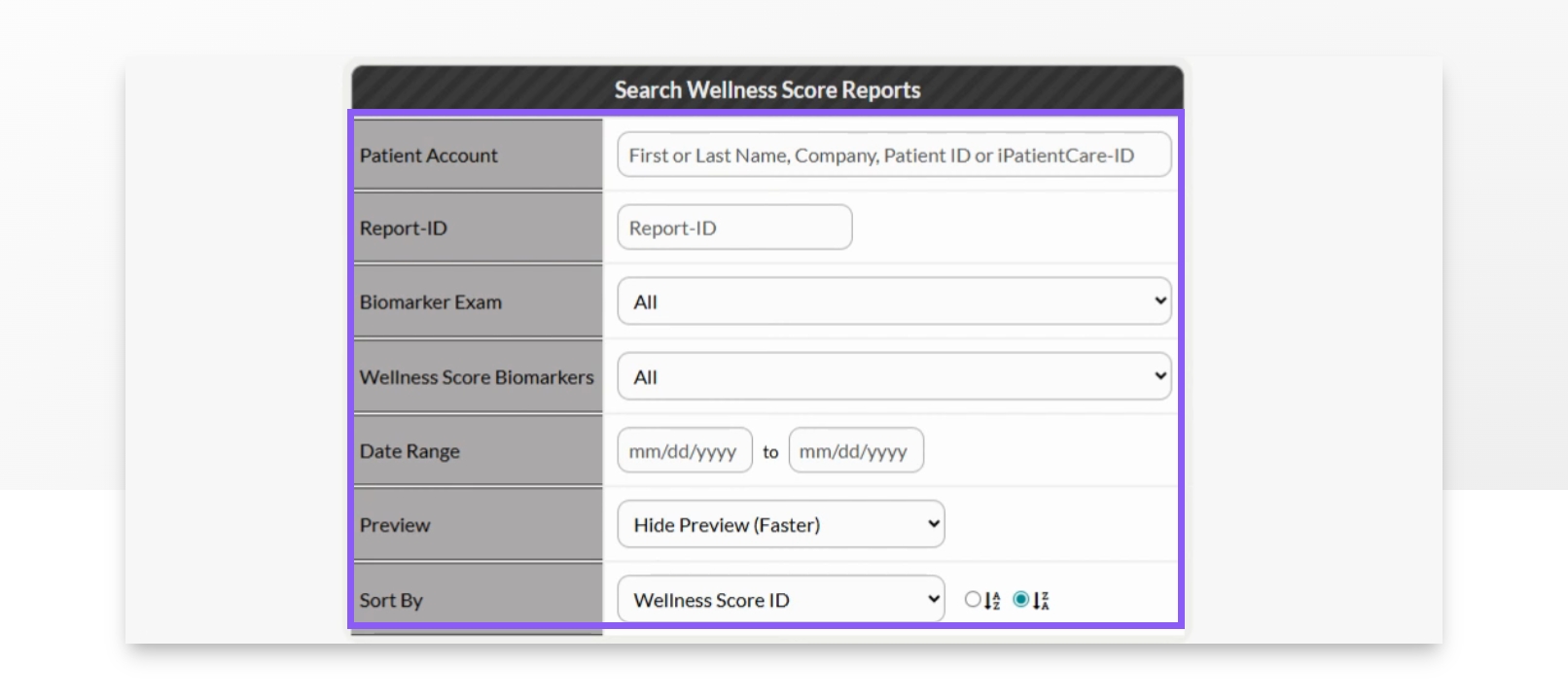
Step 4: Adjust search filters

From here, adjust your search filters to find the specific report you need.
Snapshot

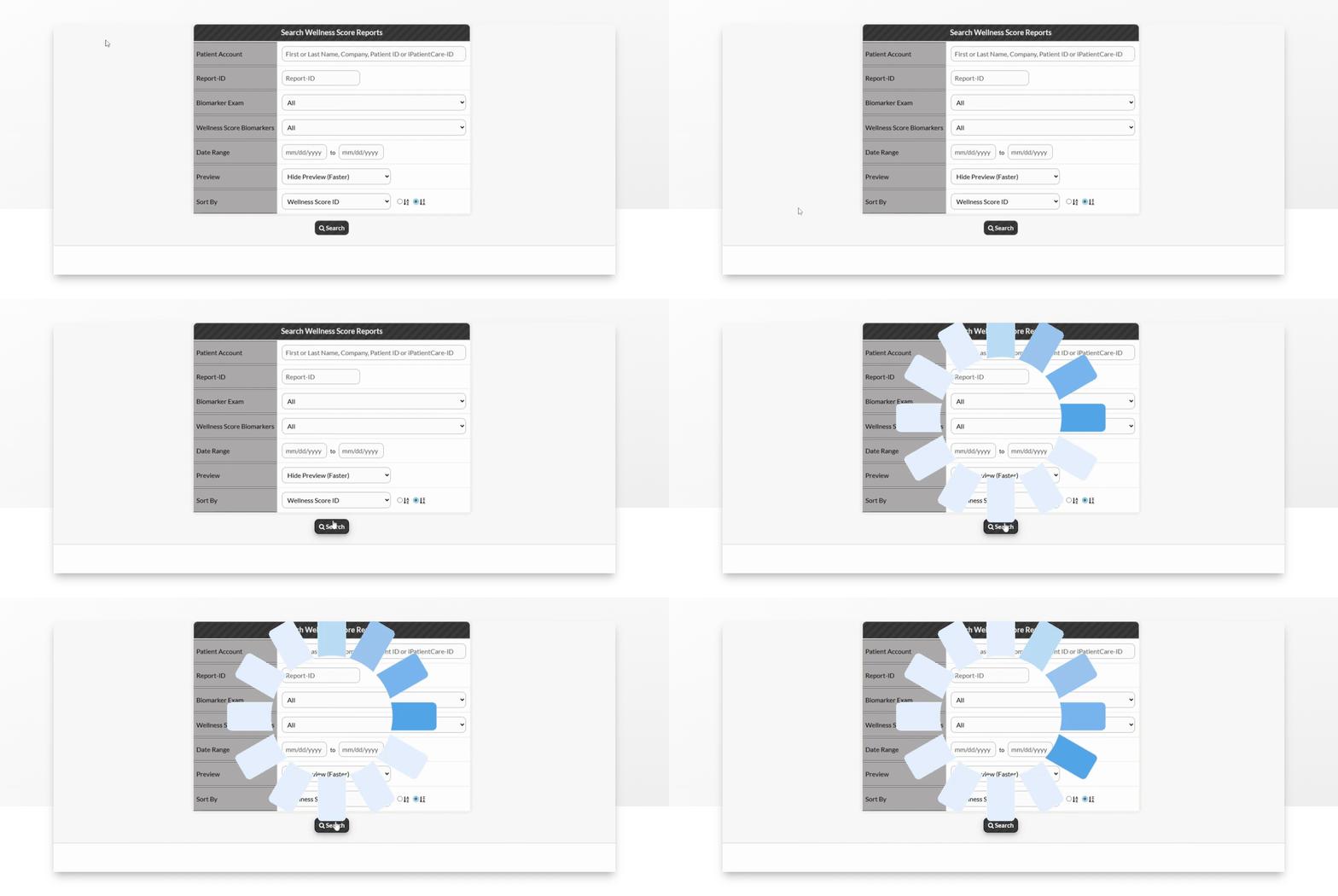
Step 5: Hit Search

Click the Search button to find your report.
Snapshot

Step 6: Click More. Then select View, Print, & Email

Click on the More button next to the specific report you need. Then, select View, Print, and Email.
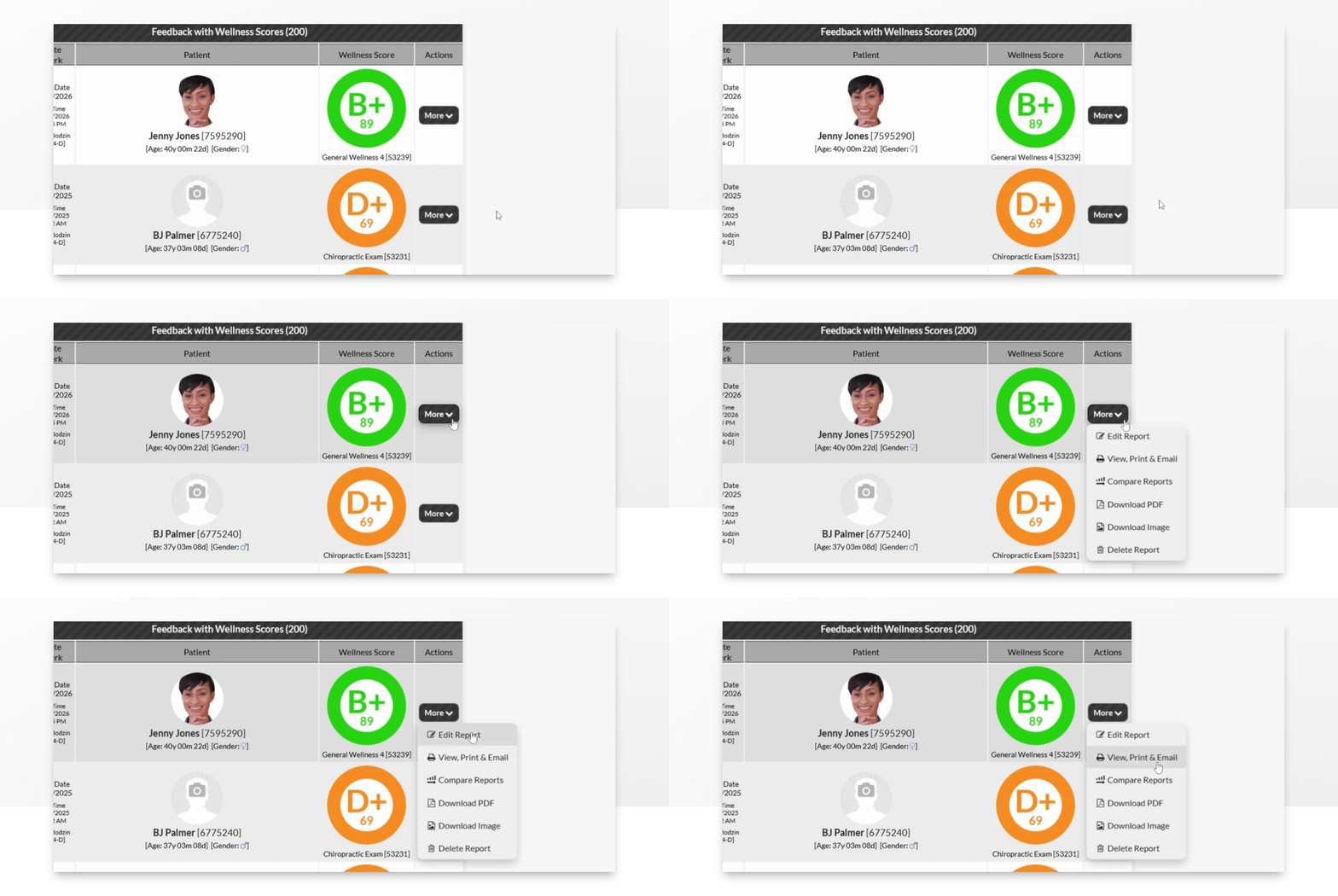
Snapshot

Step 8: Click to Print

Click the Print button or your logo at the top of your page to print your report.
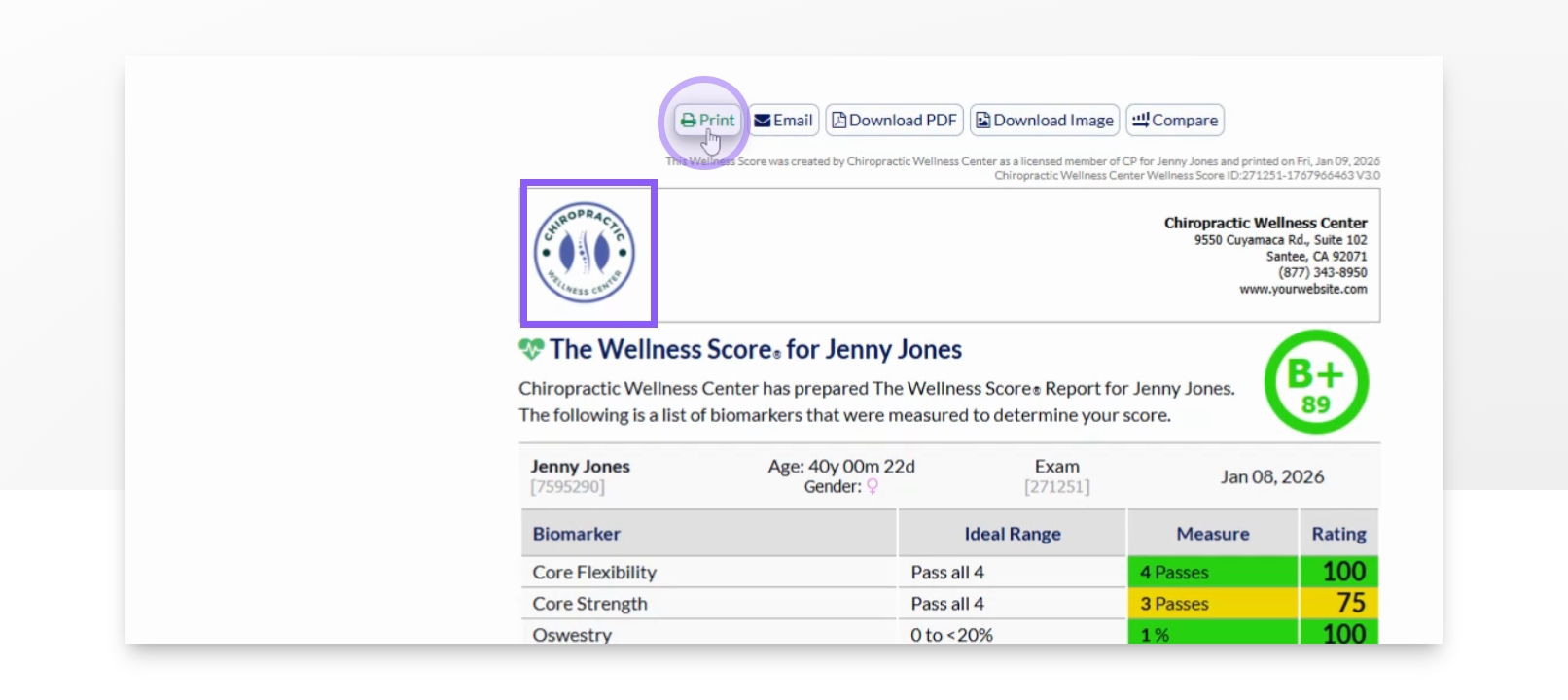
Snapshot

Did you find this article helpful?
Previous

Reports: How do I email a report? (The Wellness Score® System Version 3)

Next

© 2026 Cash Practice Systems. All rights reserved.