
To view your ChiroTouch® version & account number:
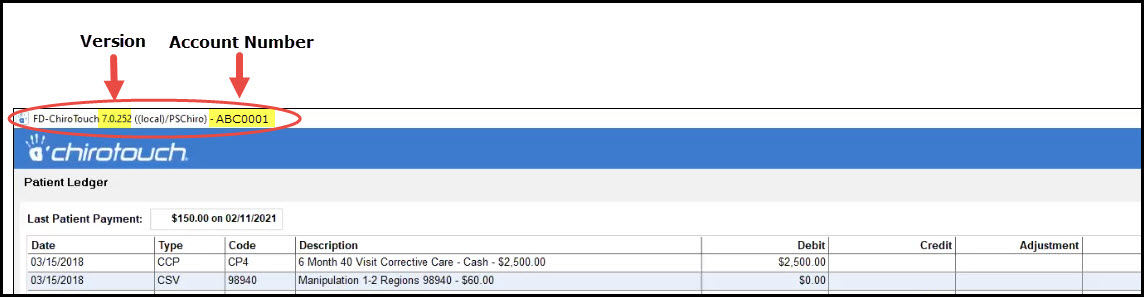
Log into Front Desk → In the upper left-hand corner of the front desk screen, you will see the version number and account number displayed.

Cash Practice® Systems Help Center
Search our knowledge base to get answers to your questions, access video training & more!
ChiroTouch®: How can I view my ChiroTouch® version & account number?
ChiroTouch® Server Integration and Training
Last updated on 14 Sept, 2025
To view your ChiroTouch® version & account number:
Log into Front Desk → In the upper left-hand corner of the front desk screen, you will see the version number and account number displayed.