

NOTICE: The discounts shown in this example are for demonstration purposes only and are not a recommendation of how you should run your practice.
You must be a subscribed user of the Care Plan Calculator® System as well as a CHUSA provider to do the following.
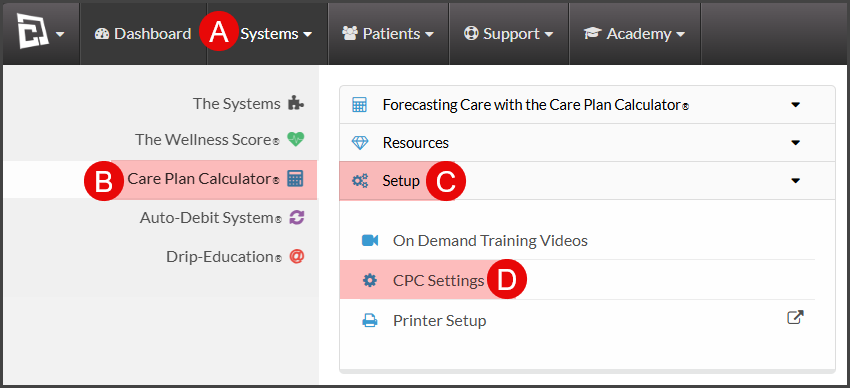
To get started, follow the sequence below.
A: Hover over [Systems]
B: Click [Care Plan Calculator®]
C: Click [Setup]
D: Select [CPC Settings]
Step 2: Access [Step 5: DMPO%]

Step 3: Enter "ChiroHealthUSA" or "CHUSA" into the [DMPO Name] section, then add the discount schedule into the designated fields.
CHUSA Service Discount: CHUSA Discount Schedule
CHUSA Routine Services Max Fee Per Visit: CHUSA Discount Schedule
CHUSA Product Discount: CHUSA Discount Schedule
CHUSA Custom Product Discount: CHUSA Discount Schedule
CHUSA Family Discount (2nd): CHUSA Discount Schedule
2nd Family Member Routine Services Max Fee Per Visit: CHUSA Discount Schedule
CHUSA Family Discount (3rd): CHUSA Discount Schedule.
3rd Family Member Routine Services Max Fee Per Visit: CHUSA Discount Schedule
CHUSA Family Discount (4th+): CHUSA Discount Schedule
4th-7th Family Member Routine Services Max Fee Per Visit: CHUSA Discount Schedule
The discounts listed are for example only. Please refer to your CHUSA Provider Discount Schedule when entering the discounts & max fee per visit.
*NOTE: à la carte discounts are not to be entered here and may be added back on step 3 or per plan/template.
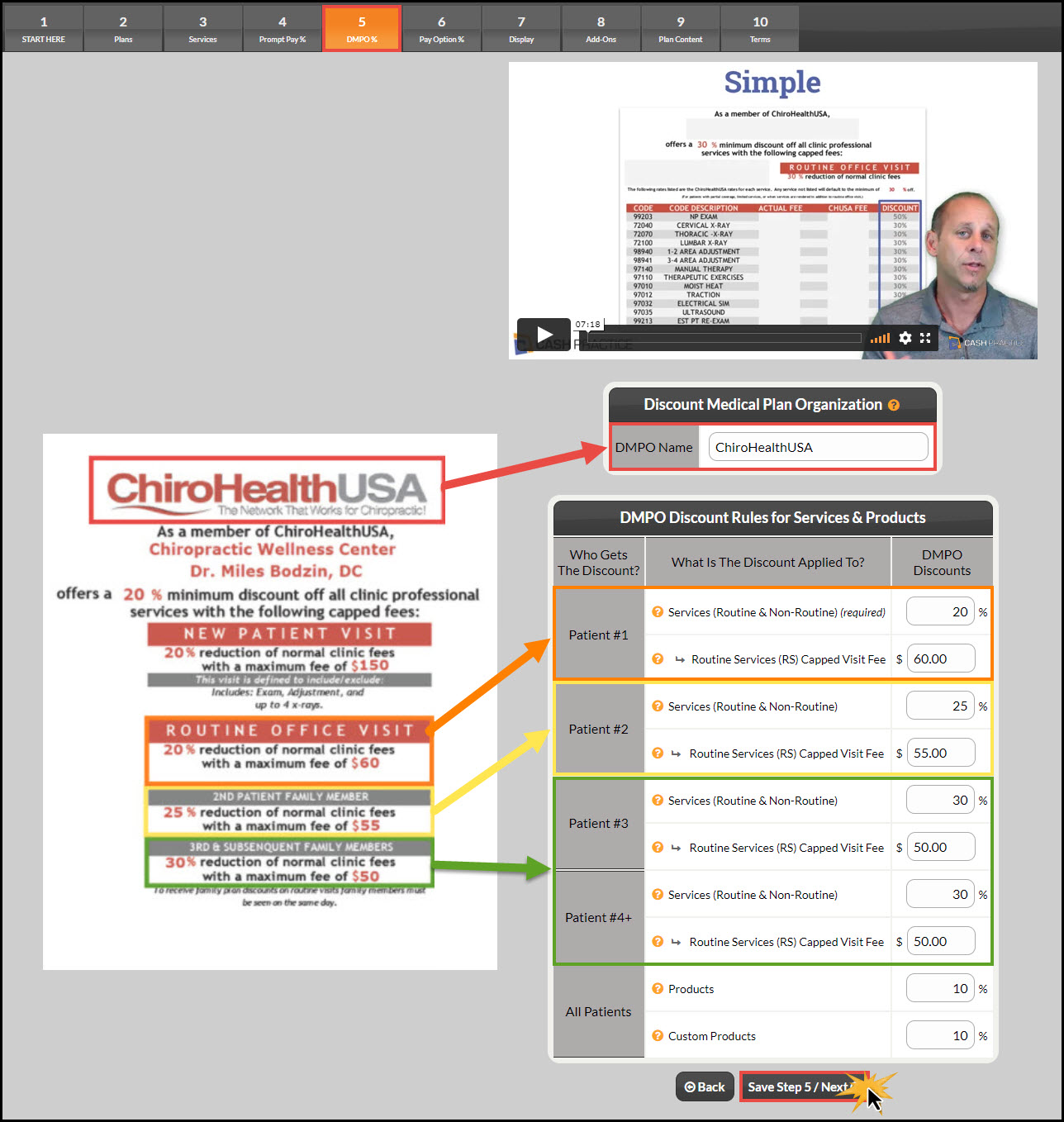
Step 4: Click [Save Step 5 / Next→].
NOTE: If you have a CHUSA discount & capped fees that apply to family members of a certain age, you may want to edit the fields to include the children's ages: