
Logo

Cash Practice® Systems Help Center

Search our knowledge base to get answers to your questions, access video training & more!

Drip-Education® Email Marketing System (Frequent Contact)

Edit Campaign: How do I use the Templates Library?

Last updated on 13 Sept, 2025

Getting started:

Step 1: From the campaign editor composition page, you will have the ability to add a template.

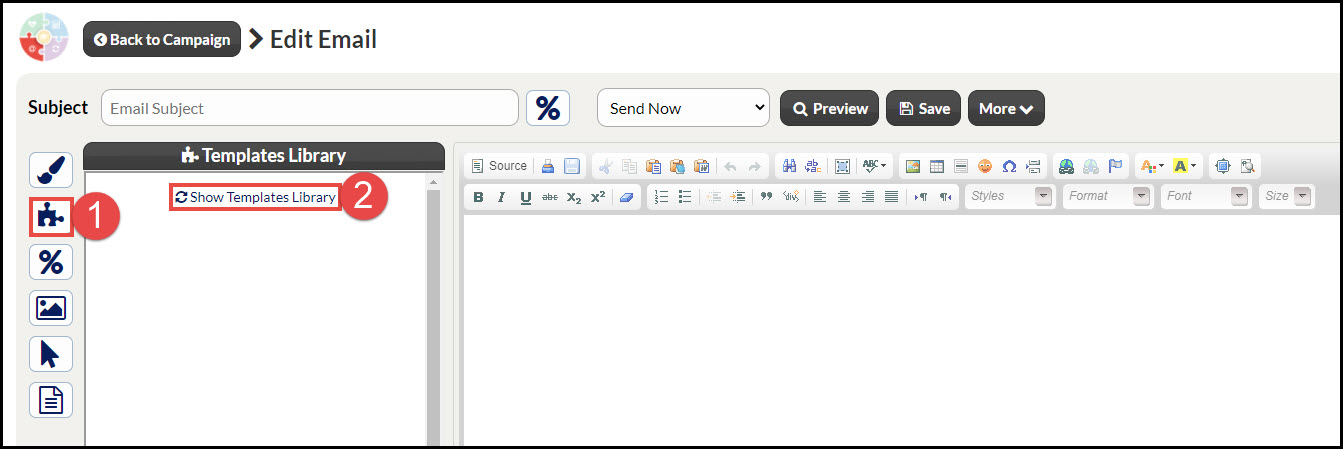
Step 2: Click on the [Puzzle] icon on the left to view the Templates Library.

Step 3: Click on the [Show Templates Library] button to load the templates.
Image

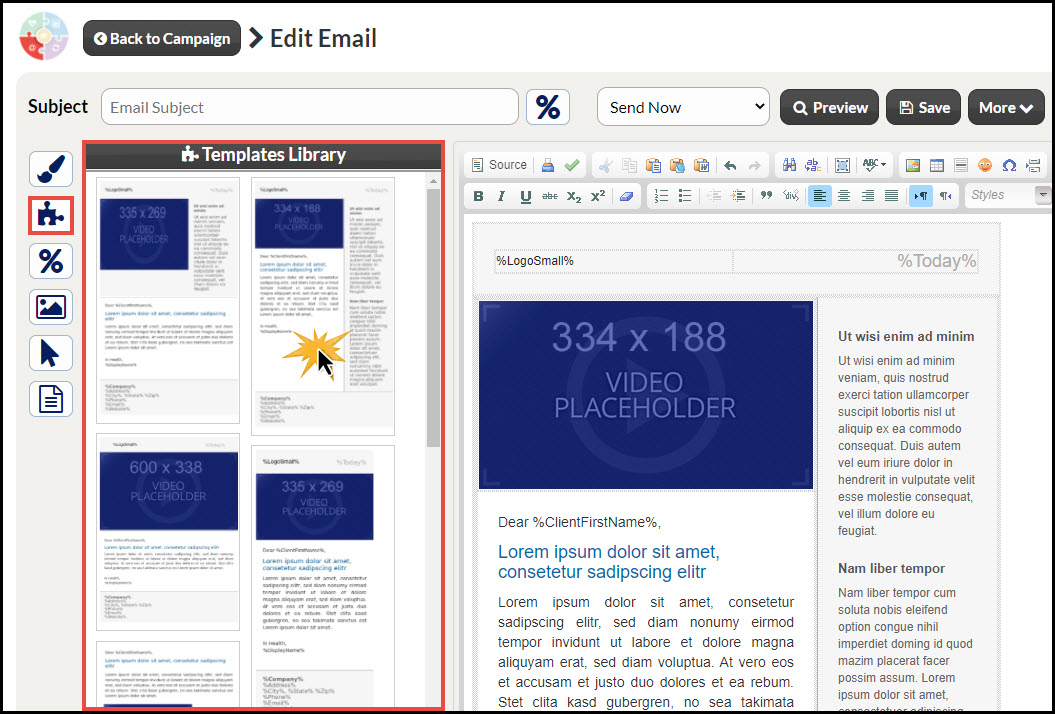
Step 4: Select the template you would like to use and click the image to load the template into the composition section. Before use, make sure to remove the Latin script to make room for your content.
Image


Did you find this article helpful?
Previous

Managing Assigned Campaigns: How can I find out which patients are actively receiving my campaign emails?

Next

© 2026 Cash Practice Systems. All rights reserved.