

Getting started:
Step 1: From the composition page, you have the ability to use Mail Merge Variables to insert patient, or practice member information into an email. This is great to customize your emails for all of your patients. For steps on how to access the email editor and composition page, click HERE.
Step 2: Click on the [Mail Merge Variables Library] Icon.
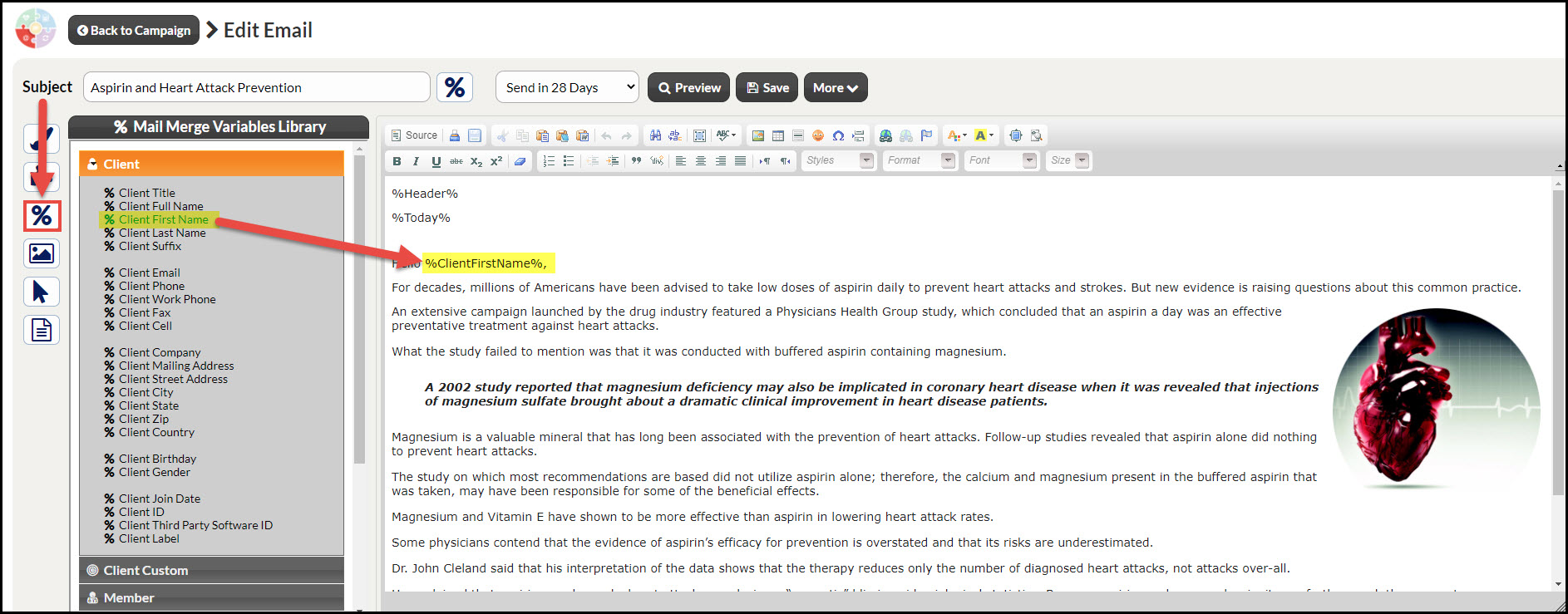
Step 3: Placing your cursor on where you intend to insert the Drip-Ed™ Variable.
Step 4: Click the variable that you wish to insert into the email from the variable library.
Step 5: You will then see the variable inserted wherever your cursor was originally placed.