Logo

Cash Practice® Systems Help Center

Search our knowledge base to get answers to your questions, access video training & more!

E-Sign: How to use the Scriptel device to capture digital signatures and go paperless!

Auto-Debit System® (Frictionless Payments)

E-Sign: How to use the Scriptel device to capture digital signatures and go paperless!

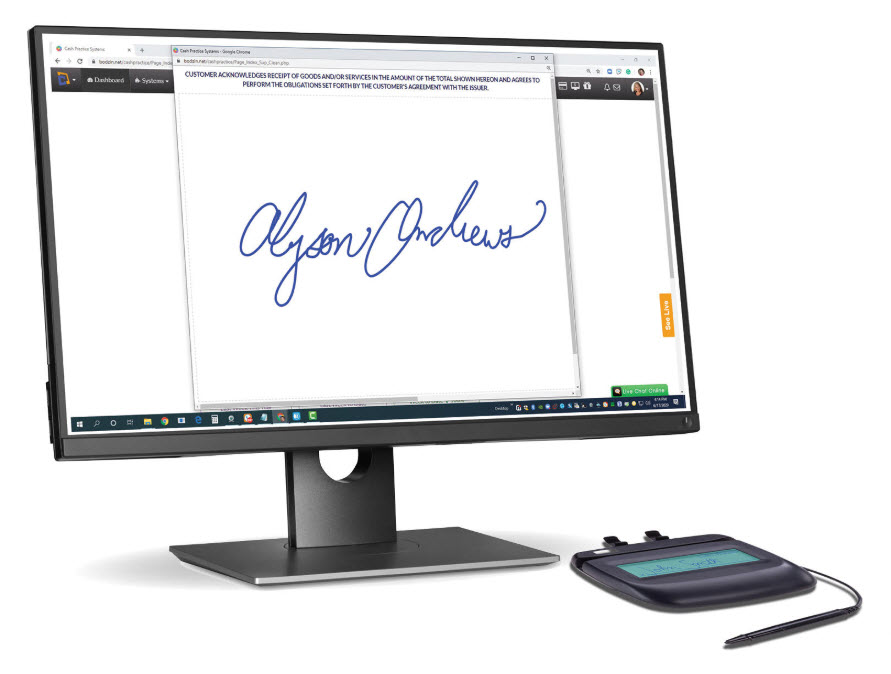
We're pleased to offer capturing digital signatures from Care Plans & Auto-Debit System documents! Check out the article below for the exciting details!

Last updated on 13 Sept, 2025

*Exact device shown in the video is no longer sold*

*ORDER* To order your Scriptel Signature device,
go to the Cash Practice Shopping Cart.


Image


Setup

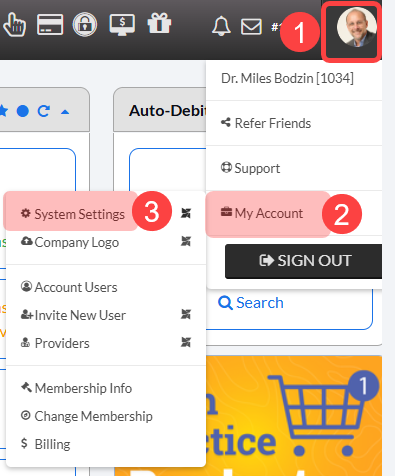
Step 1: From your [User Profile] menu → [My Account] → [System Settings]. 

Image

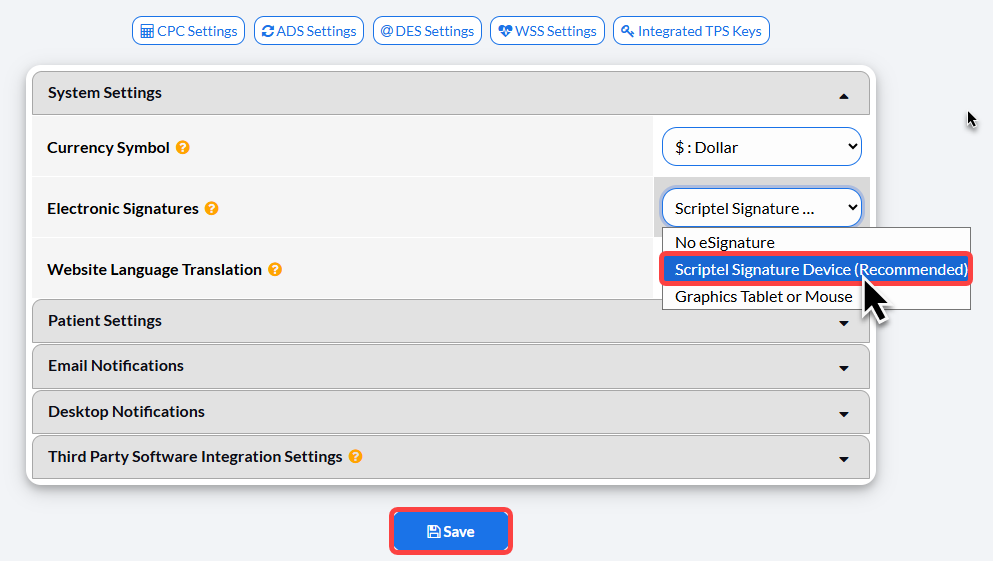
Step 2: From [System Settings] → [Electronic Signatures] → select [Scriptel Signature Device (Recommended)] → click [Save]. 

Image

Step 3: Plug your Scriptel device into the USB port of the computer you will be using with your Cash Practice account and you're ready to go!

How to get a digital signature and initials on a Care Plan

How to get digital signatures on a payment authorization or receipt

Did you find this article helpful?
Previous

Virtual Terminal: How Do I Record a Cash Payment?

Next

© 2026 Cash Practice Systems. All rights reserved.