

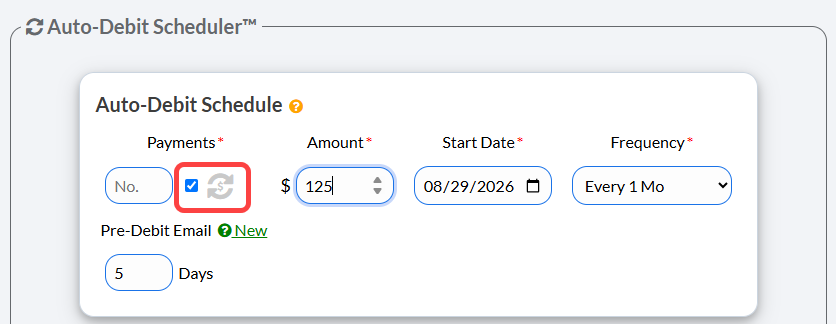
When scheduling a recurring auto-debit, below the [Payments] field, instead of entering a number, check the box that says [Indefinite].
Note: The image below displays the Auto-Debit Schedule section in the Auto-Debit Scheduler. When you first open the Auto-Debit Scheduler™, you will only have this section displayed, however, more will appear as you start filling out the fields.
For complete instructions for scheduling Auto-Debits refer to: Processing: How to schedule an auto-debit or recurring payments