

Scheduling Split Monthly Auto-Debits
To charge a patient twice a month using the Auto-Debit Scheduler™, choose the approach that fits their requested schedule:
Caution: When using the Frequency [Every 2 Wks], be mindful that some months have 5 weeks, and this may affect your intended Semi-Monthly schedule.
Option 1: Fixed Semi-Monthly Dates (1st/15th or 5th/20th)
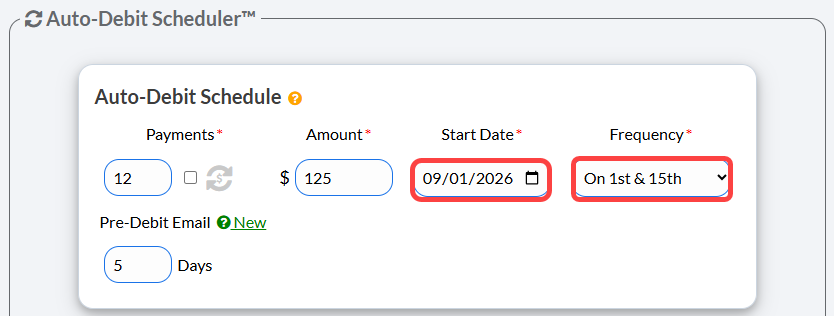
If the payment dates fall on either the 1st and 15th OR the 5th and 20th, set up a single auto-debit using the Frequency drop-down menu.
Select On 1st & 15th or On 5th & 20th based on the patient's preference.
Set the Auto-Debit Start Date to the next upcoming payment date (e.g., if today is the 10th and you select 5th & 20th, set the start date to the 20th).
Option 2: Custom Dates
If the patient requires dates other than the standard options above (e.g., the 5th and the 24th), you must create two separate monthly auto-debits.
Schedule the first monthly auto-debit for the first date (e.g., $50 starting 7/5).
Schedule the second monthly auto-debit for the second date (e.g., $50 starting 7/24). Note: When submitting the second auto-debit, click [Yes] to bypass the system warning message.