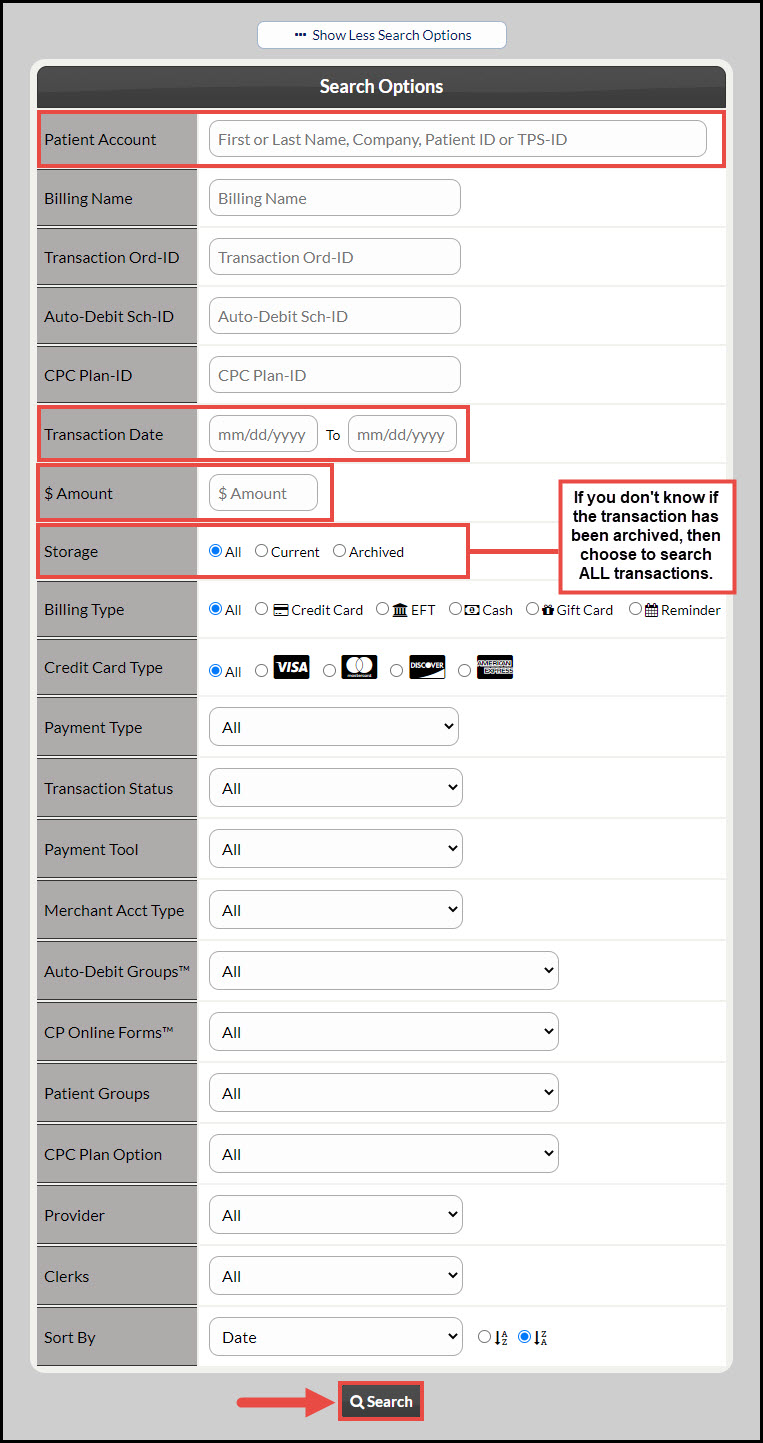
When searching for past payments, especially payments that have been archived, you must designate your search options. Follow the below steps:
Step 1: From the Dashboard, click on the [Search Payments] button located under the "Payments" section. Click HERE for instructions.
Step 2: Click [Show More Search Options] for more search criteria. Choose your patient (enter a dollar amount, or select a "To-Date" and "From-Date", if they have a lot of transactions) to pull up a report of all your transactions for that patient.
Step 3: Change the [Storage] field to [All] and press [Search].