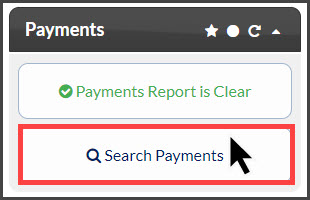
Step 1: From the Dashboard, click on the [Search Payments] button located under the "Payments" section.
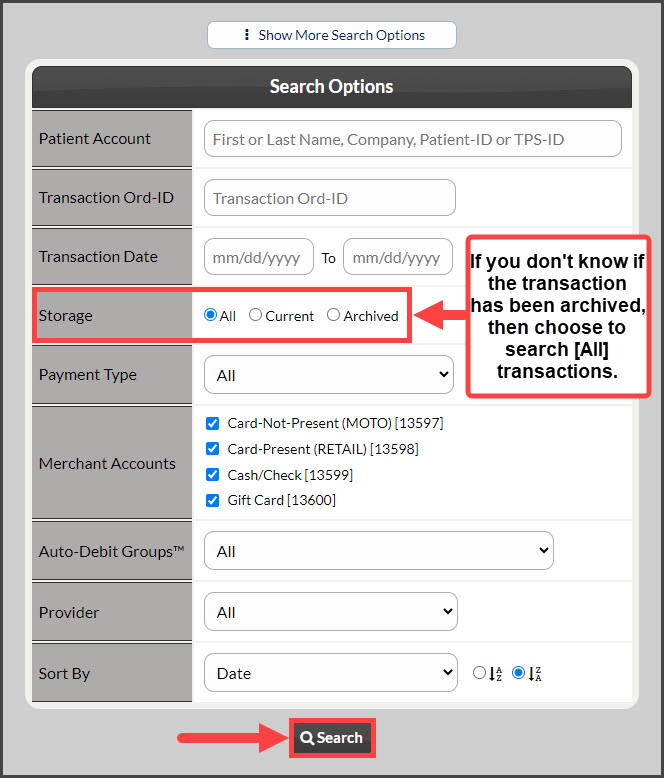
Step 2: Designate your search options to pull up the past transaction. If the payment has been archived, be sure to change the [Storage] field to "All".
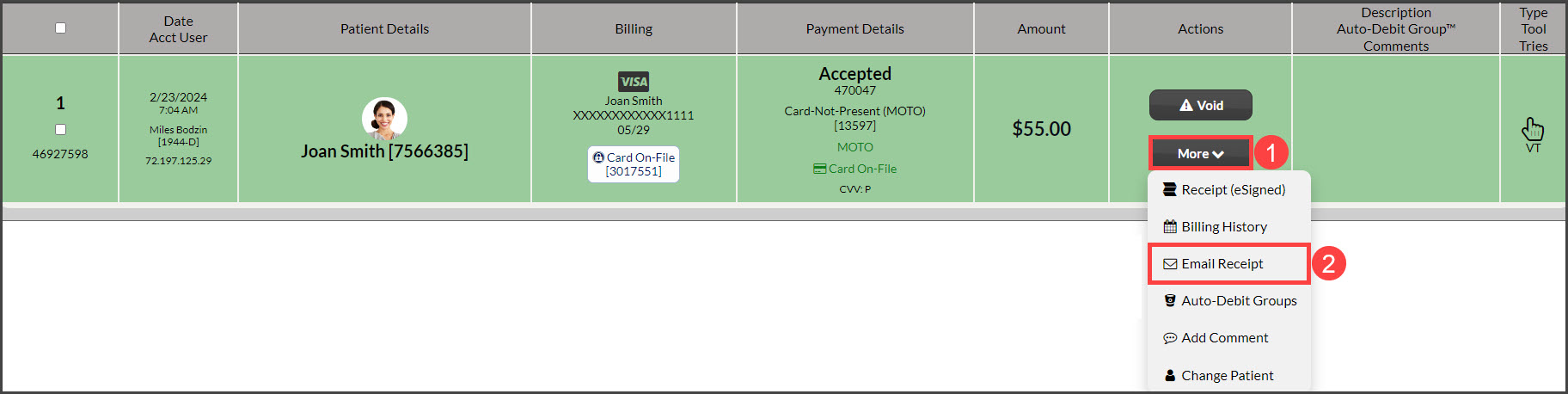
Step 3: Under the [More] drop-down menu, select the [Email Receipt] option.
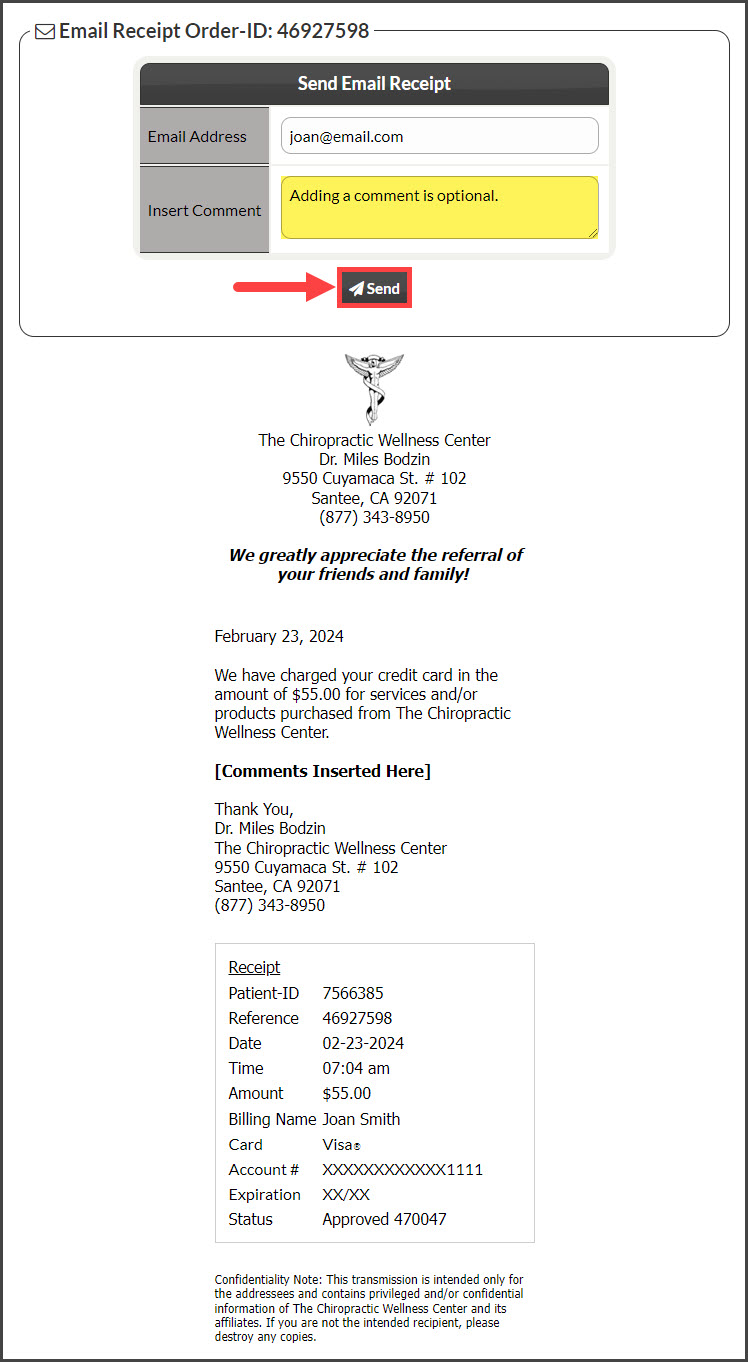
Step 4: If the patient has an email address saved on file, it will pre-populate in the [Email Address] field. Add a comment (Optional) and click on the [Send] button to email the patient the receipt.