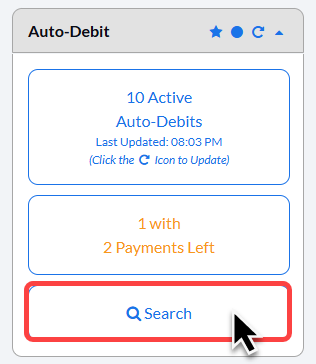
Step 1: On the right side of your Dashboard, click on the [Search] button under the Auto-Debit Section.
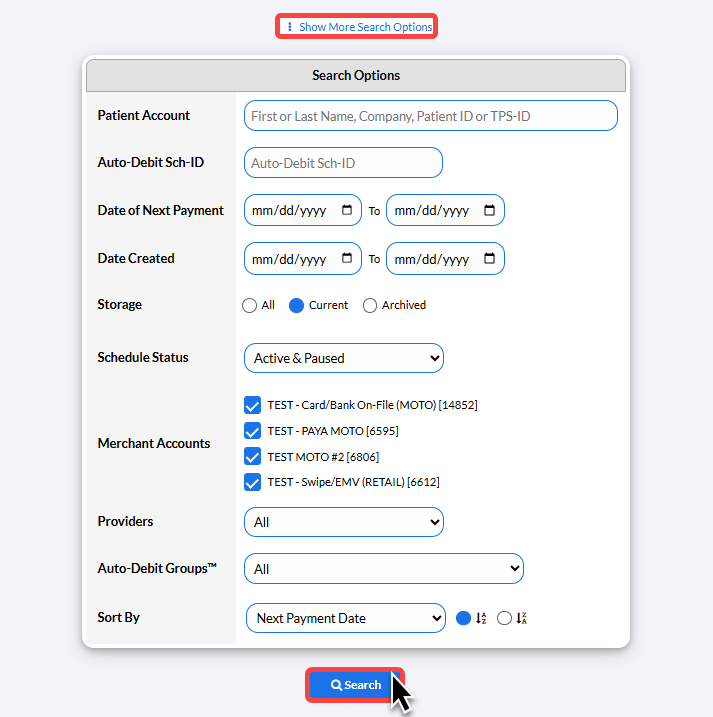
Step 2: Enter the search criteria to narrow down your search or simply select [Search] to load all active auto-debits.
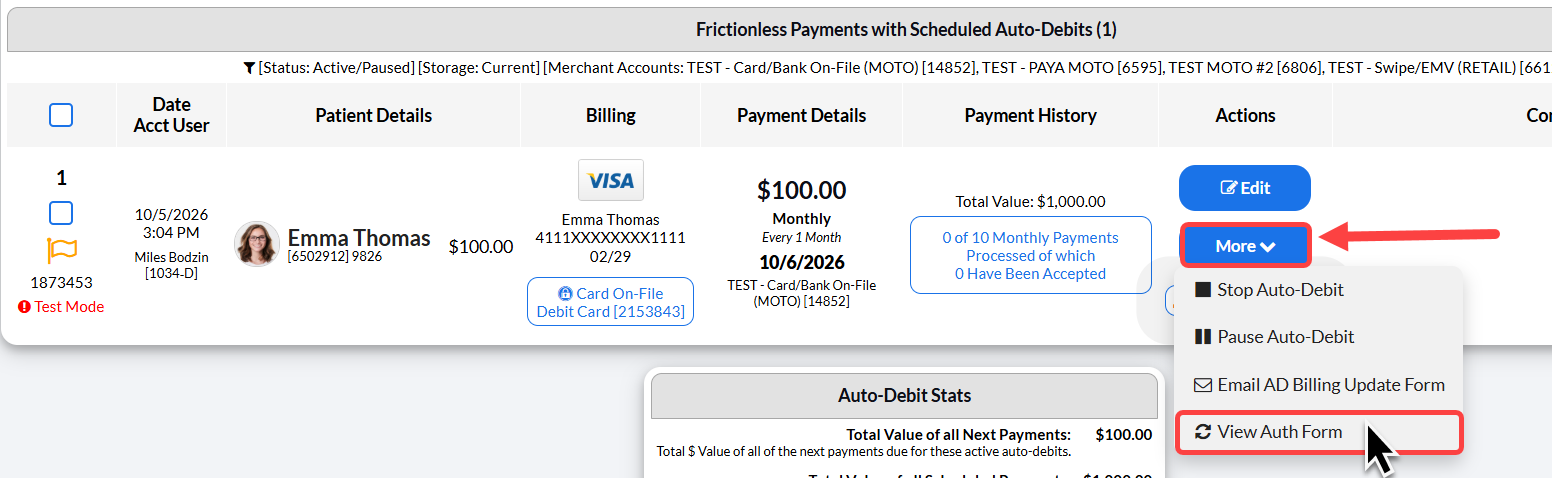
Step 3: Locate the patient's auto-debit that you would like to reprint the Authorization Form. Click on the [More] drop-down menu→ then select the button [View Auth Form] or [View Signed Auth Form], if using our signature device.
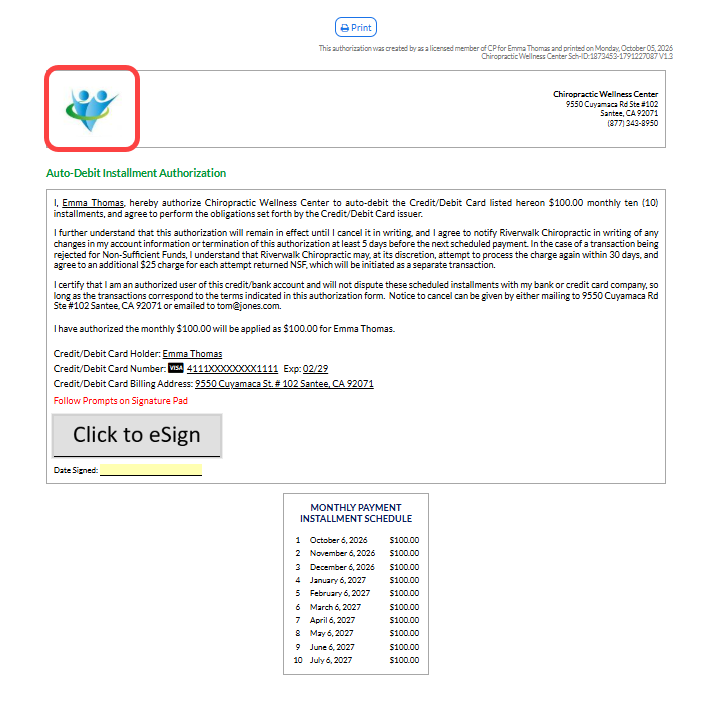
Step 4: Click on the logo or print button at the top of the page to print the authorization.