

Parameter Sets are simply a list of Parameters that you would like to use to create a specific Wellness Report. You can make as many different Parameter Sets as you like.
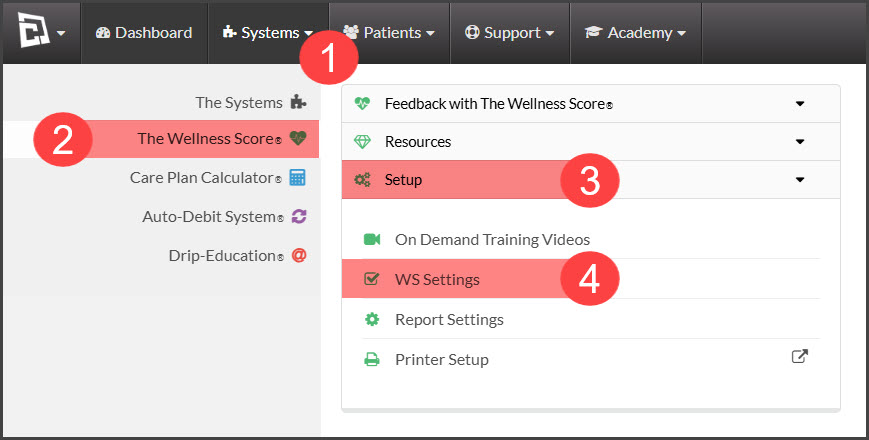
Step 1: Hover over the [Systems] menu → [The Wellness Score®] menu → click [Setup] tab → select [WS Settings].
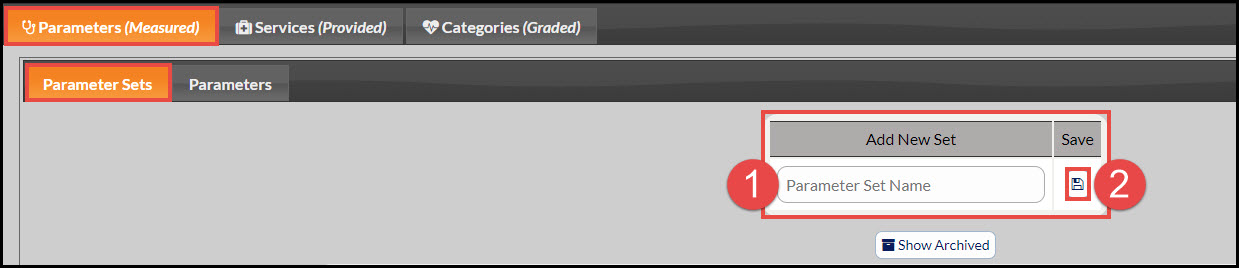
Step 2: Note: The page will automatically load under the tabs [Parameters (Measured)] → [Parameter Sets]. Enter the name of the set you want to create and click the [Save] icon.
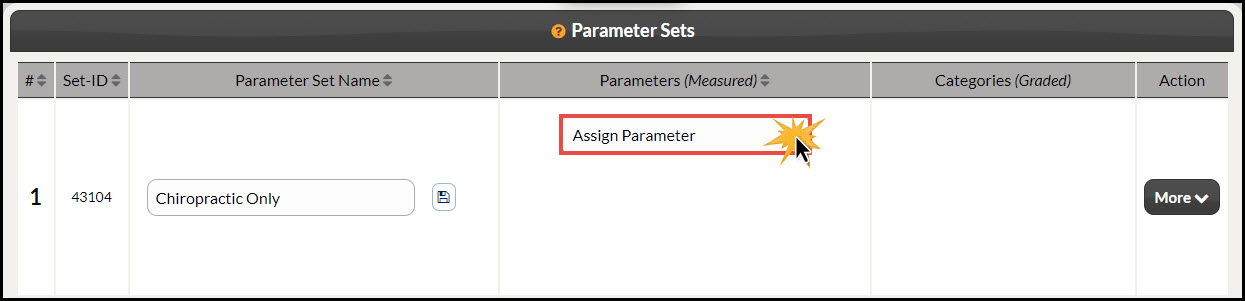
Step 3: The page will reload showing the new Parameter Set.
Step 4: Next, Assign Parameters to the Set. Simply use the [Assign Parameter] drop-down menu. The page will reload with each selection.
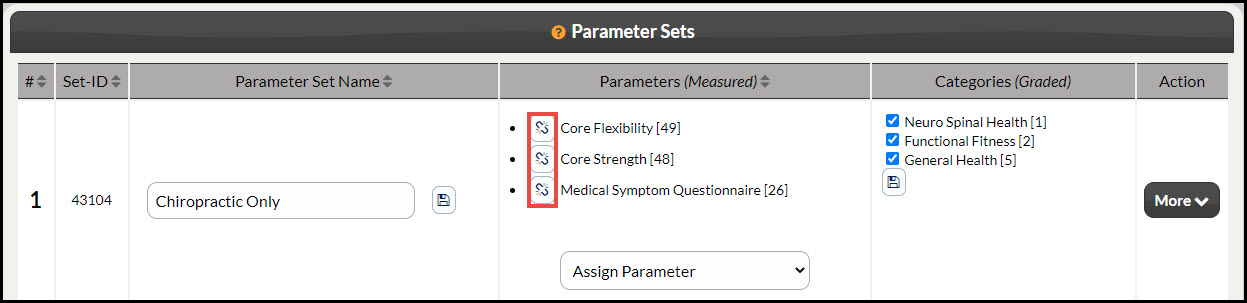
Step 5: If you need to Un-Assign a Parameter from the set, you can click on the [Un-Assign] icon for the Parameter in question.
NOTES:
Every time you assign a parameter to the [Parameter Set], ALL of the Category boxes will get checked. Therefore, you should not uncheck any Categories until you are finished assigning the parameters for that set. (See: Assigning Categories To Parameter Sets)
Once you run an exam with that [Parameter Set], it will be locked and you will not be able to make any changes to it unless you delete any exams used with that set.