
Logo

Cash Practice® Systems Help Center

Search our knowledge base to get answers to your questions, access video training & more!

Manage Patients: How do I view/edit a [Patient Record]?

Patients Section Guide

Manage Patients: How do I view/edit a [Patient Record]?

Last updated on 14 Sept, 2025

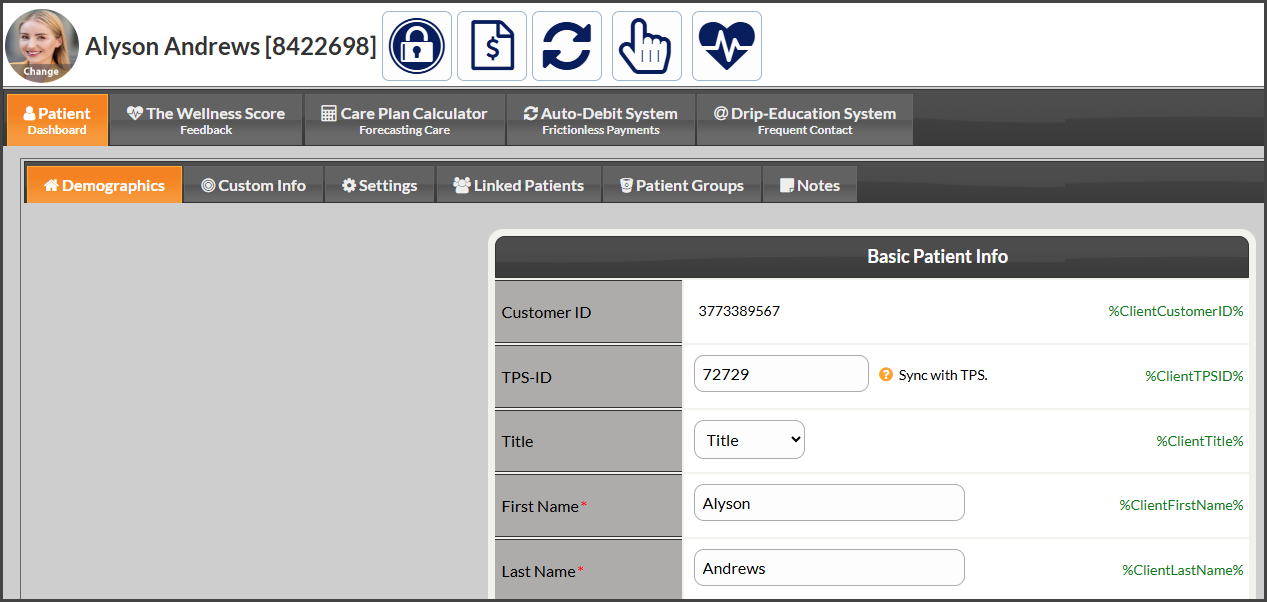
Step 1: In the top-right corner of the Dashboard, begin typing the patient's first or last name in the [Search Patient] bar and select the patient account once it appears in the drop-down menu.

Image


Step 2: If you edit any of the information, be sure to click the [Save] button at the bottom of that page.  
Image

Did you find this article helpful?
Previous

Manage Patient List: How do I import my Client/Patient list into Cash Practice?

Next

© 2026 Cash Practice Systems. All rights reserved.