Logo

Cash Practice® Systems Help Center

Search our knowledge base to get answers to your questions, access video training & more!

Patient Search: How do I search for a patient or a specific list of patients?

Patients Section Guide

Patient Search: How do I search for a patient or a specific list of patients?

Last updated on 14 Sept, 2025

Quick Search

Image

BASIC SEARCH

Step 1: From the [Patients] menu → Select [Search Patients].

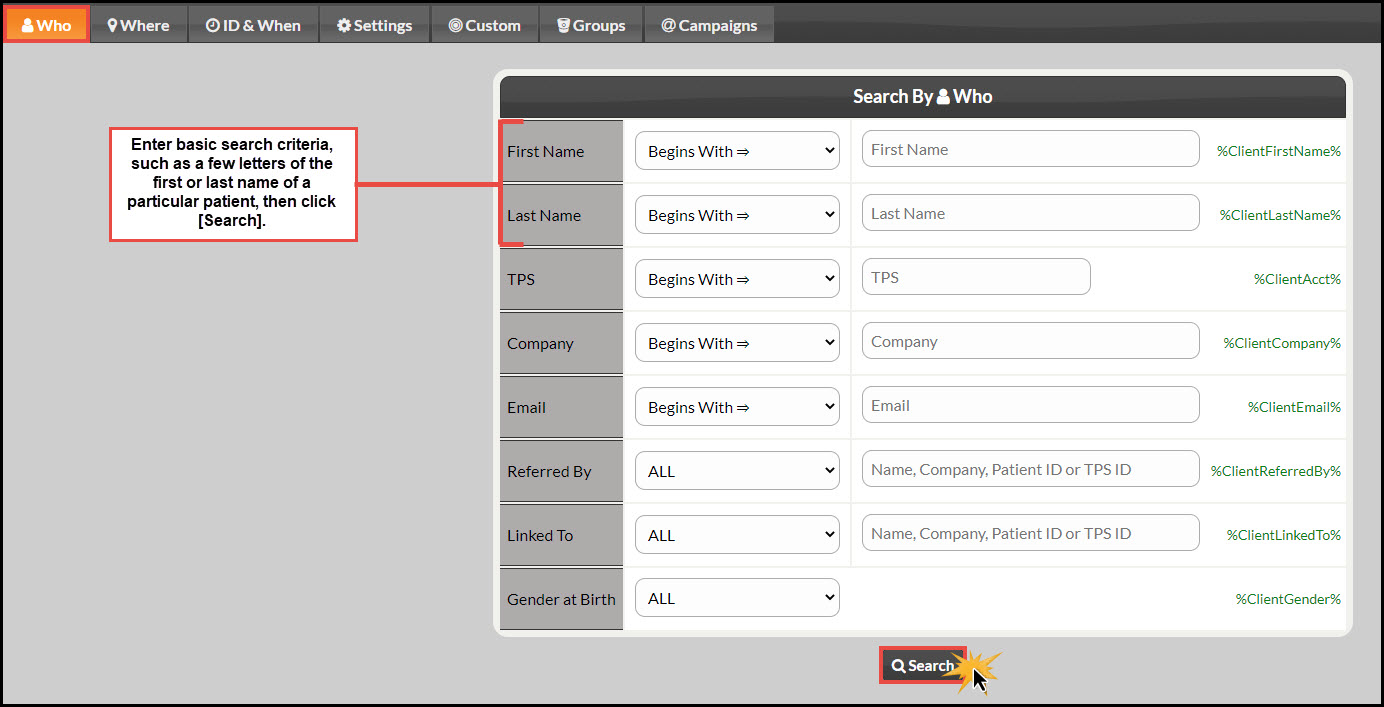
Step 2: Enter the necessary search criteria and click [Search]. We find the fastest way to find one person, in particular, is to enter the first two letters of the first name and the first two letters of the last name.


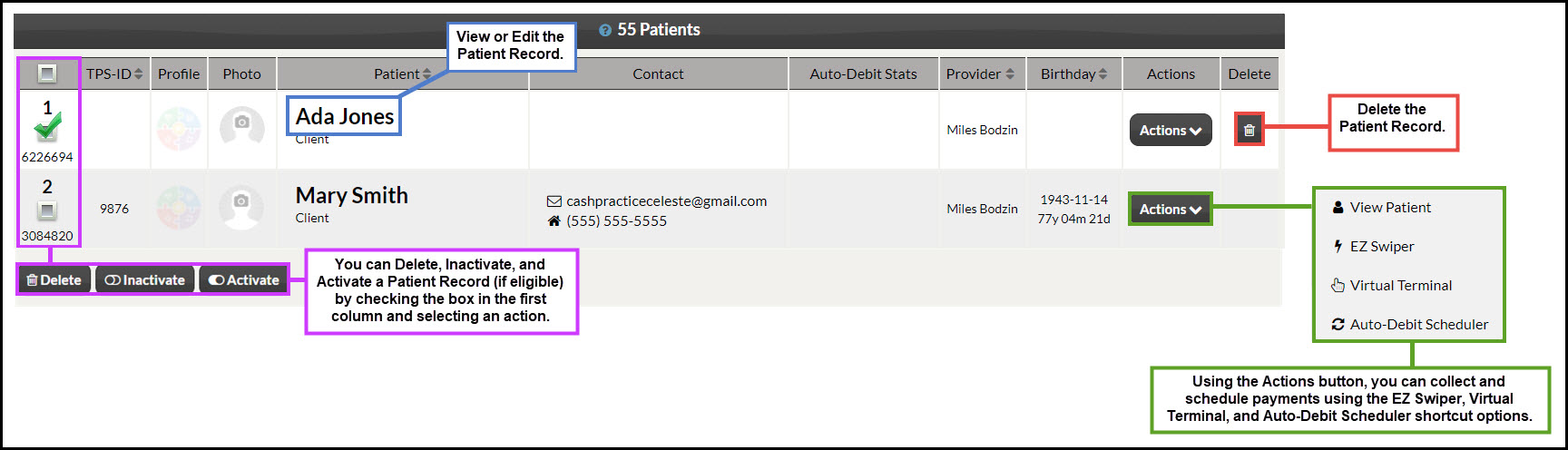
Step 3: Use the buttons to complete an action.
ImageImage


ADVANCED SEARCH

Step 1: From the [Patients] menu → Select [Search Patients].

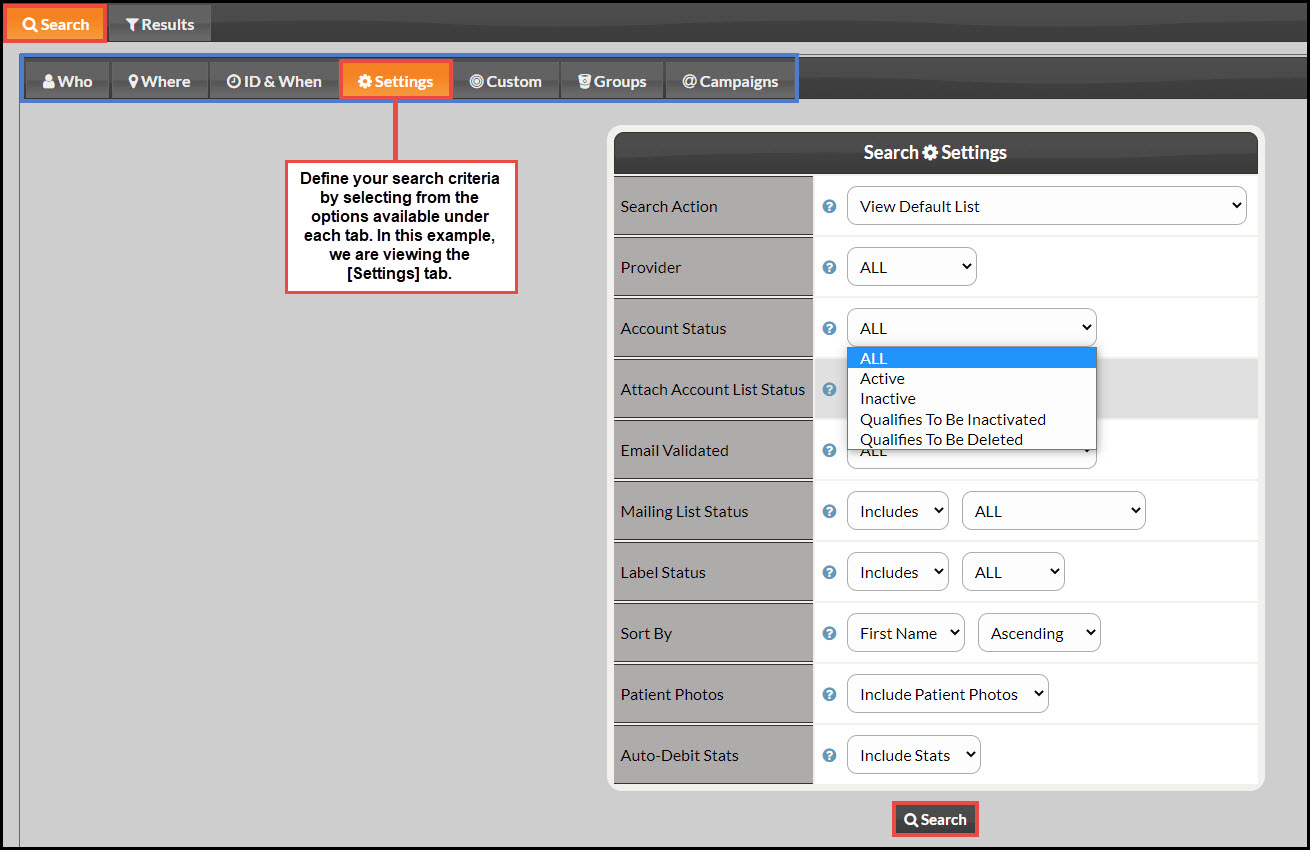
Step 2: Use the different tabs to define your search.

Image

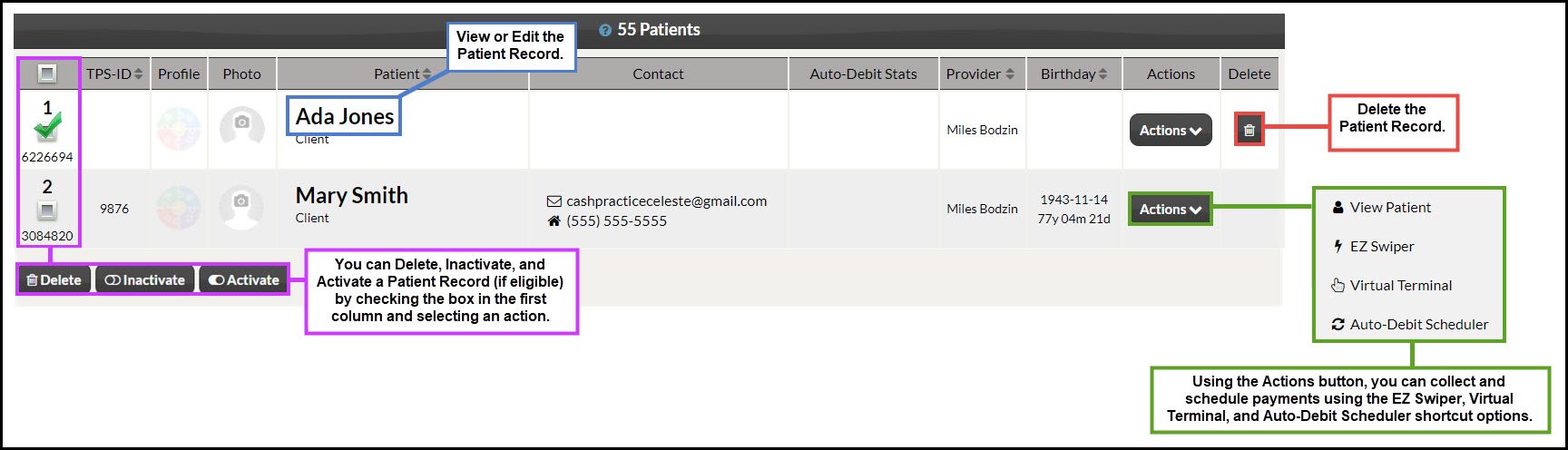
Step 3: Use the buttons to complete an action.
Image


Did you find this article helpful?
Previous

Manage Patients: How do I view/edit a [Patient Record]?

Next

© 2026 Cash Practice Systems. All rights reserved.