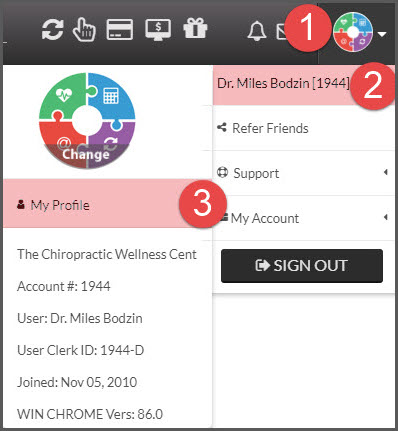
The Account Administrator will always receive email notifications. If required, you can change the email address for the administrator by logging in (as admin) and go to the [User Profile] menu → Hover over [Your name] → click on [My Profile].
If you want to have staff members receive the email notifications, see the instructions below.
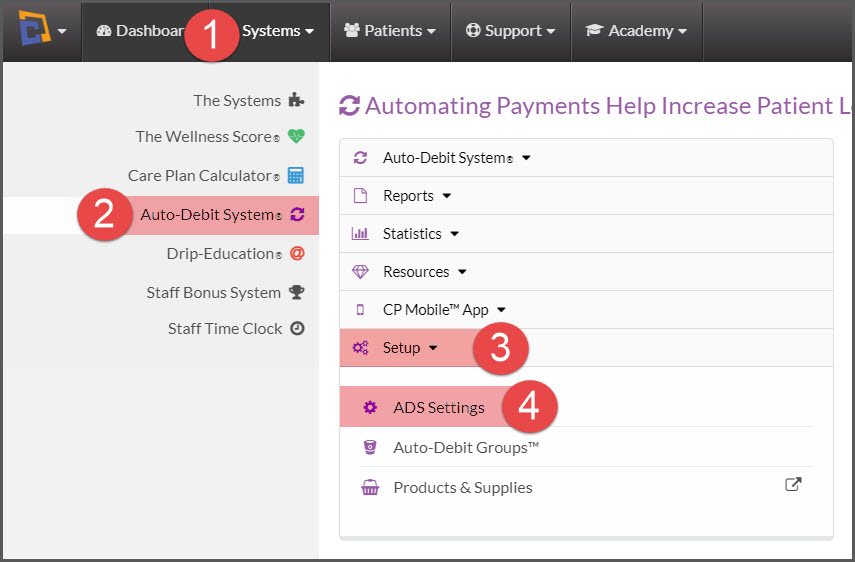
Step 1: Go to the [Systems] menu → [Auto-Debit System®]→ [Setup] → [ADS Settings]
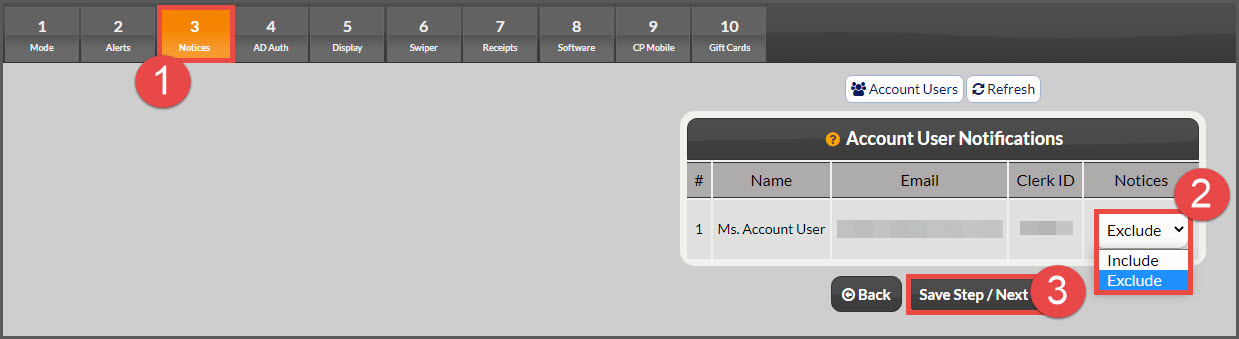
Step 2: On "Step 3 - Notices" of the ADS Setup, select "Include" or "Exclude" for each of your account users, and click [Save Step/Next →].