We understand maintaining uninterrupted scheduled payments for your patients is crucial. To streamline this process, we've introduced a convenient feature that allows you to effortlessly send secure, personalized emails to your patients, prompting them to easily add their billing information for upcoming scheduled payments. This ensures a smooth transition, minimizing disruptions and providing a seamless experience for both your practice and your valued patients.
Setting Up Patient Billing Updates via Email Reminders:
Step 1: Schedule a Reminder: Initiate the process by scheduling a reminder according to the instructions provided HERE.
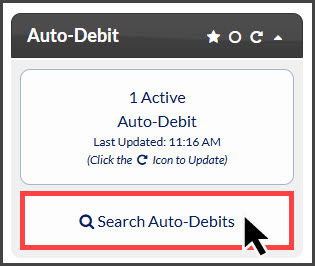
Step 2: From the right side of the Dashboard, click the [Search Auto-Debits] button.
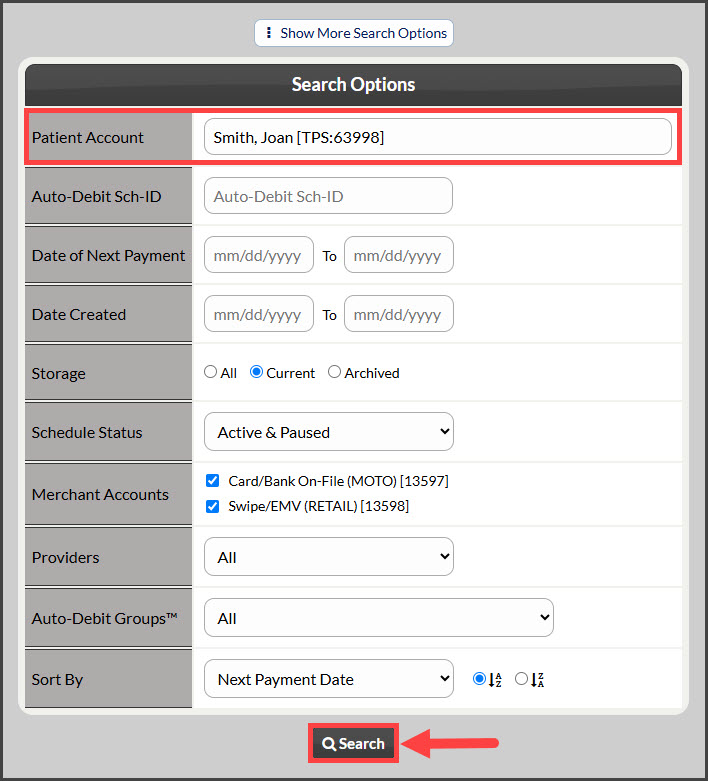
Step 3: Utilize the search function to select the appropriate Patient Account, and then click [Search].
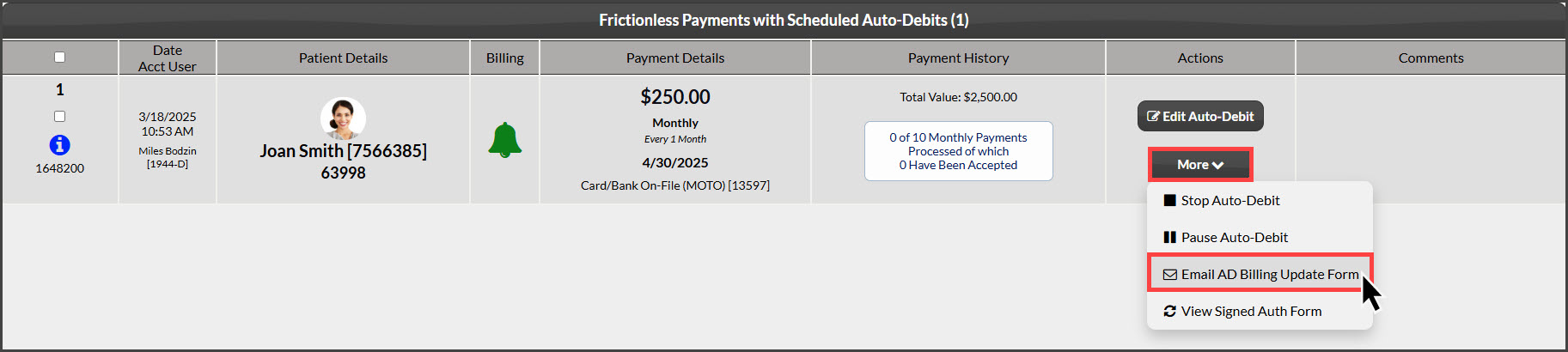
Step 4: Click the [More] button and choose [Email AD Billing Update Form].
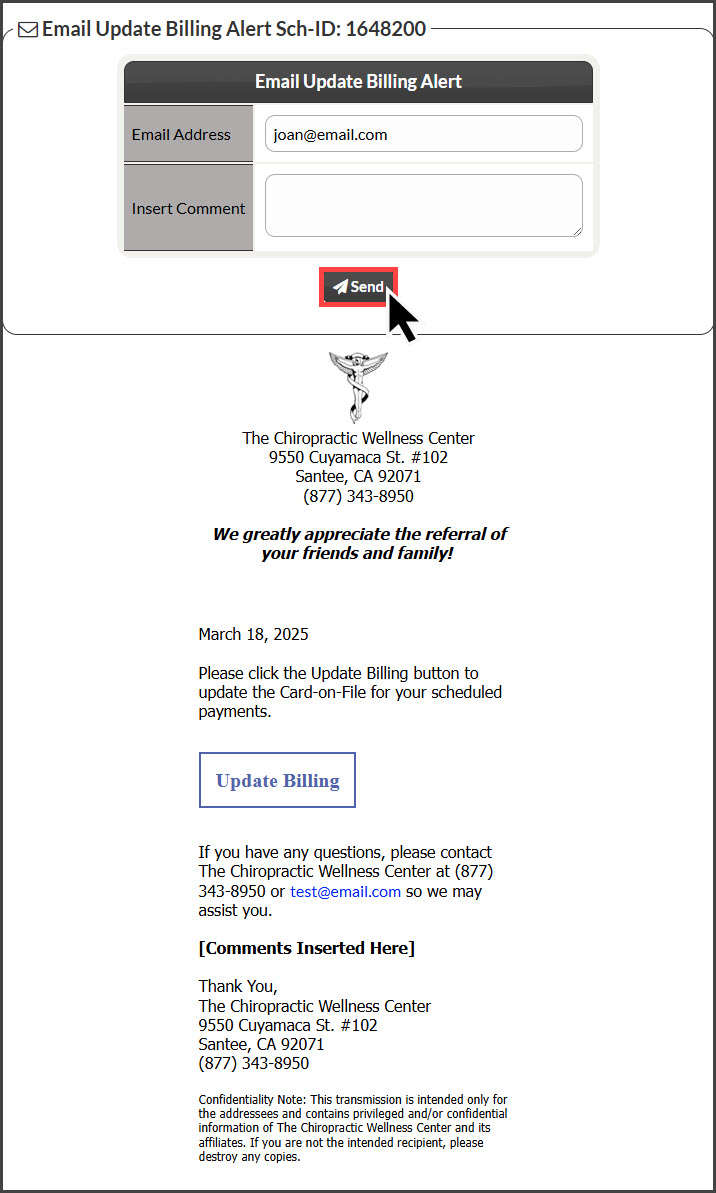
Step 5: A preview of the email will appear. Confirm the displayed email address is accurate. Optionally, add a personalized message for the patient. Proceed by clicking the [Send] button.
Note: Patients will receive automated email reminders on the 5th and 20th of each month until their billing information is updated. This update can be completed either through the secure email link provided or in person at their next appointment.