Logo

Cash Practice® Systems Help Center

Search our knowledge base to get answers to your questions, access video training & more!

How to edit your Cash Practice account user email address

My Account Guide

How to edit your Cash Practice account user email address

Last updated on 14 Sept, 2025

To get started, follow the sequence below.

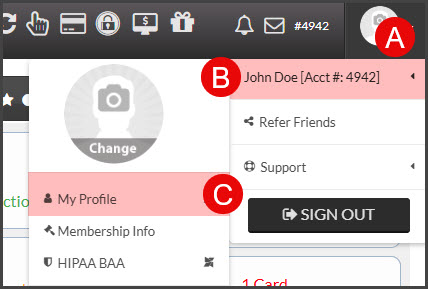
  • A: Hover over your [User Profile] picture in the top right-corner of your Dashboard. 

  • B: Hover over your name at the top of the drop-down menu.

  • C: Click on [My Profile].

Image

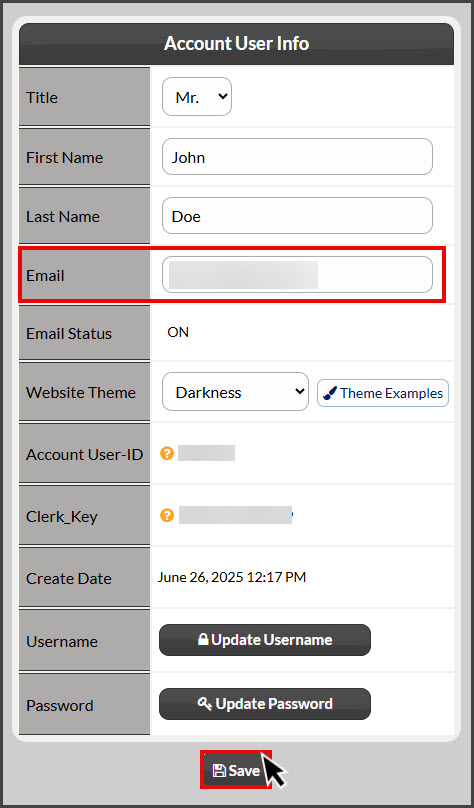
Step 1: Edit your email address in the [Email] field and click [Save]. 
Image

Once your changes are saved, the system will display a green alert, notifying you it was successfully updated. 

Did you find this article helpful?
Previous

Account Users: How do I edit account user access permissions?

Next

© 2026 Cash Practice Systems. All rights reserved.