Getting Started:
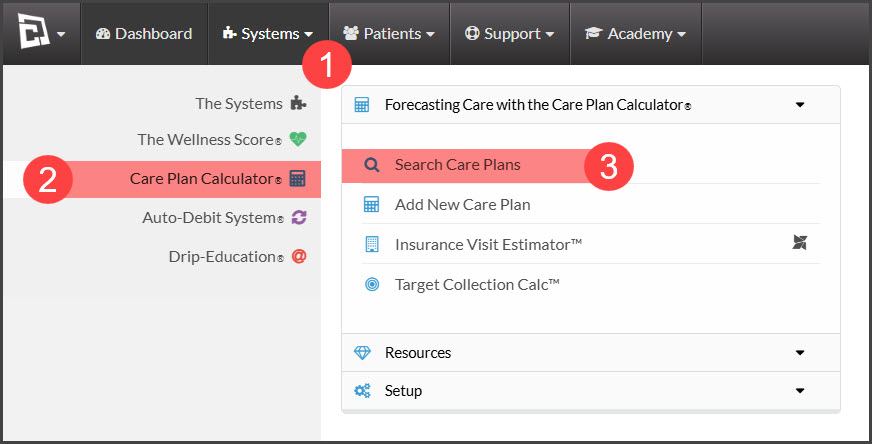
Step 1: To access your plans hover over the [Systems] menu→ click on the [Care Plan Calculator®] menu → select [Search Care Plans].
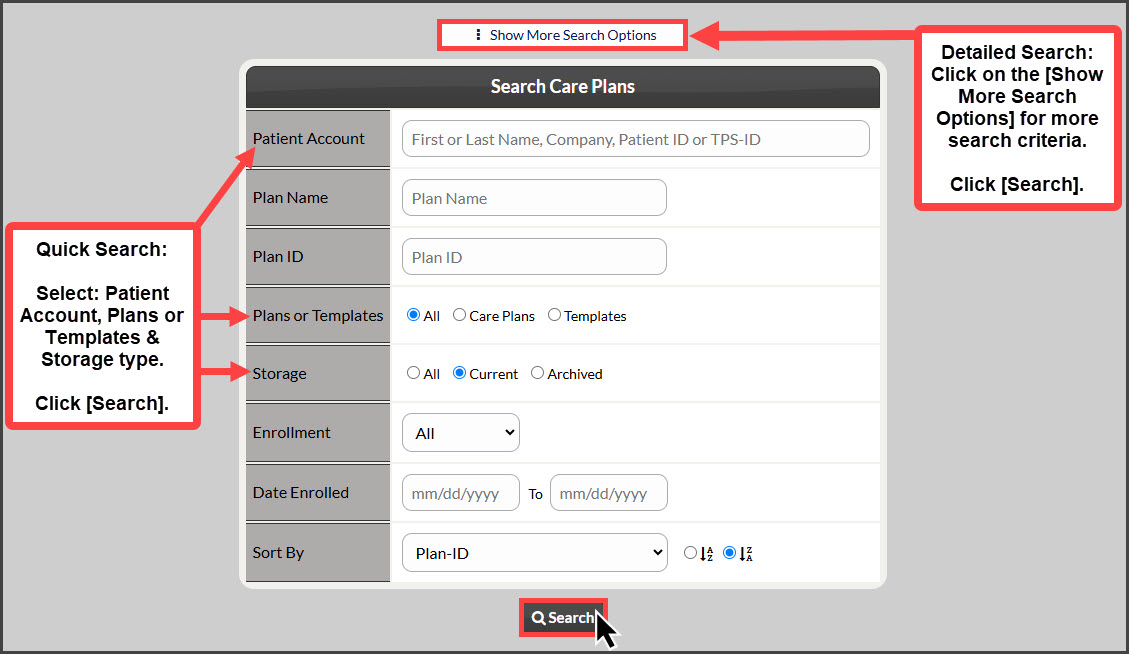
Step 2: The [Search] tab will load on the [Search Care Plans] page, narrow your search by entering as little or as much information about the plan that you are looking for OR click the search button at the bottom of the page to view all [Current] Care Plans.
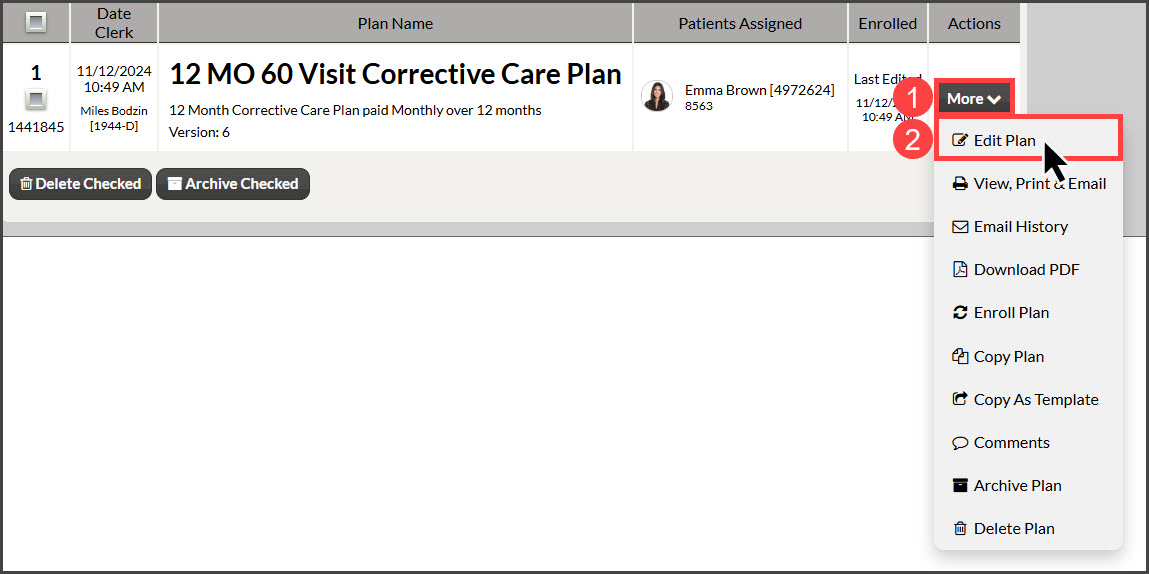
Step 3: From the search results you can click the [More] button to the right, and select [Edit Plan]/[Edit Template] from the drop-down menu.
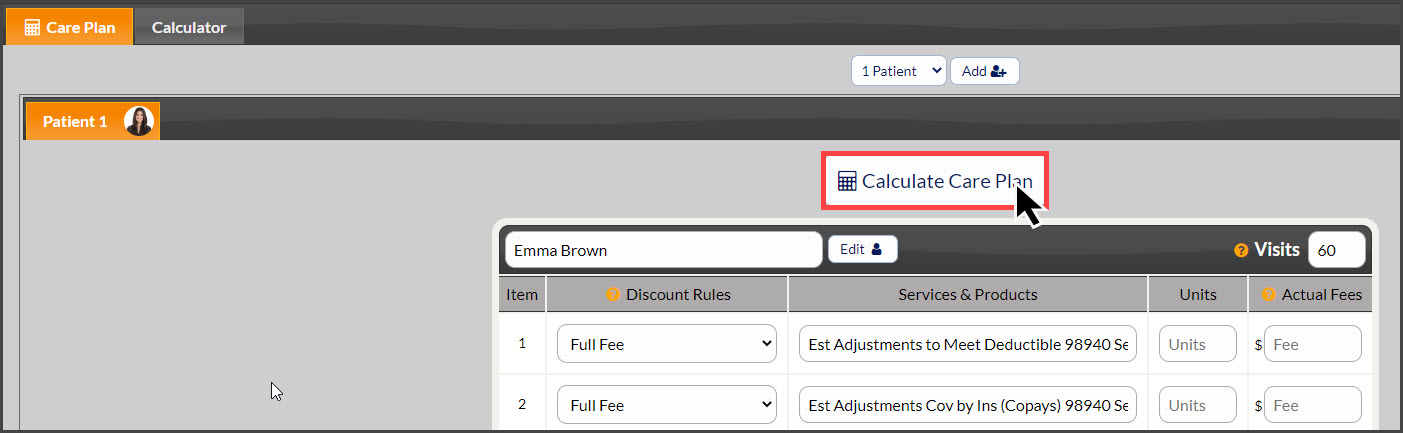
Step 4: Click the [Calculate Care Plan] or [Calculate Template] button once the edits have been made to the plan.