

Getting Started:
Step 1: Follow the instructions HERE on how to search for the care plan needing to be printed.
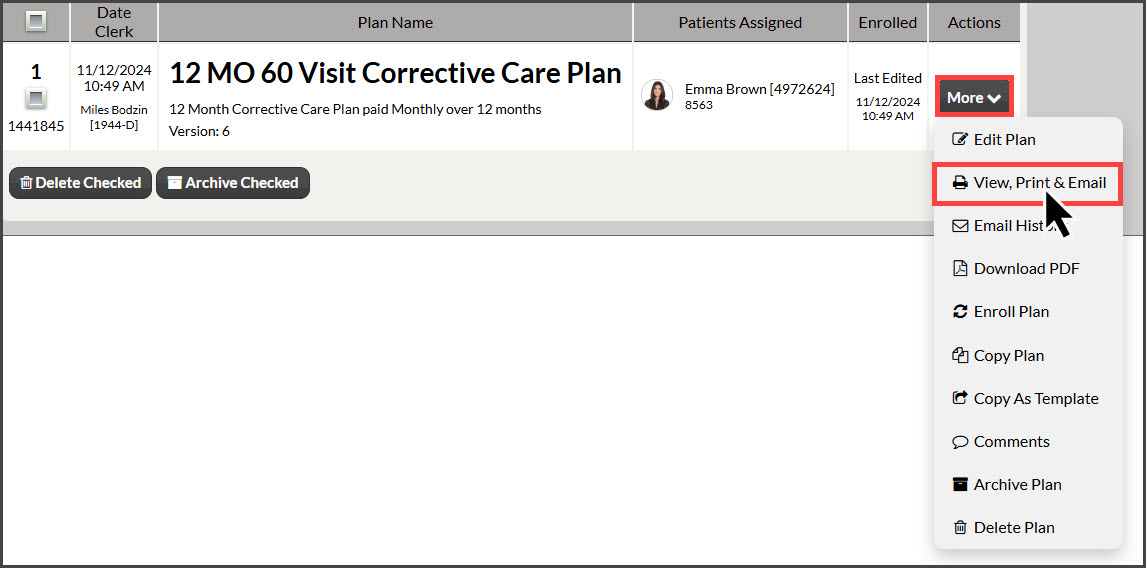
Step 2: Locate the plan you wish to print and click the [More] button on the right side of the page, then select [View, Print & Email].
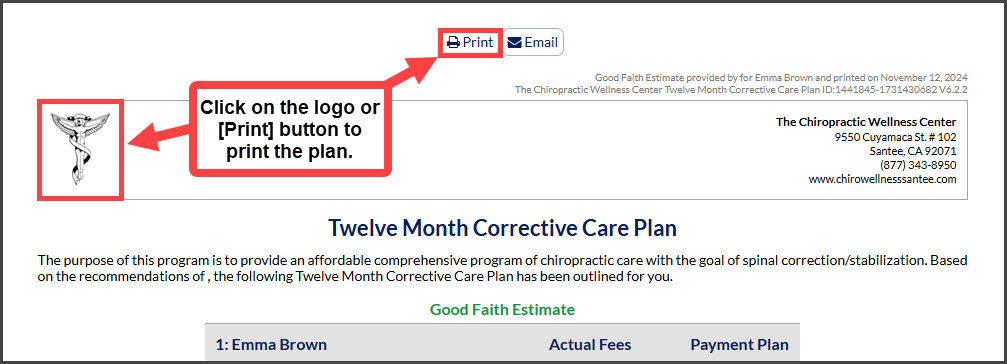
Step 3: You can either click on the [Logo] on the plan to send the document to your printer, or click on the [Print] button.
NOTE: You cannot view or print a plan that has not been assigned to a patient. To assign a patient to a plan, follow THESE instructions.