

We're thrilled to announce our latest update that will revolutionize the way you connect with your patients - the ability to email care plans to them! With just a few clicks, you can now send their personalized care plan directly to their inbox, ensuring they receive it instantaneously. Talk about staying ahead of the curve! These step-by-step instructions will walk you through the process, making it a breeze for both you and your patients to navigate.
In your Cash Practice Account:
Step 1: Follow the instructions HERE on how to search for the care plan needing to be emailed.
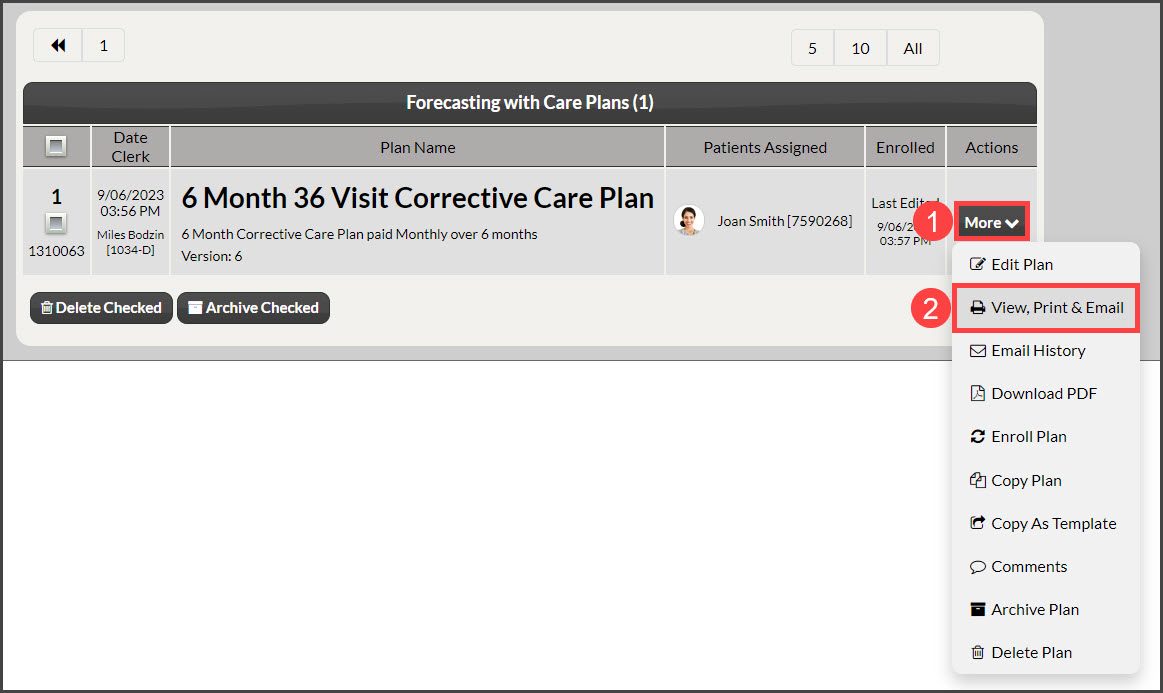
Step 2: Locate the plan you wish to email and click the [More] button on the right side of the page, then select [View, Print, & Email].
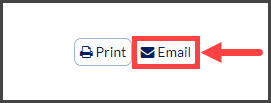
Step 3: At the top of the screen, click the [Email] button.
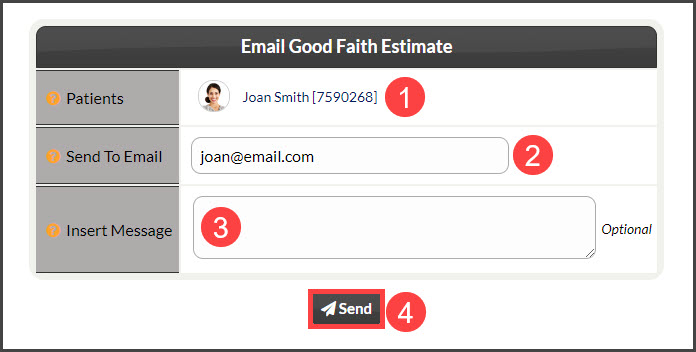
Step 4: Confirm/enter additional information
Patients: The patient name populated will be the Primary Patient on the care plan
Send to Email: Confirm the email address or enter the email if different
Insert Message: (optional)
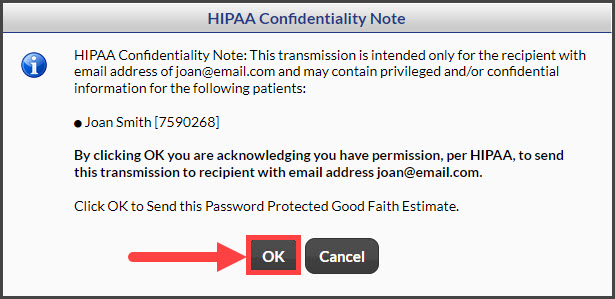
Click the [Send] button. A HIPAA notice will appear - read this through and click the [OK] button
Let's see things from your patient's perspective:
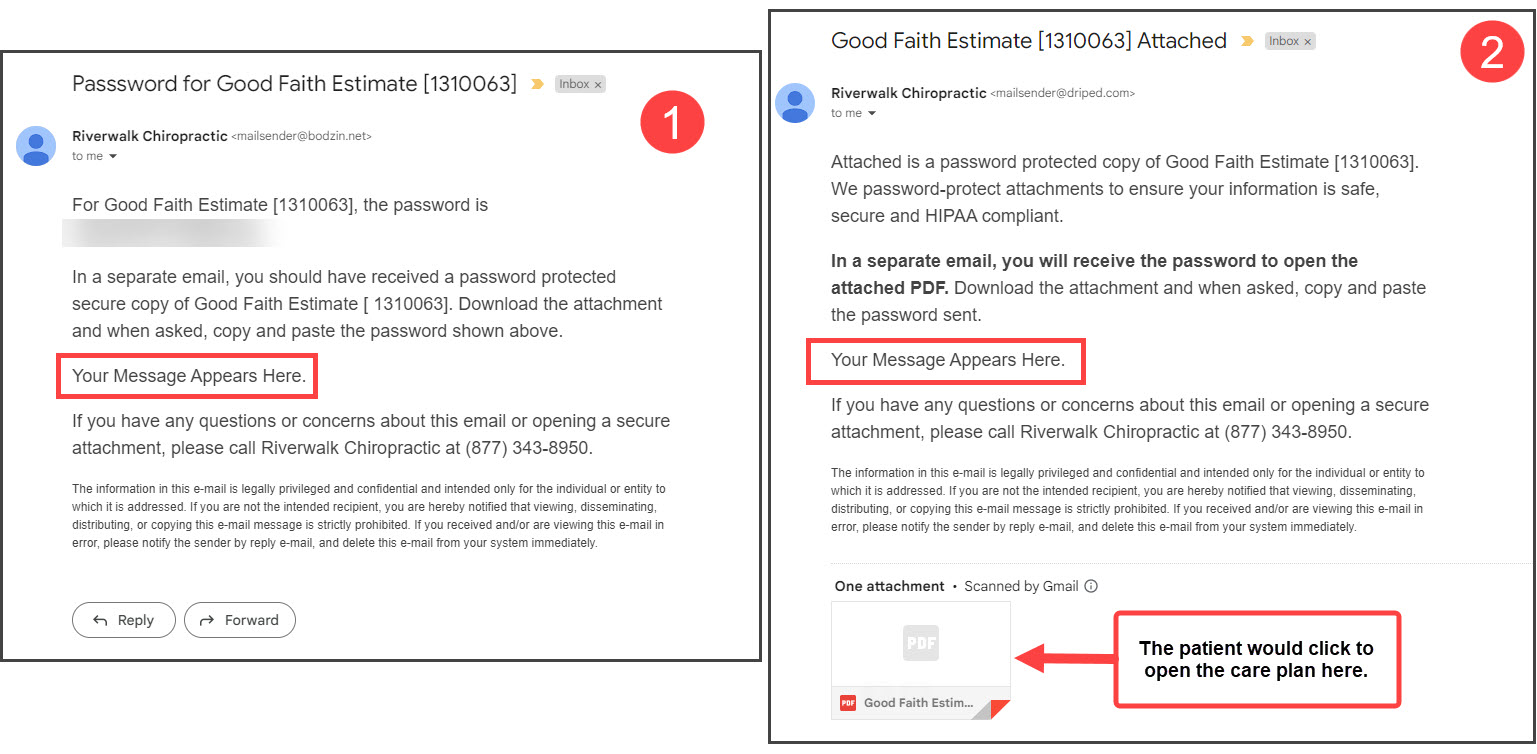
Step 1: The patient will locate the two emails sent to them

The first email contains a special numerical password that they should copy.
The second email is where they'll paste the password. They will need to click [Submit] two times if using a computer. 1 time if using a mobile device
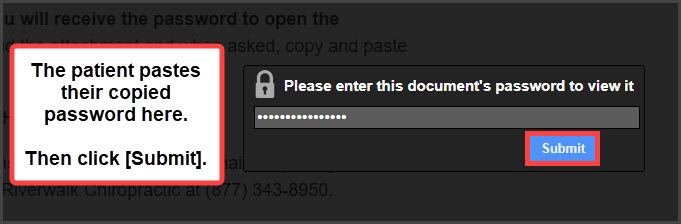
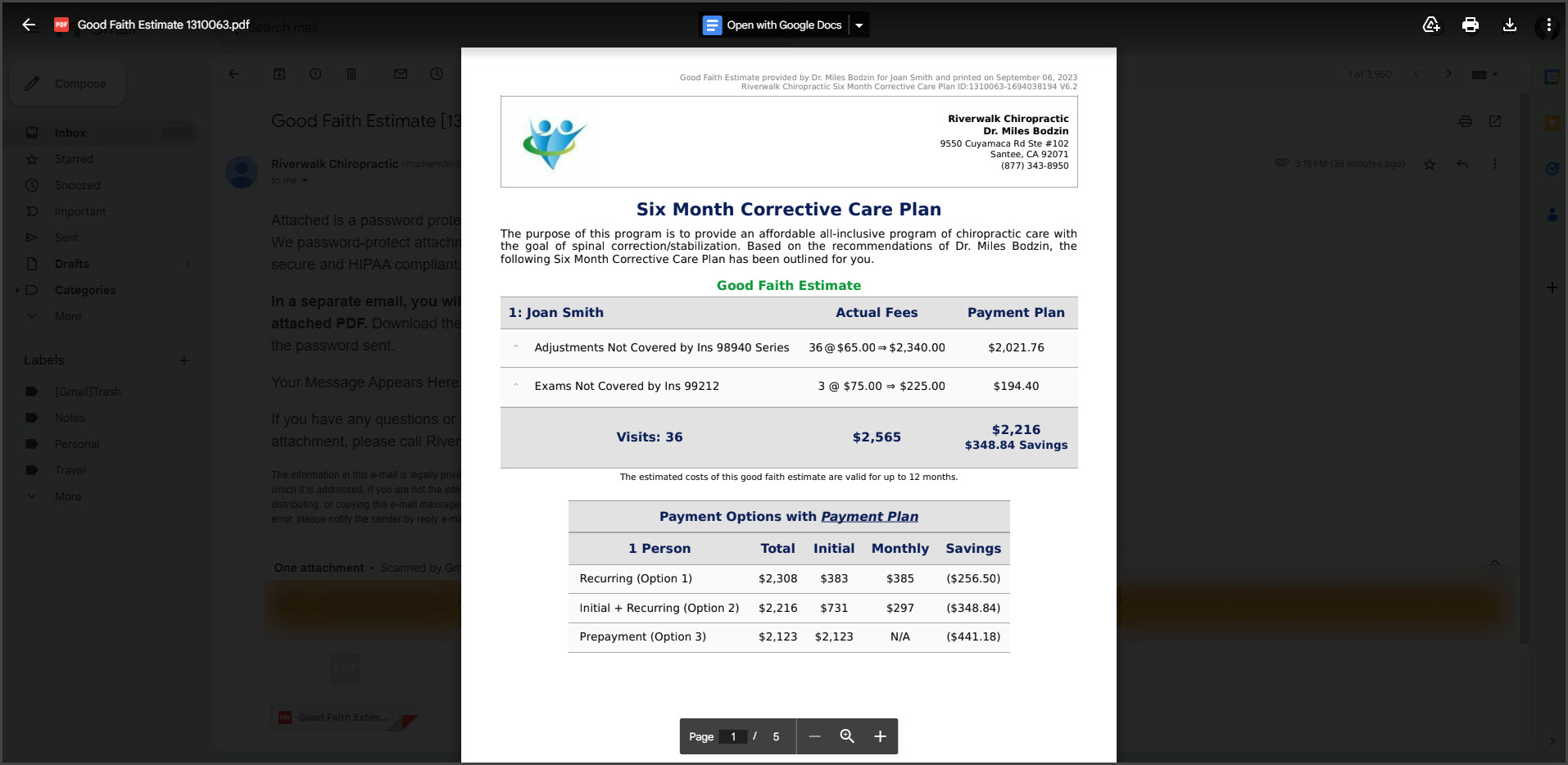
Step 2: Voila! The care plan will load right before their eyes.
Now, here are a few things to keep in mind:
Only care plans assigned to patients qualify to be emailed
If you're sending a family care plan with multiple patients, the email address will be populated for the Primary Patient listed first on the plan
We keep a detailed record of each time care plans are emailed to patients → Instructions HERE
Lastly, a little heads up: while we do our absolute best to ensure your patient receives their care plan via email, we can't control the performance of their Email Service Provider. Sometimes, these providers have a mind of their own and may not deliver emails as expected. Just a little hiccup in the grand scheme of things!