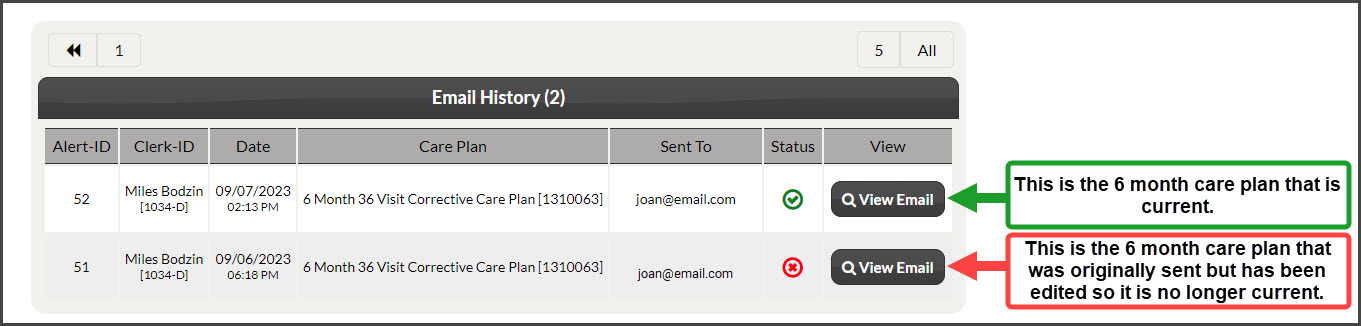
There are two ways to view this history:
Option 1:
Step 1: Type your patient's first or last name in the [Search Patient] bar and select their patient account from the drop-down menu (this will bring you to the patient's record).

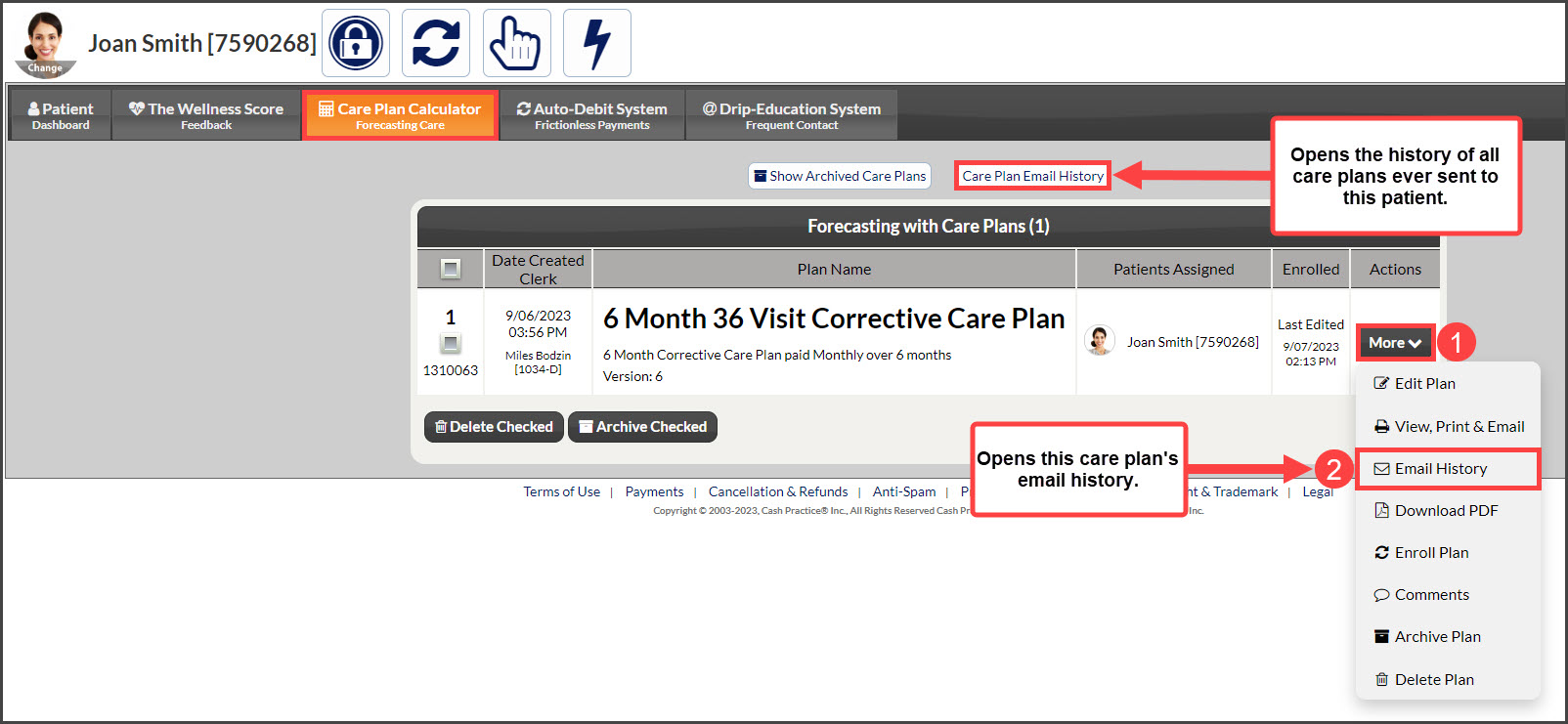
Step 2: Click on the [Care Plan Calculator] tab. Let's review:
[Care Plan Email History]: Will display the history of all care plan email history for this patient.
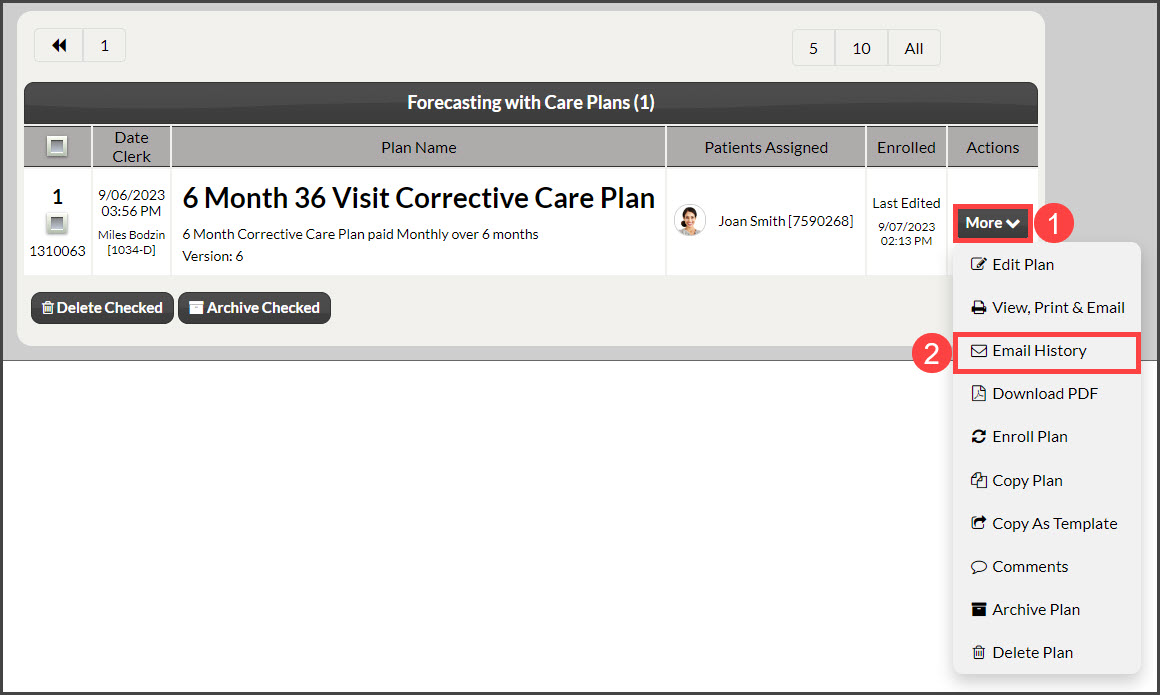
[More] → [Email History]: Shows the email history of the plan selected.
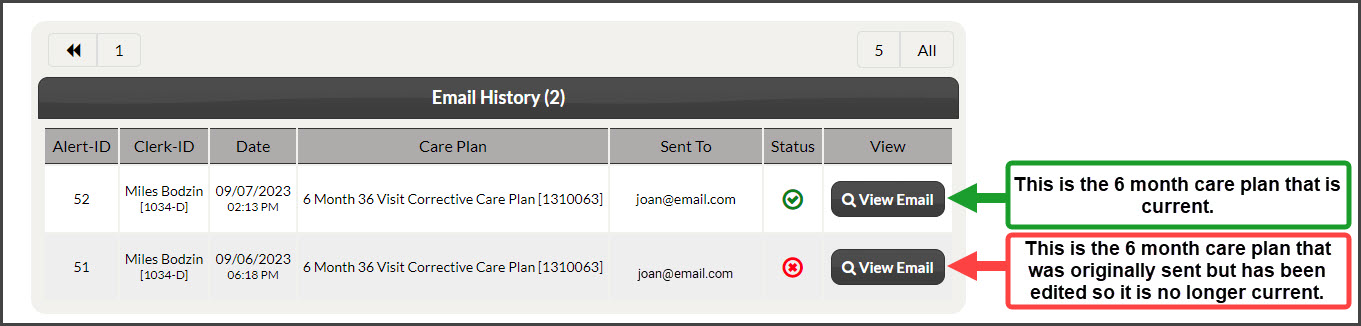
Step 3: Review the emailed care plan history + details.
Option 2:
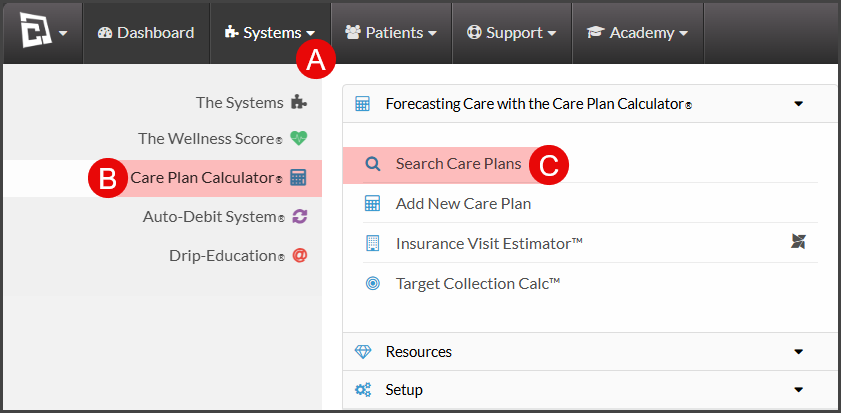
To get started, follow the sequence below.
A: Hover over [Systems]
B: Click [Care Plan Calculator®]
C: Select [Search Care Plans]
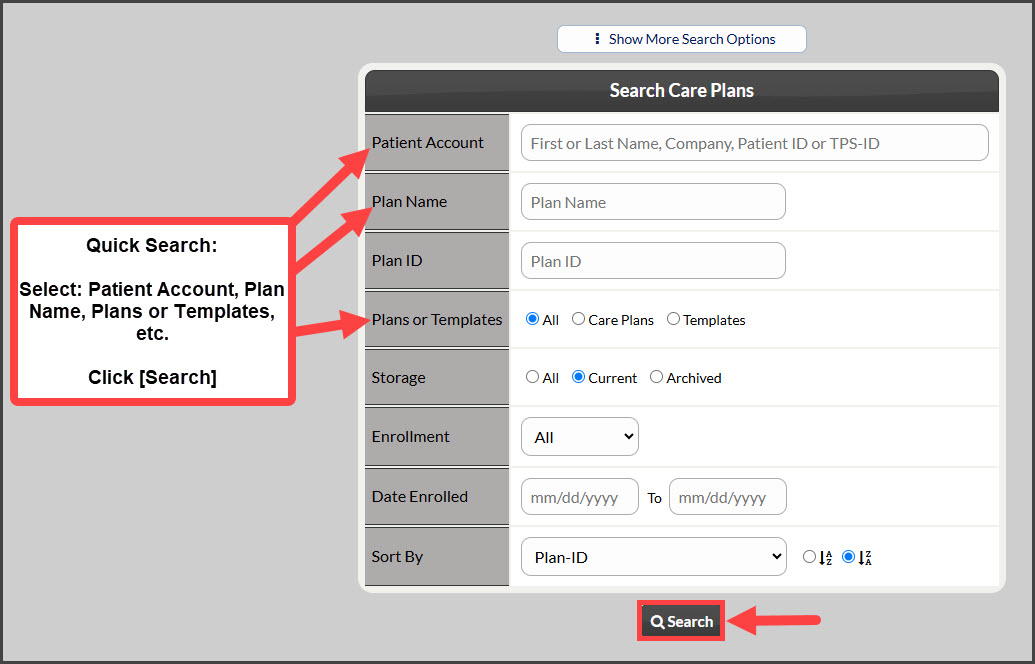
Step 1: Narrow your search by entering as little or as much information about the plan that you are looking for, OR click the [Search] button at the bottom of the page to view all "Current" Care Plans.
Step 2: From the search results, click on the [More] drop-down → select [Email History].
Step 3: Review the emailed care plan history + details.