
Logo

Cash Practice® Systems Help Center

Search our knowledge base to get answers to your questions, access video training & more!

Patients: How to search for patients and display them on a Google Map

Patients Section Guide

Patients: How to search for patients and display them on a Google Map

Generating a Google Map of where your patients are located can be extremely helpful for marketing purposes such as coming up with a by-area marketing plan, or you're just curious to see who your more local clients are.

Last updated on 14 Sept, 2025

Getting Started:

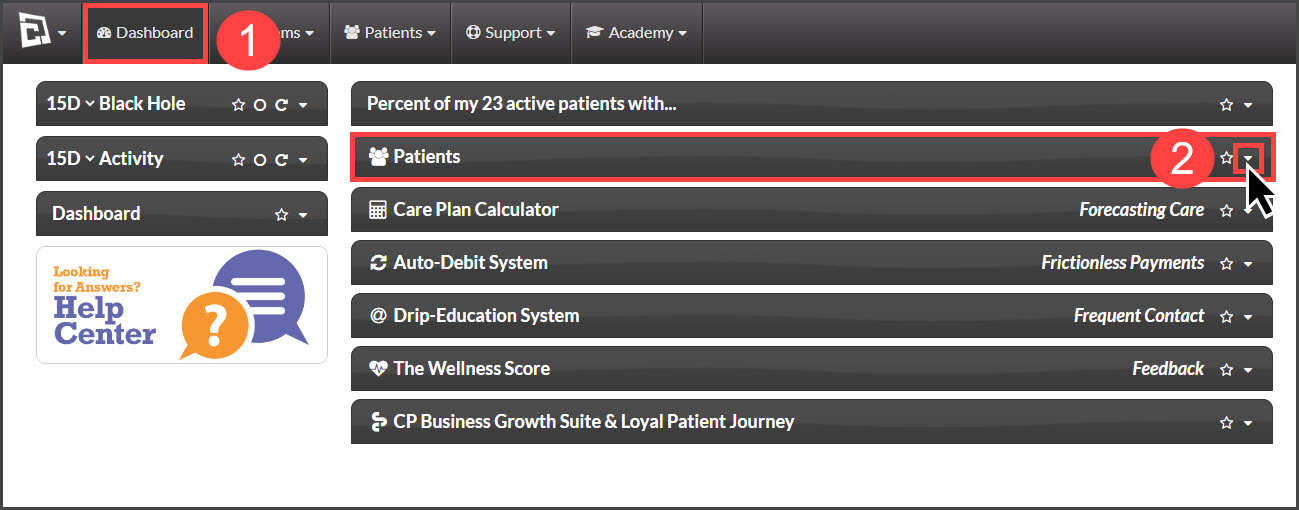
Step 1: From the Dashboard, click the [Patients] drop-down arrow.
Image

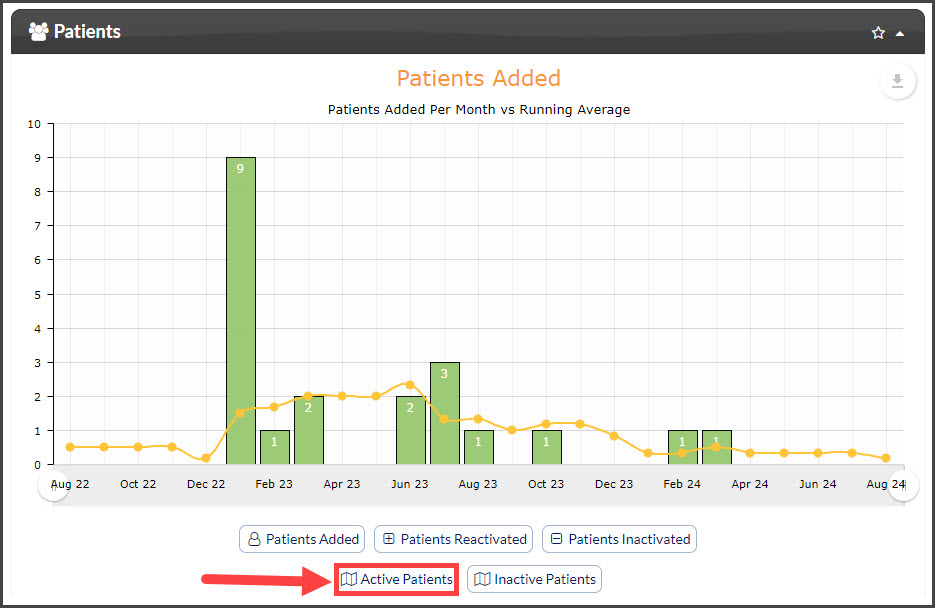
Step 2: Click on the [Active Patients] button
Image

Step 3: The map will show you where your patients are when you enter their addresses. You can zoom in to see areas where you don't have many patients, which can help you find new areas to promote your services.


Did you find this article helpful?
Previous

Patient Groups: How do I search for patients assigned to a specific group?

Next

© 2026 Cash Practice Systems. All rights reserved.