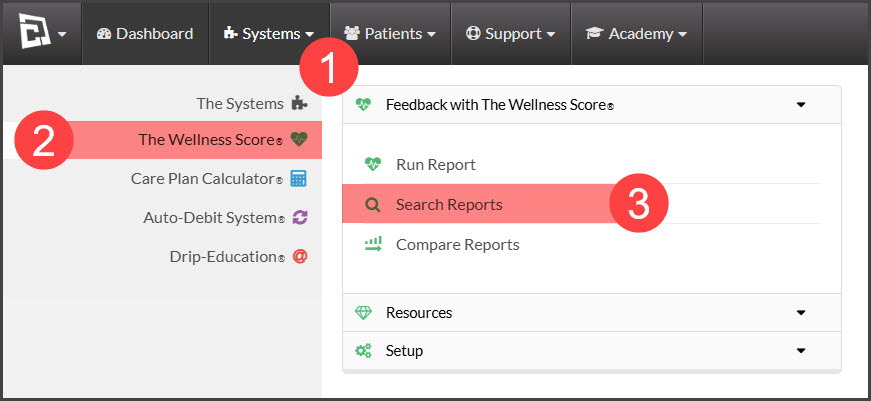
Step 1: Hover over [Systems] → Click on [The Wellness Score®] → under [The Wellness Score®], click on [Search Reports].
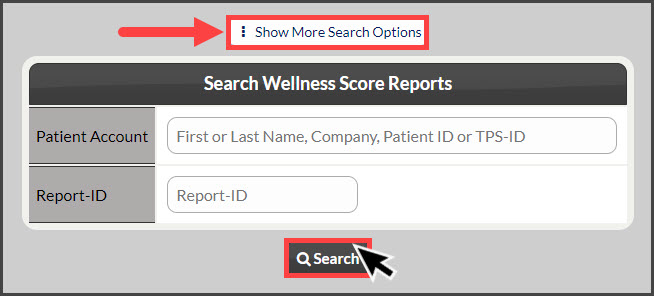
Step 2: Refine the search options to view the score you are looking to print→ click the [Search] button.
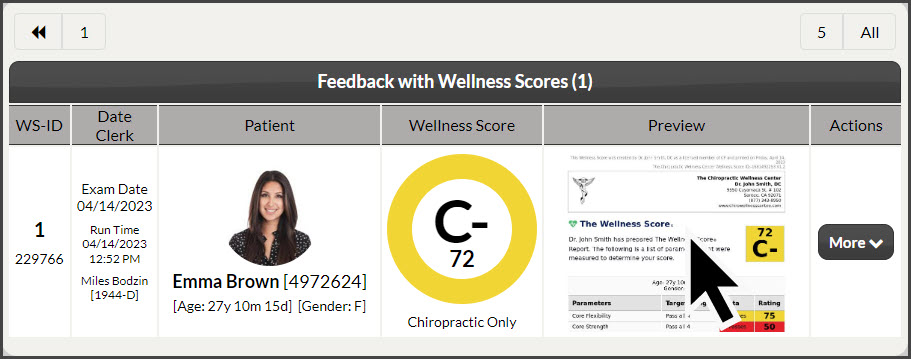
Step 3: In the [Preview] column→ click on the image of the wellness score to view the exam.
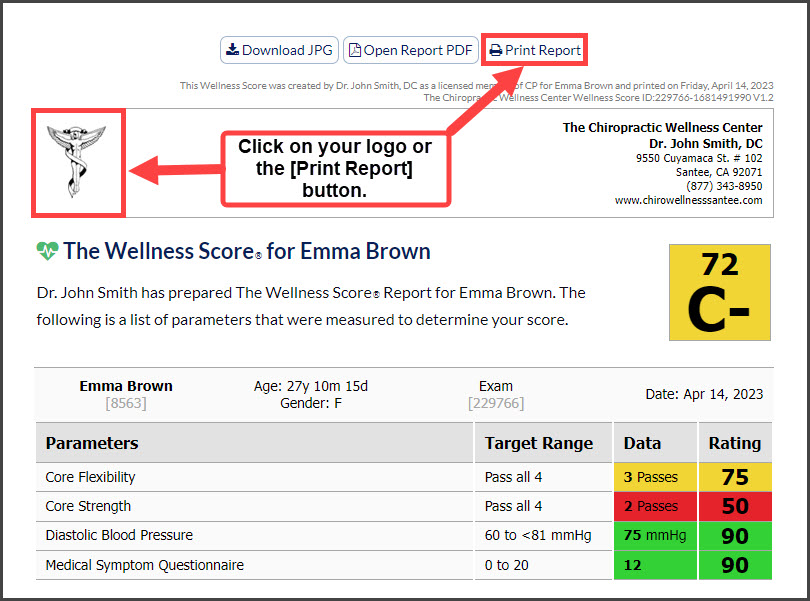
Step 4: To print, click on the [Print Report] button at the top of the exam or the company logo to the left.