Getting started:
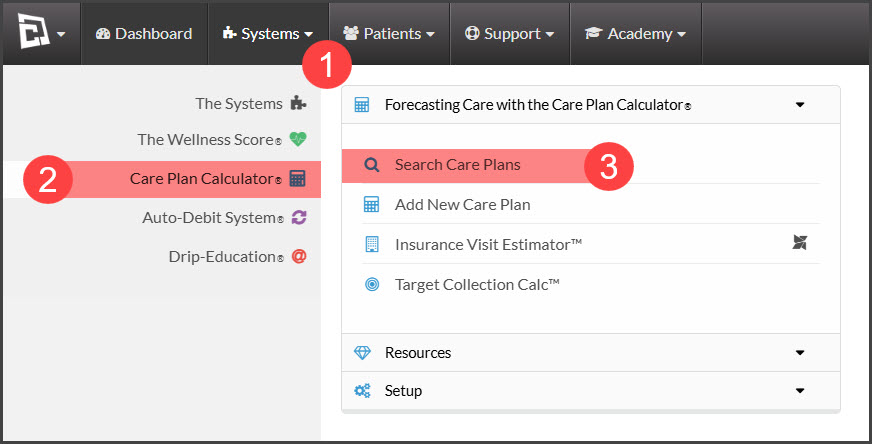
Step 1: Hover over [Systems] → click on [Care Plan Calculator®] → click on [Search Care Plans].
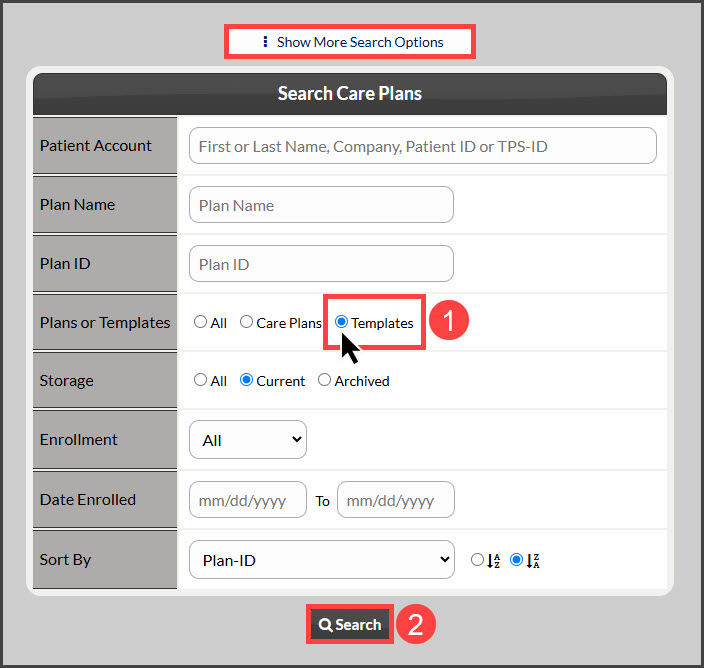
Step 2: Narrow your search by entering as little or as much information about the template that you are looking for. Select the [Show More Search Options] button for more search criteria. You may also select the [Templates] bubble icon for "Plans or Templates" OR click the search button at the bottom of the page to view all [Current] Plans/Templates.
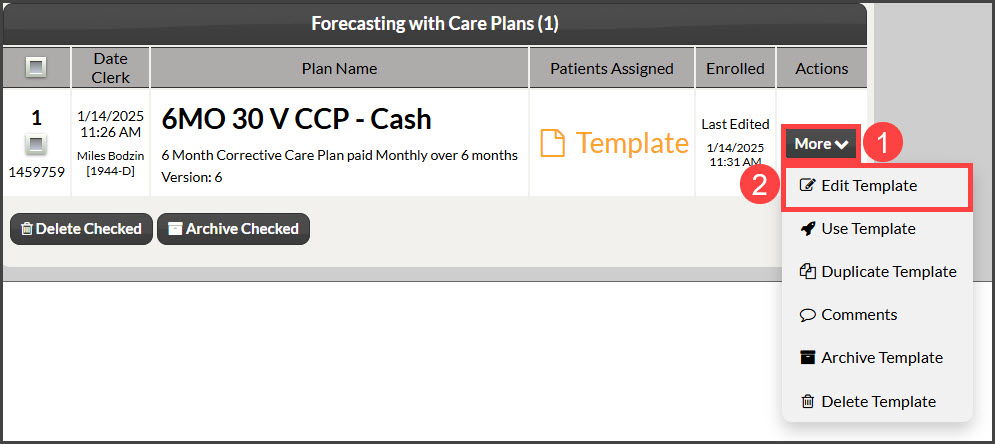
Step 3: From the search results you can click the [More] button and select [Edit Template].
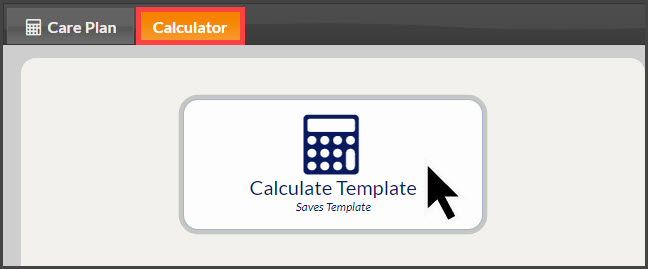
Step 4: Make any necessary changes to the template and be sure to click the [Calculate Template] buttons to save any updates.