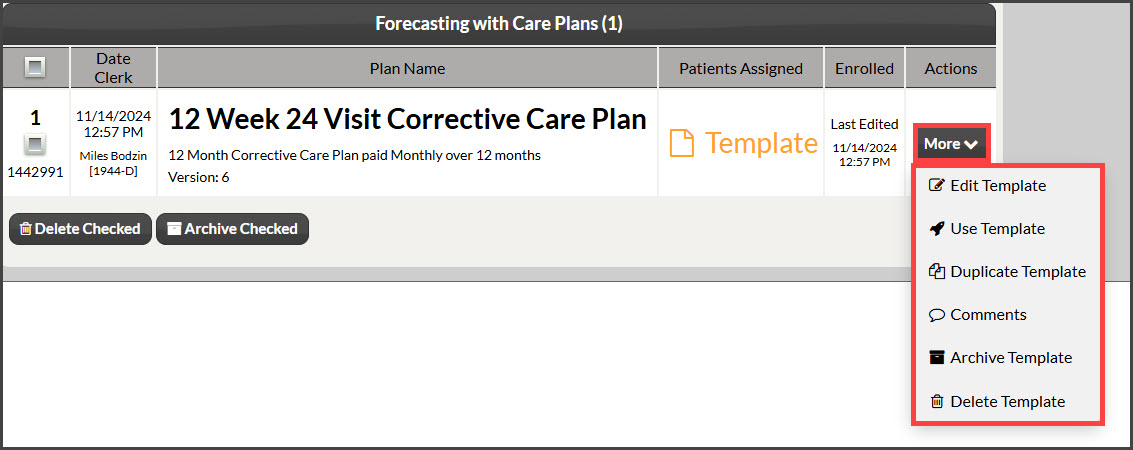
To get started, follow the sequence below.
A: Hover over [Systems]
B: Click [Care Plan Calculator®]
C: Select [Search Care Plans]
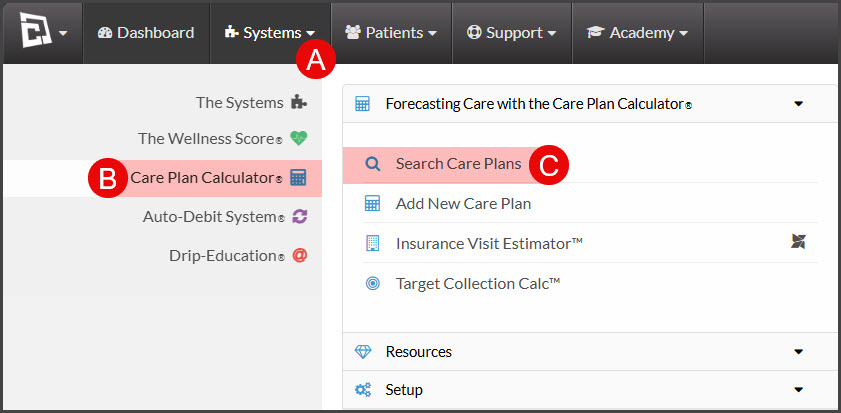
Step 1: The [Search Care Plans] page will load. Narrow your search by entering as little or as much information about the template that you are looking for (for more search options, click on the [Show More Search Options] tab at the top). You may also select the [Templates] bubble icon in the "Plans or Templates" field. OR click the [Search] button at the bottom of the page to view ALL [Current] Plans/Templates.
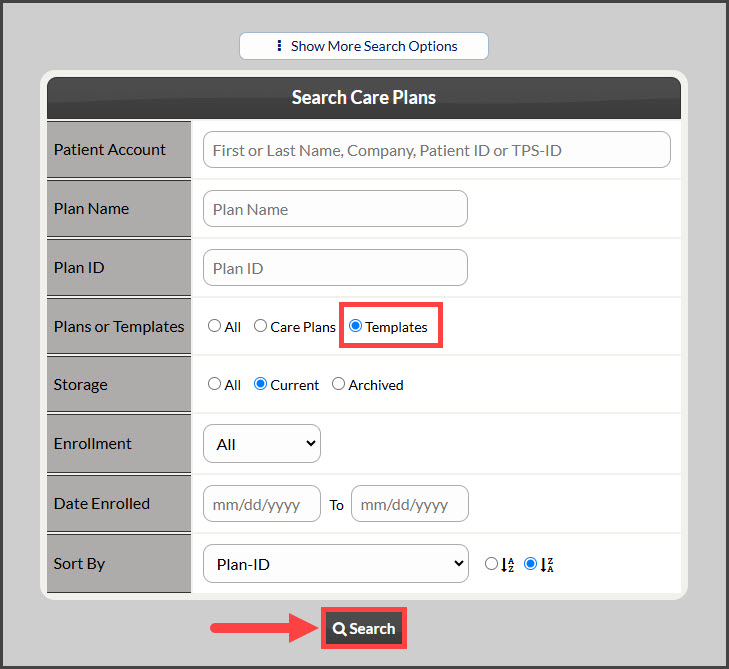
Step 2: From the search results page, locate the template. From the [More] button, you can:
Edit Template: Make any changes or edits to the existing template
Use Template: Use the template for a patient
Duplicate Template: Duplicate/Copy the plan to be used as a foundation for a new template
Archive Template: Archiving puts the plan into storage to be searched or used later
Delete Template: Permanently delete the template from your Cash Practice account