
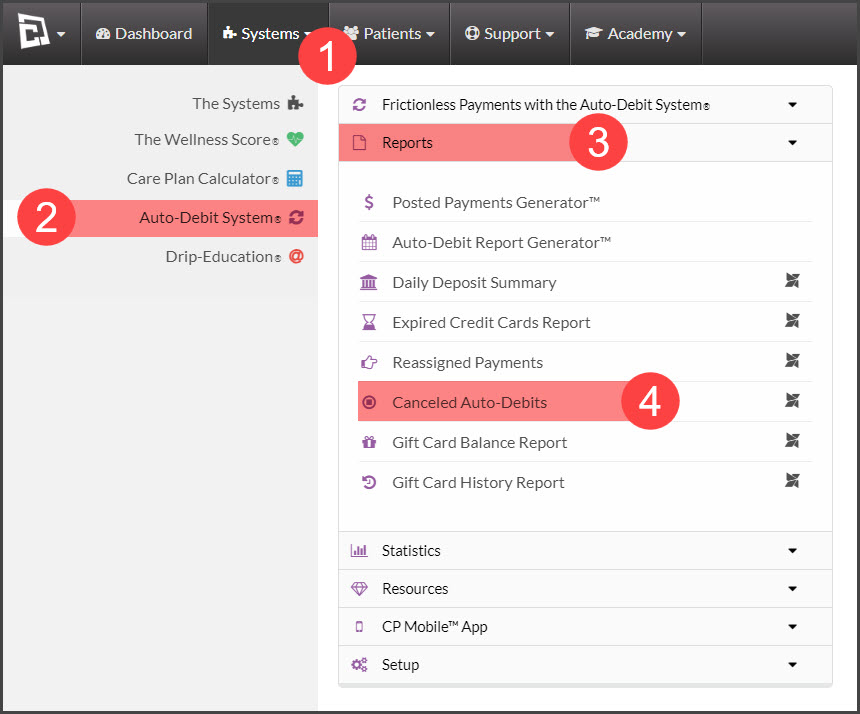
Step 1: Hover over [Systems] → Select [Auto-Debit System®] → [Reports]→ [Cancelled Auto-Debits].
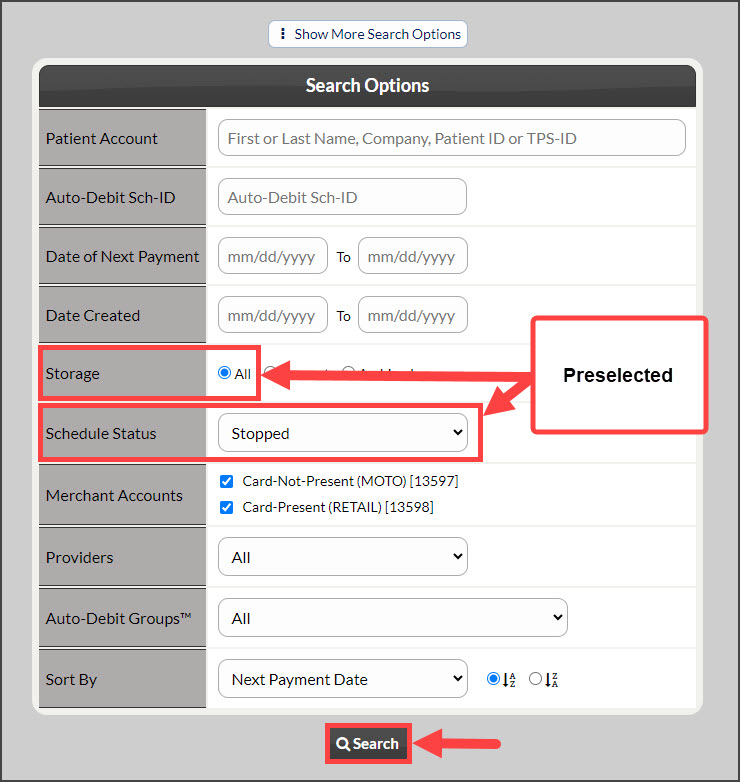
Step 2: The page will load with the preselected search options. Click [Search] at the bottom of the screen.

Cash Practice® Systems Help Center
Search our knowledge base to get answers to your questions, access video training & more!
Reports: Where can I find a list of all my canceled auto-debits?
Auto-Debit System® (Frictionless Payments)
Last updated on 13 Sept, 2025
Step 1: Hover over [Systems] → Select [Auto-Debit System®] → [Reports]→ [Cancelled Auto-Debits].
Step 2: The page will load with the preselected search options. Click [Search] at the bottom of the screen.