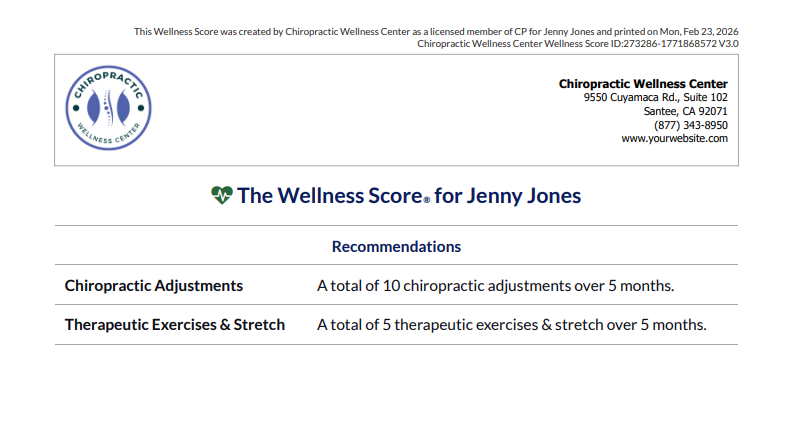
Including a Service Group with the Wellness Score® is optional. Including a Service Group will outline your treatment plan recommendations. The Product or Service Group recommendations will be displayed on Page 5 of the patient's printed Wellness Score report. See the image example below:
Showing services on your patient's Wellness Scores® is optional. If this is something you would like to add to your exams, follow the instructions below:
Start Here: Accessing your Products & Service Groups from your WS Settings:
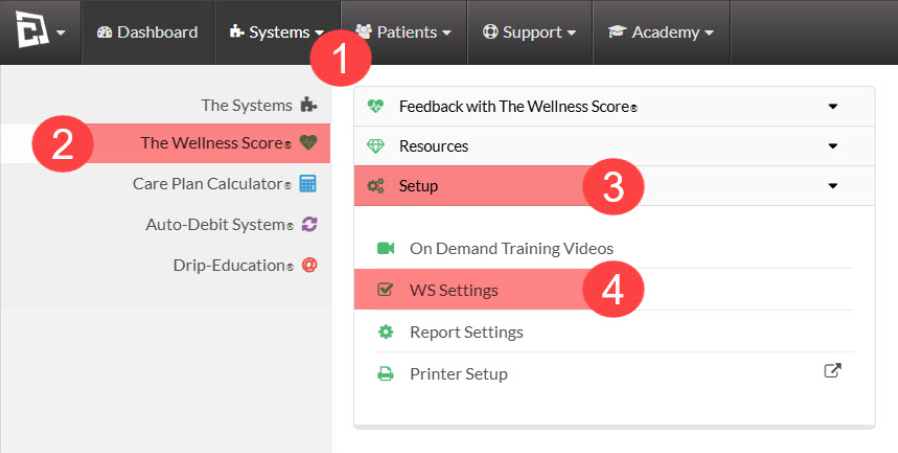
Step 1: Follow the sequence below to access your WS Settings:
Hover over the [Systems] menu
Click on [The Wellness Score®]
Select [Setup]
Click on [WS Settings].
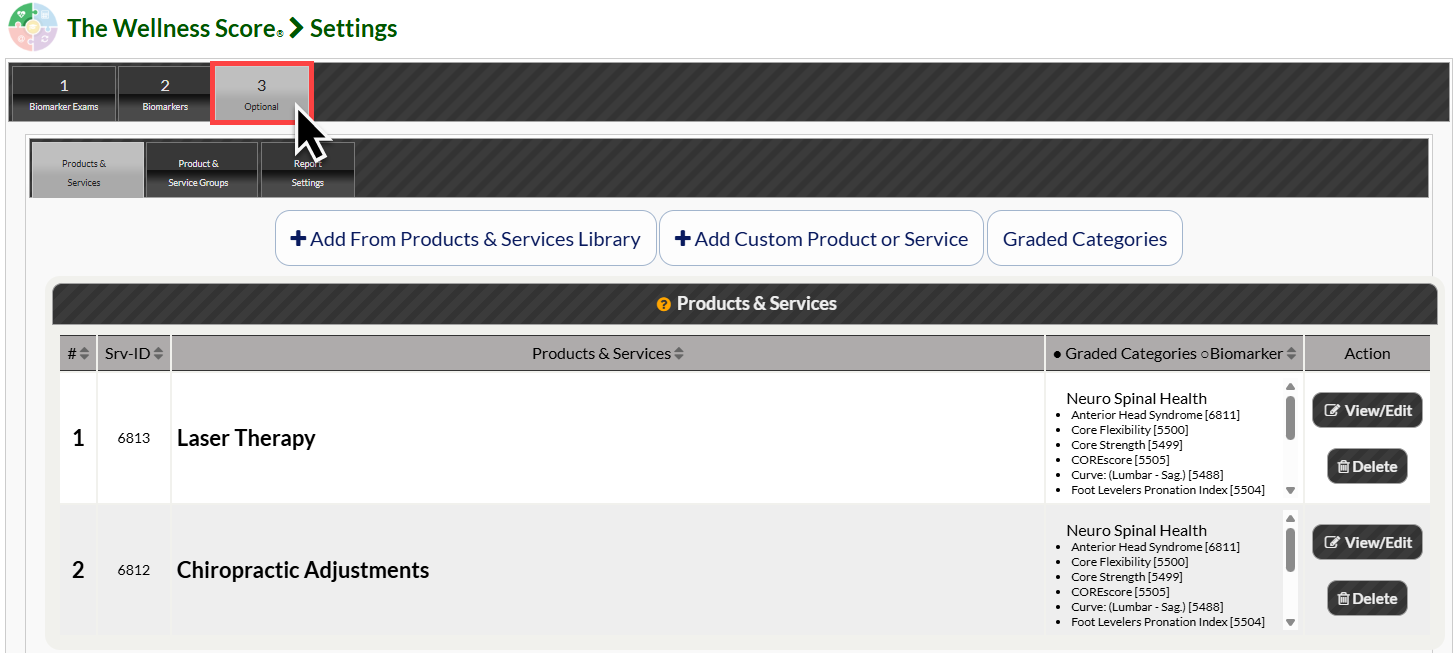
Step 2: Click on the [Optional] tab. This will bring you to the [Products & Services] page.
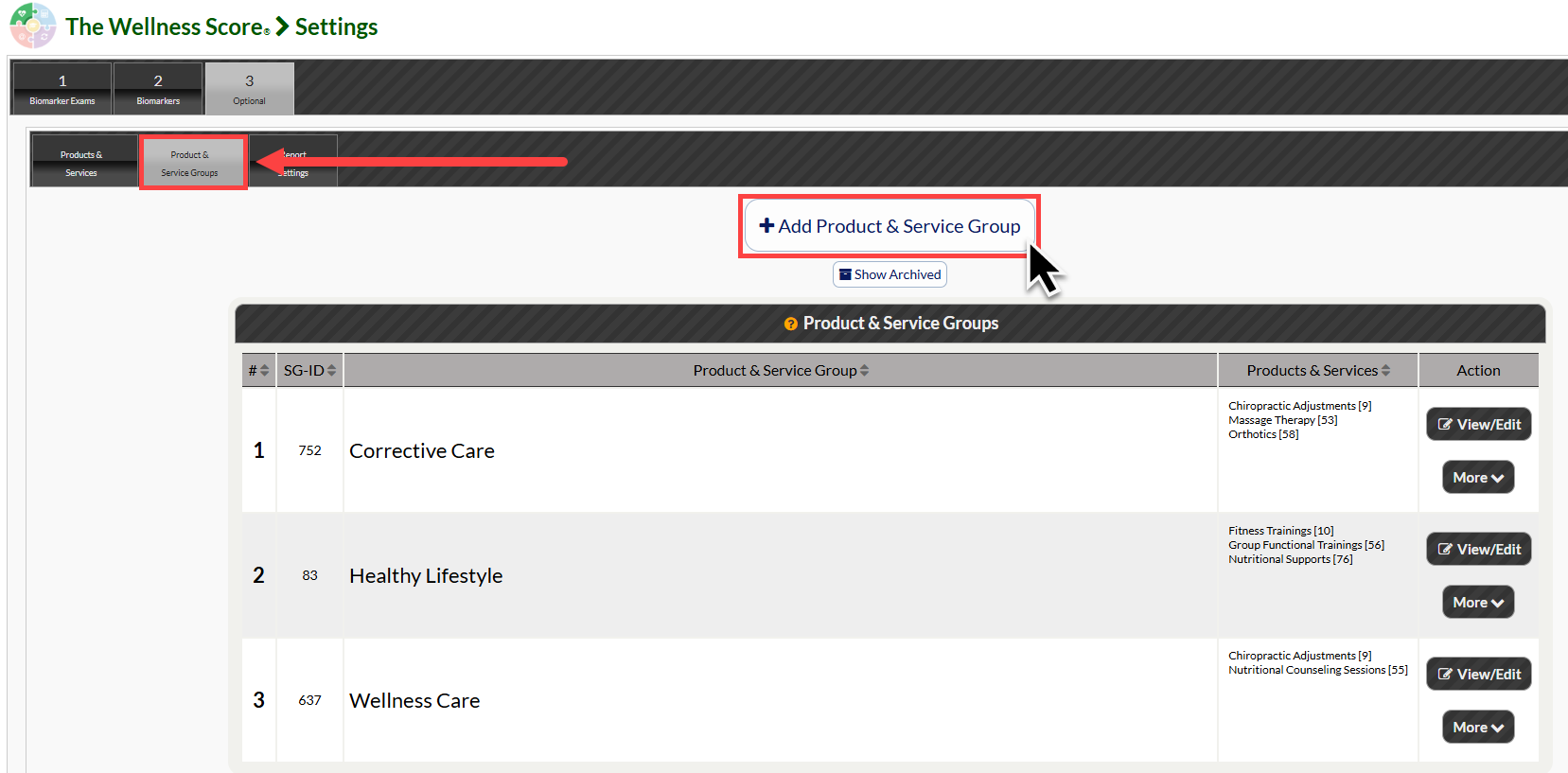
Step 3: Select the [Product & Service Groups] tab. From here, select the [Add Product & Service Group] button to create your new product or service group.
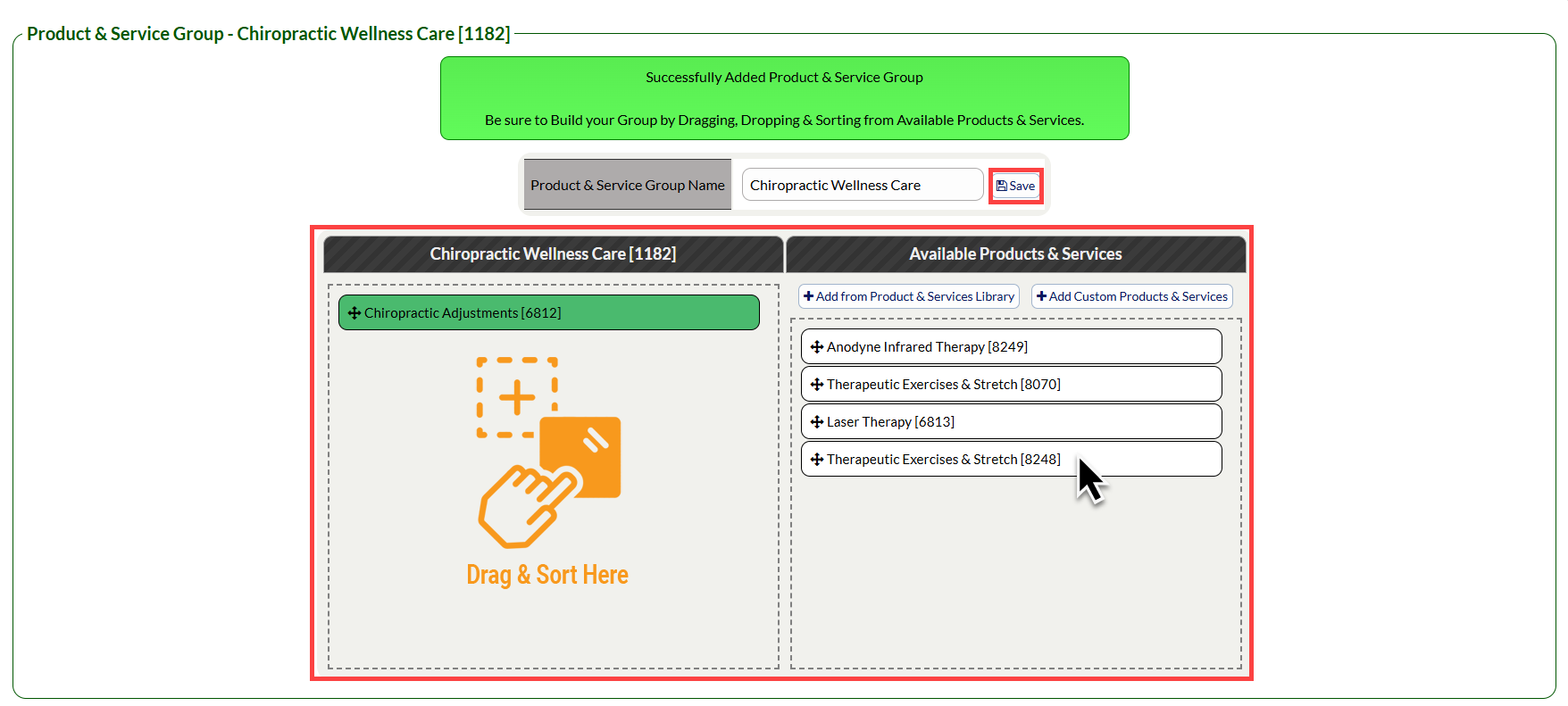
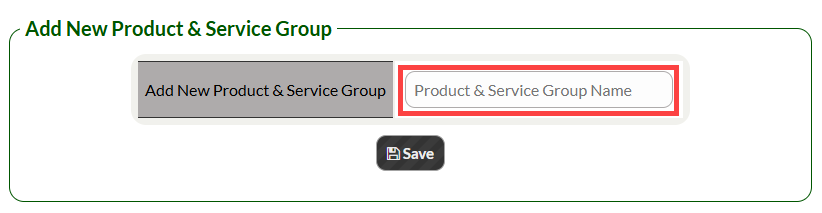
Step 4: Type in the name of your new Product or Service Group and click [Save].
Step 5: Click and drag your desired products & services to the left side column that you would like to be included in this group. Click [Save] to save your changes.