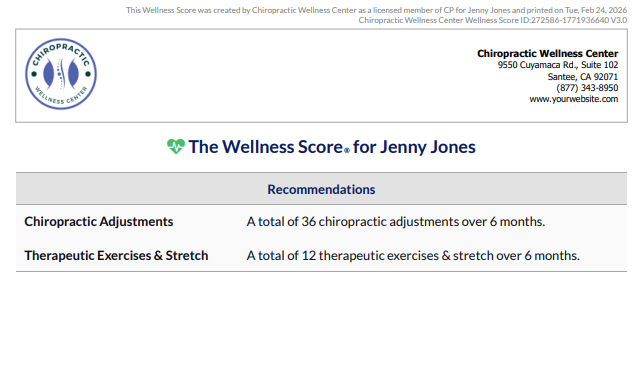
Enhance your Wellness Score Report by including a treatment plan. Simply select from your list of services, then specify the quantity (units) and duration (months) for each recommendation.
The following can be done either when you are running a Wellness Score® for the first time or by retrieving a previously run report.
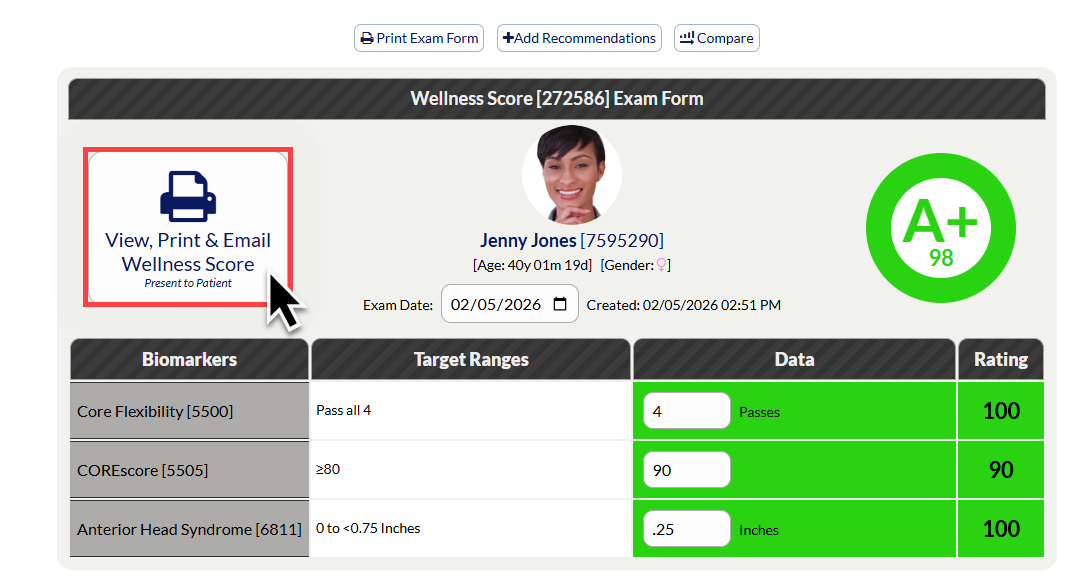
Step 1: Access your desired report. You can do this by running a new report or editing a previous Wellness Score Report.
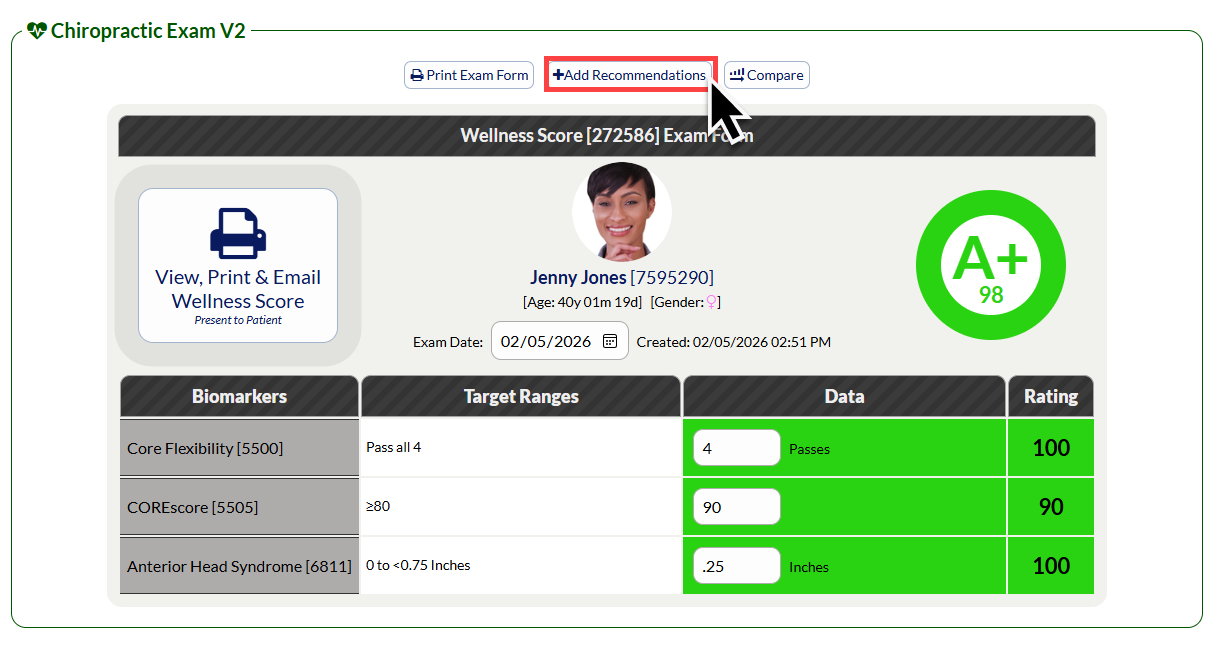
Step 2: From the [Edit Report] screen, select the [Add Recommendations] button.
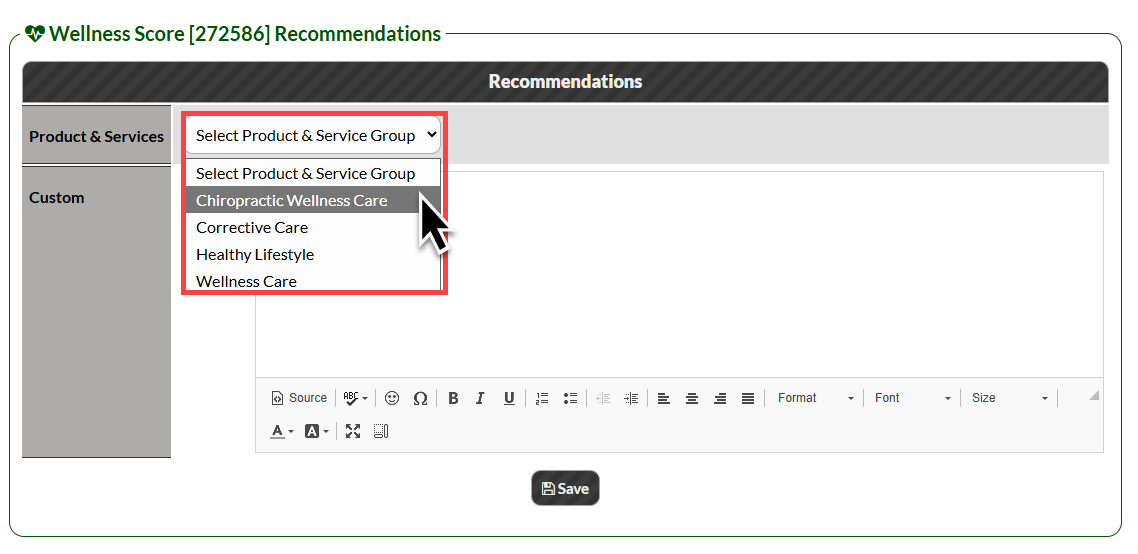
Step 3: Select your desired [Product & Service Group] from the Product & Services drop down menu.
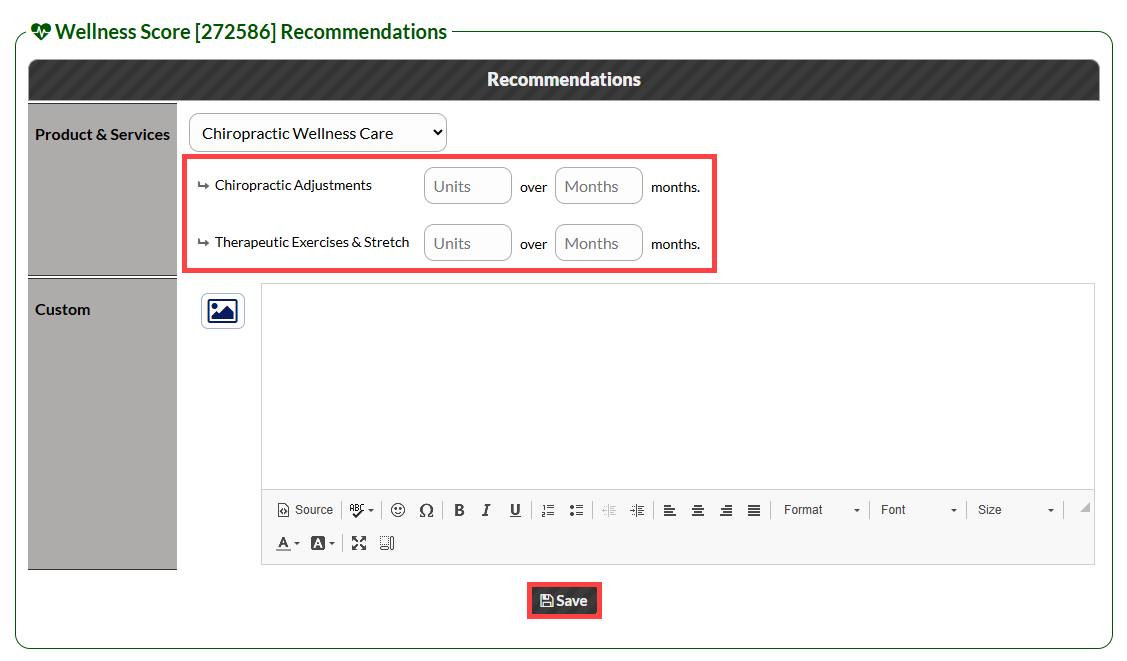
Step 4: Enter the number of [Units] and [Months] for each service or product you want to include in the report. Then click the [Save] button.
You can close the recommendations window to access your updated report.
Step 5: Select [View, Print & Email Wellness Score] button to open the updated the Wellness Score® Report.
Step 6: On the opened report, you will see the treatment plan on Page 5.