
Understanding the "WHY" behind your numbers is only half the battle. To scale your practice from a high-maintenance "hamster wheel" into a self-sustaining wellness machine, your team must establish a rhythmic review process and execute data-driven best practices.
The Dashboard Review Routine: How Often to Look
Consistency builds predictability. Divide your dashboard review into three distinct rhythms to keep your team proactive rather than reactive:
Daily (The 5-Minute Pulse Check):
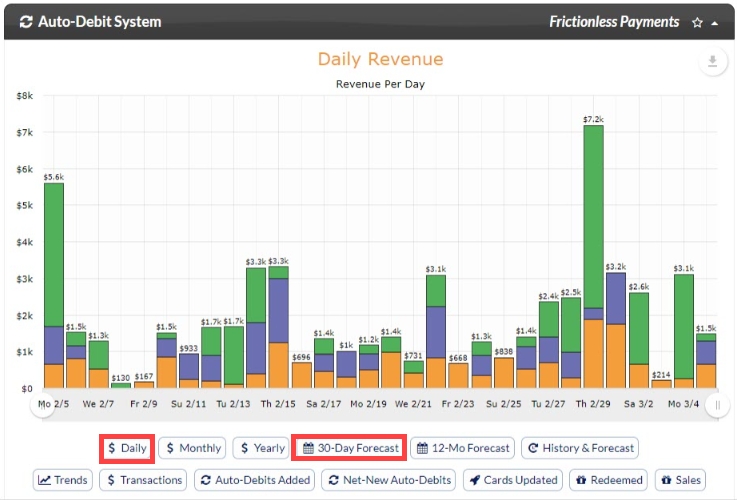
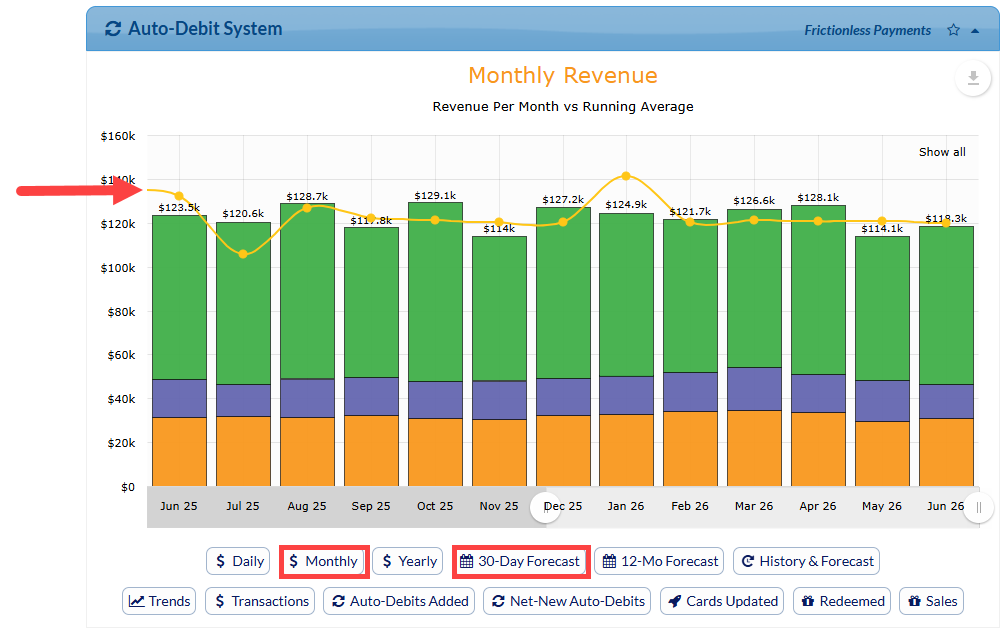
Investigate: Daily Revenue and upcoming 30-Day Forecasts.
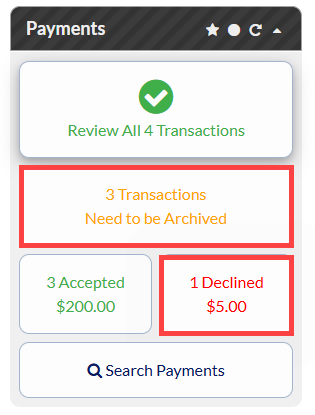
The Action: Ensure your payments report is cleared each day. Use the 30-day forecast to maintain an immediate awareness of the upcoming month’s cash-flow floor.
Weekly (The Team Huddle Optimization):
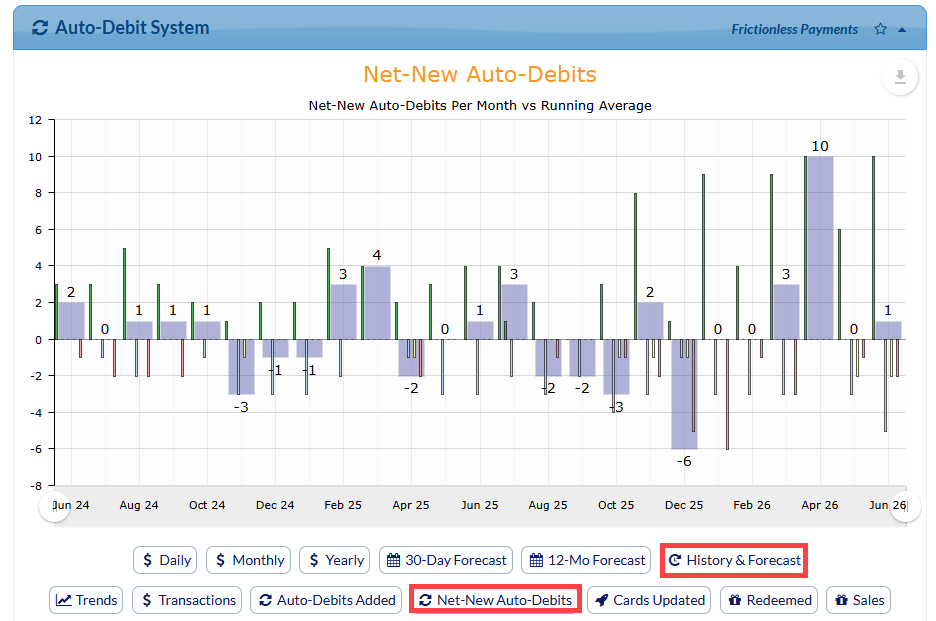
Investigate: History & Forecast (specifically tracking the bright purple "ending soon" bars) and Net-New Auto-Debits.
The Action: Identify the exact patients graduating from active corrective care (Purple) in the next 14 to 30 days. Task your team with scheduling their wellness transitions before their final recurring payment drops off.
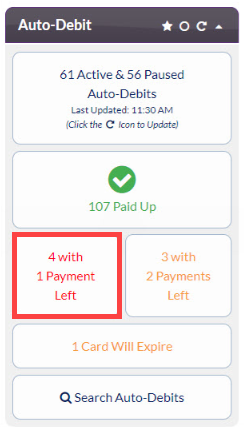
Tip: Investigate your Auto-Debit Report for patients with 1 payment left.
Monthly/Quarterly (The Strategic Health Audit):
1. Revenue & Engagement Check
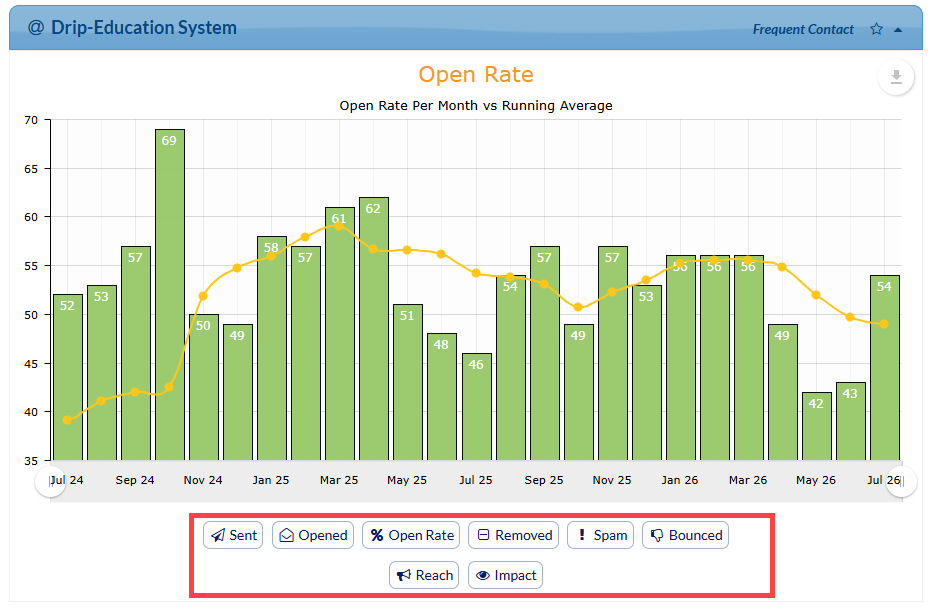
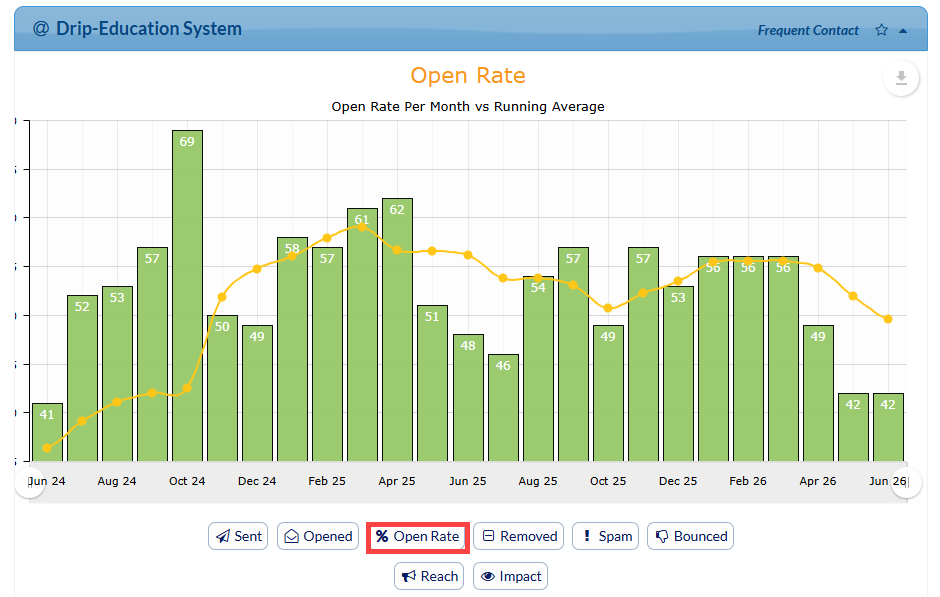
Investigate: Monthly Revenue (the Yellow Running Average Line), Yearly Revenue trends, and Drip Education Open Rates.
The Action: Check your yellow average line first. Is it holding steady, or is it dipping more than usual for this season? If your monthly growth is flatlining, dive into your Drip Education stats or Care Plan Calculator conversions to pinpoint exactly where patients are dropping off.
2. Auto-Debits Revenue Leakage Review
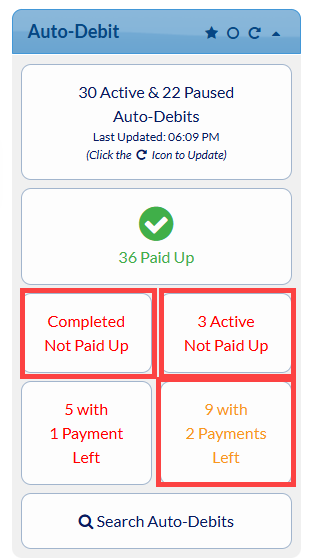
Investigate: The Completed Not Paid Up and Active Not Paid Up lists.
The Action: Review these lists weekly or monthly, paying closest attention to accounts with only 2 payments left. Catching these early prevents revenue from slipping through the cracks due to expired cards or missed final payments.
💡Tip: Update your Patient's Payments Effortlessly- A growing practice with frictionless payments requires some maintenance. Ensure your Auto-Card Updater is active. No one likes having awkward money conversations. This handles expired or replaced cards automatically, so your monthly wellness revenue keeps rolling in without you needing to lift a finger.
3. Auto-Debit Enrollment Audit
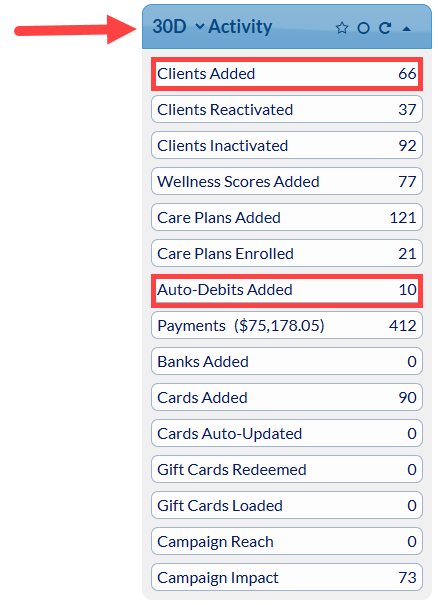
Investigate: The Activity (30 Day) report for the Auto-Debit System.
The Action: Your goal is to aim for at least 80% of new patients enrolled in Auto-Debits. If you are missing this 80% target, open the Patients Added list for the month. Review the names manually to flag patients who missed enrollment so you can call and reactivate them.
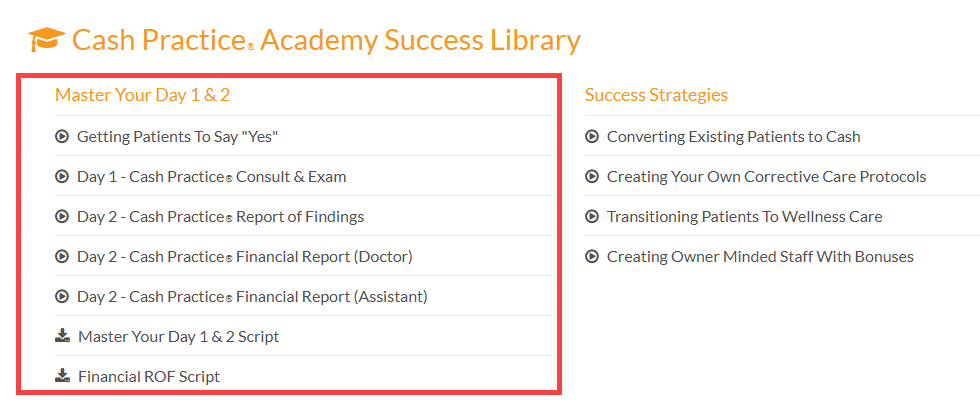
💡Tip: Access the Academy Videos and script for Mastering Your Day 1 & 2! This guide and video series breaks down the complete Day 1 and Day 2 new patient process, from the initial exam to presenting corrective care plans. Discover how to build deep patient trust, address time and money objections, and set up predictable, automated care plans—all without high-pressure sales tactics.
4. Care Plan Conversions
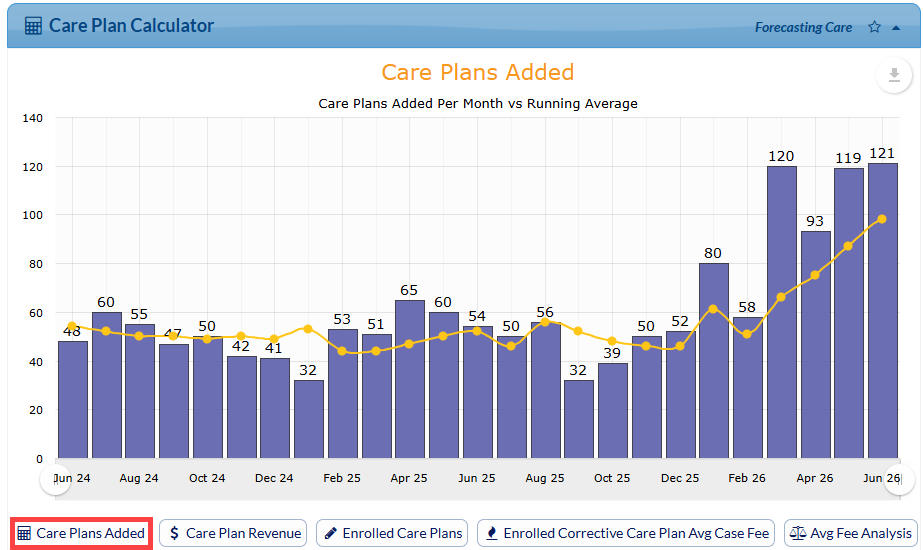
Investigate: The Care Plan Calculator performance on your Dashboard Stats.
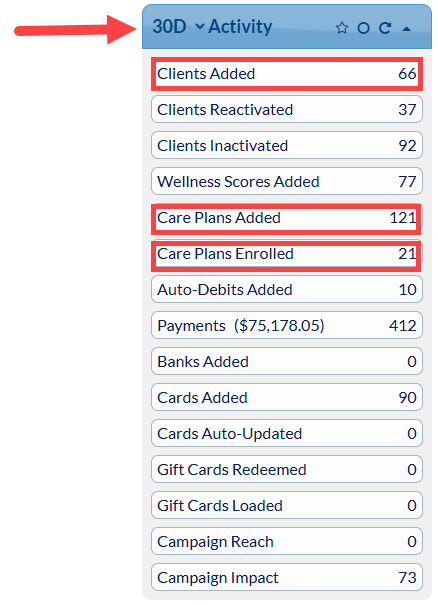
The Action: Check your total Care Plans Added to ensure you are maintaining around an 80% patient enrollment rate. If your numbers are low, check the Patient's Added report the report to review individual patient accounts. Use this as a follow-up list to figure out where the disconnect happened and reach out to get those patients back on track.
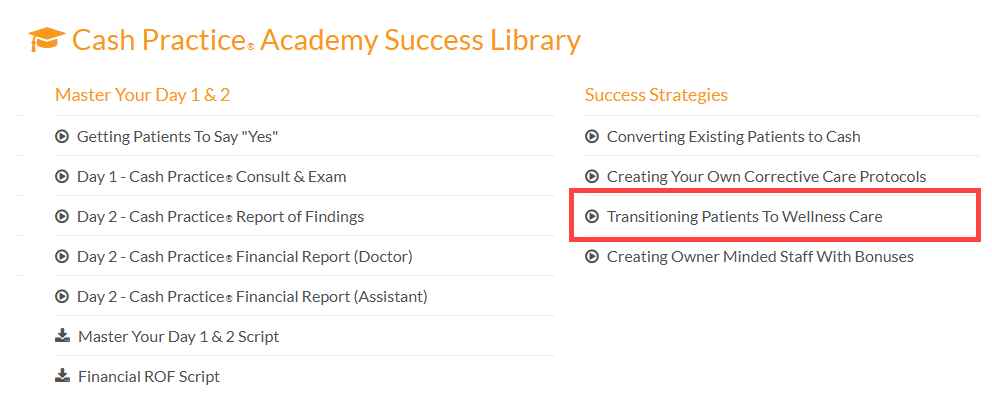
💡Tip: Automate the Transition to Wellness Care- Don't wait until a patient's active care plan expires to ask for a wellness commitment. Introduce the lifetime wellness framework and the indefinite auto-debit (Gold) option during their re-evaluation, ideally two to three weeks before their Purple plan ends.
Advanced Metrics to Drive Wellness Goals
To truly master your dashboard and scale your recurring revenue, keep a close eye on these supporting reports:
Net-New Auto-Debits - A Deeper Dive:
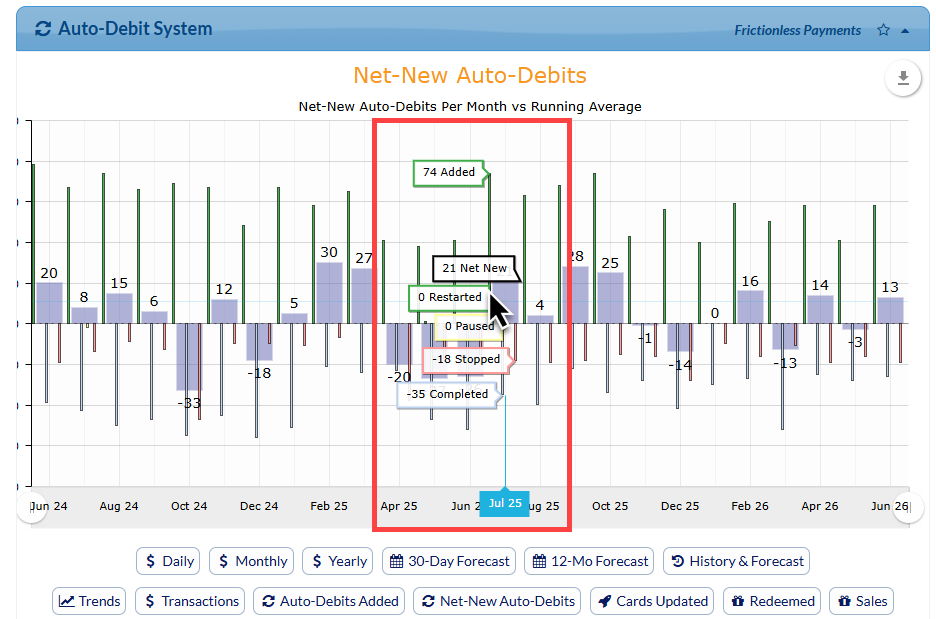
Don't just look at how many auto-debits you added. This report calculates the true movement of your ecosystem by factoring in plans that were Restarted, Paused, Completed, or Stopped. If this number isn't consistently positive, your leaky bucket is draining faster than you can fill it.
The Wellness Score Stats:
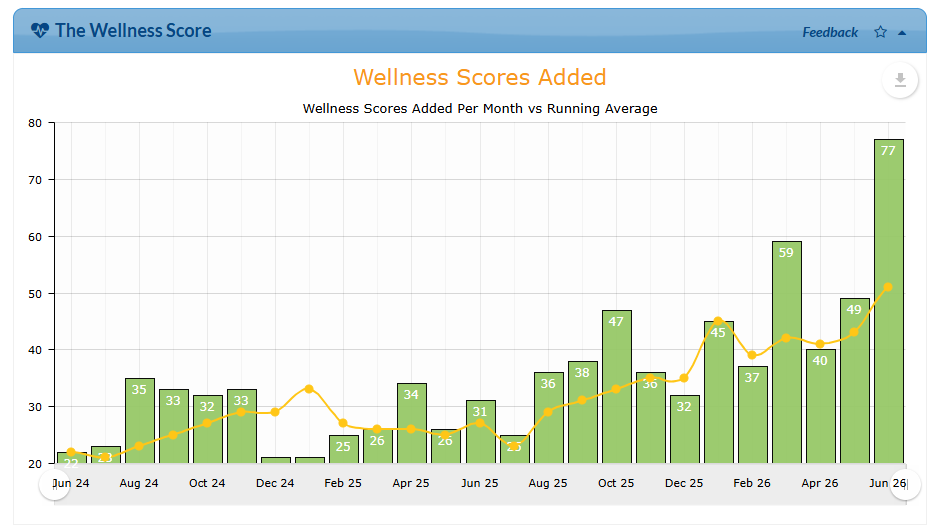
Track how many Wellness Score Reports are run each month. Consistently showing patients tangible health data makes the transition to an indefinite wellness auto-debit a natural, easy choice.
Provide Consistent Feedback: Use The Wellness Score System to run regular, tangible progress reports. Patients commit to what they can visually understand. When an objective score proves their health has improved, graduating to lifetime wellness care comes a natural, logical decision.
Care Plan Calculator® Stats:
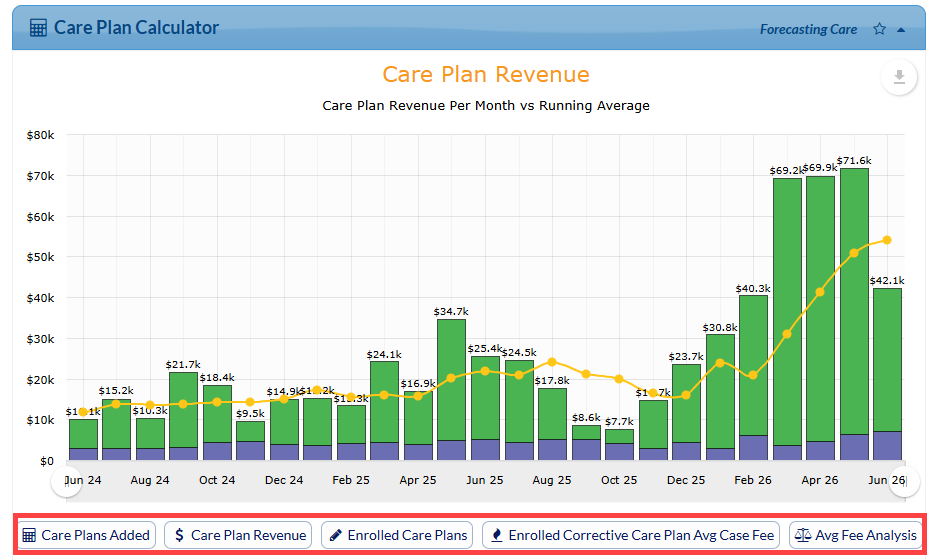
The Care Plan Calculator® helps you build affordable, compliant payment plans for individual patients and families. Making it a staple of your team’s weekly to monthly stats review routine gives you a clear look at key metrics like Care Plans Added, Care Plan Revenue, Enrolled Care Plans, Enrolled Corrective Care Plan Avg Case Fee, and Avg Fee Analysis. Keeping a close eye on these numbers helps you accurately track your practice's growth, forecast upcoming revenue, and boost patient retention.
Drip-Education® System Stats:
The Drip-Education® System helps your practice to send built-in, branded email campaigns to educate your patients and market your practice. Making this a core part of your team's stats review gives you real-time visibility into metrics like Sent, Opened, % Open Rate, Removed, Spam, Bounced, Reach, and Impact. Tracking these key performance indicators lets the office instantly see how well your messages are landing, keep your email list clean, and ensure your marketing stays automated and effective while growing long-term patient loyalty.