
Logo

Cash Practice® Systems Help Center

Search our knowledge base to get answers to your questions, access video training & more!

iPatientCare: How to access Cash Practice from within iPatientCare

iPatientCare Integration and Training

iPatientCare: How to access Cash Practice from within iPatientCare

Last updated on 14 Sept, 2025

Getting Started:

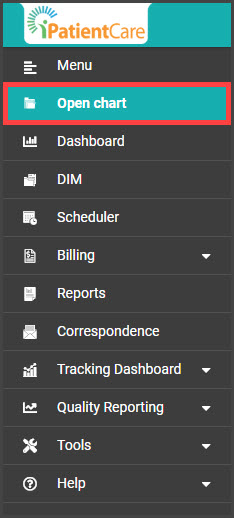
Step 1: From the menu on the left of the screen in iPatientCare, select [Open Chart].
Image

Step 2: Enter the patient's first or last name, and click the [Enter] button on your keyboard. 

Image

Step 3: Select the edit button on the right side of the page. 

Image

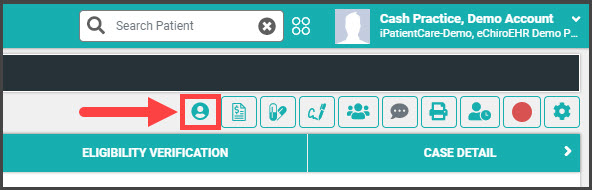
Step 4: When the page loads, select the "Open Cash Practice Patient Record" button near the top right. 
Image

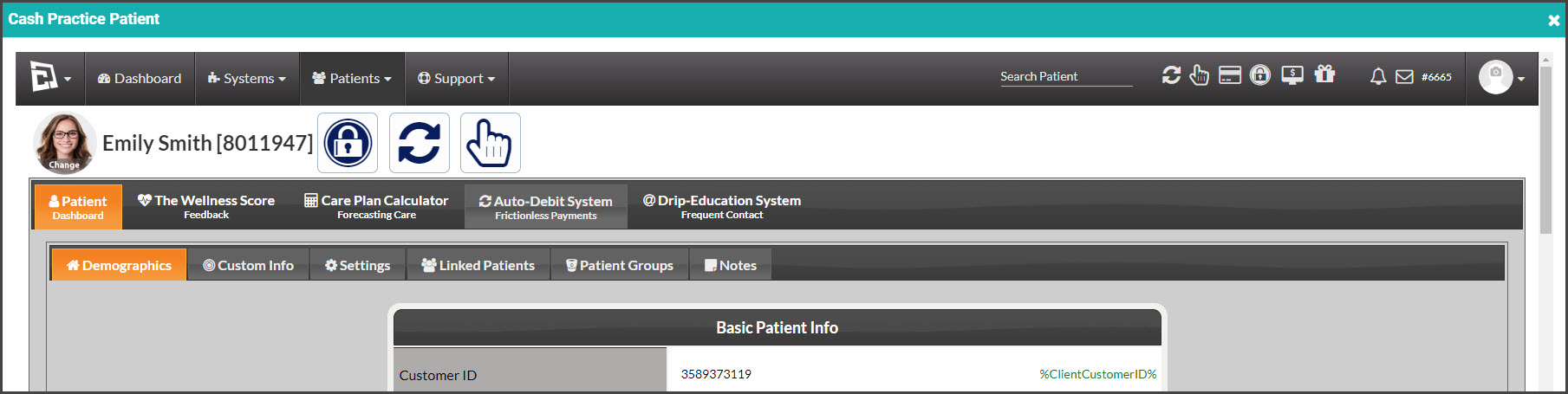
Step 5: This opens the individual's patient account in Cash Practice, where you have access to the entire Cash Practice account if needed. 
Image


Did you find this article helpful?
Previous

iPatientCare: How to synchronize/import payments into iPatientCare

Next

© 2026 Cash Practice Systems. All rights reserved.