
Logo

Cash Practice® Systems Help Center

Search our knowledge base to get answers to your questions, access video training & more!

Manage Plans: How do I access archived care plans/templates?

Care Plan Calculator® System (Forecasting Care)

Manage Plans: How do I access archived care plans/templates?

Last updated on 12 Sept, 2025

Getting started:

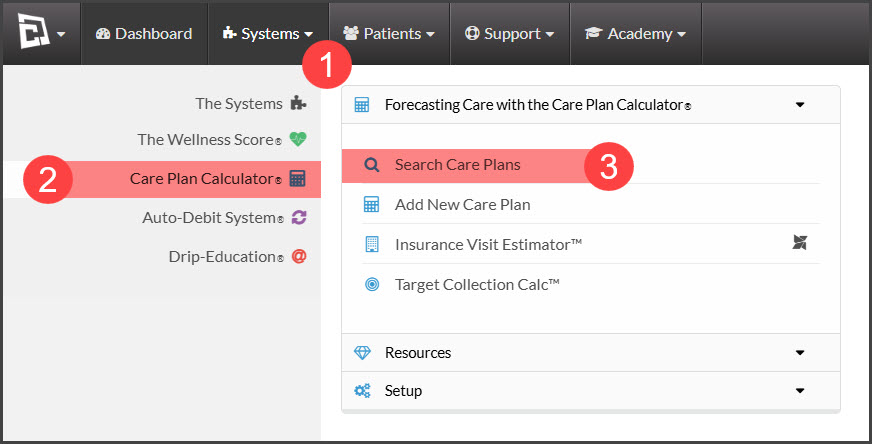
Step 1: To access your plans hover over the [Systems] Menu→ [Care Plan Calculator®] menu → [Search Care Plans].
Image

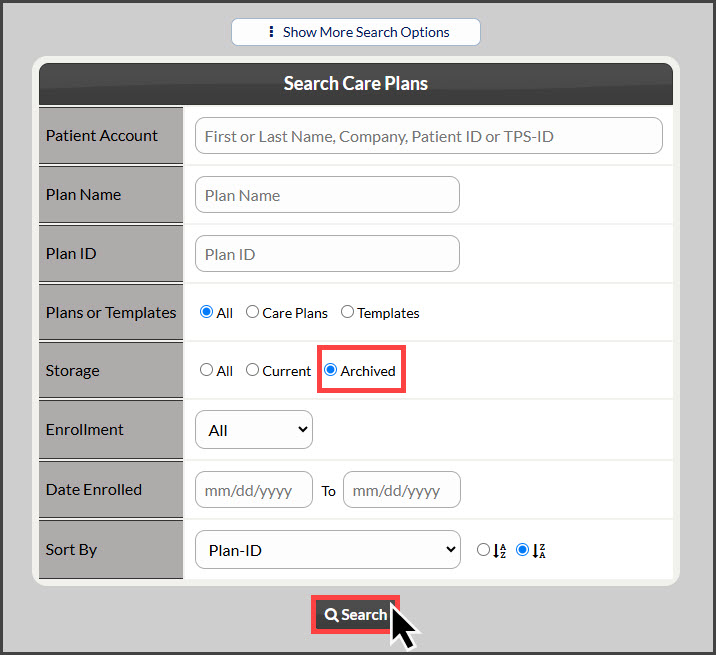
Step 2: Once the [Search Care Plans] page loads, narrow your search by entering as little or as much information about the plan that you are looking for. If the plan is archived, be sure the field labeled [Storage] has been set to display [Archived] plans in the search results.
Image

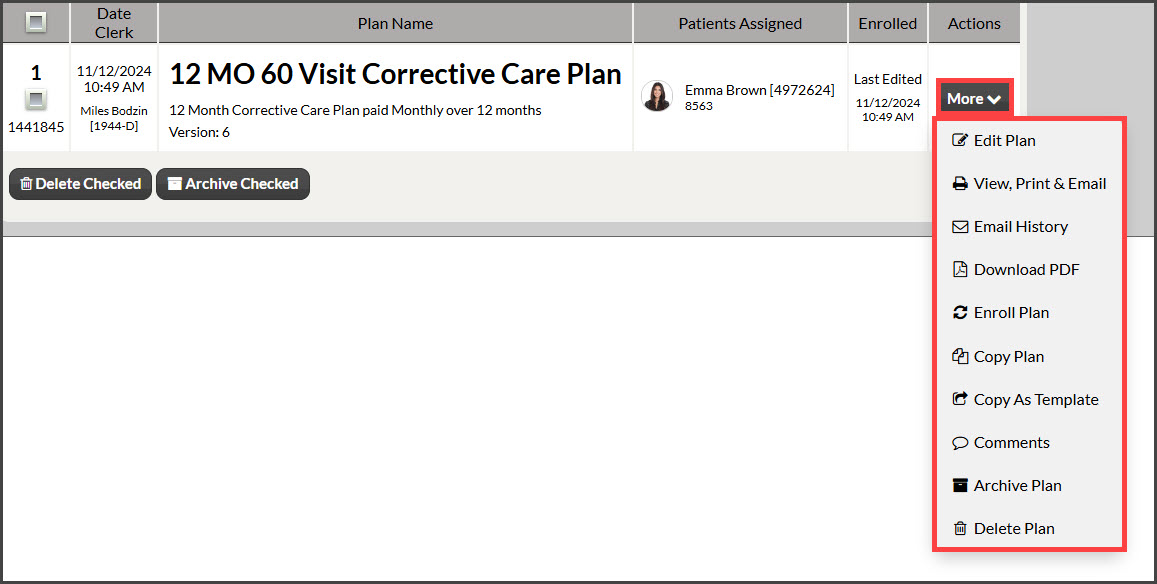
Step 3: From the search results you can click on the [More] button to complete a task.
Image

Did you find this article helpful?
Previous

Manage Plans: How do I archive multiple care plans/templates?

Next

© 2026 Cash Practice Systems. All rights reserved.