

Getting Started:
Step 1: Locate the plans you wish to archive. See HERE on how to locate your plans.
Step 2: From the search results you can click the [Check-all] button, then scroll down to the bottom left of the page and click the [Archive] button to archive the selected plans.
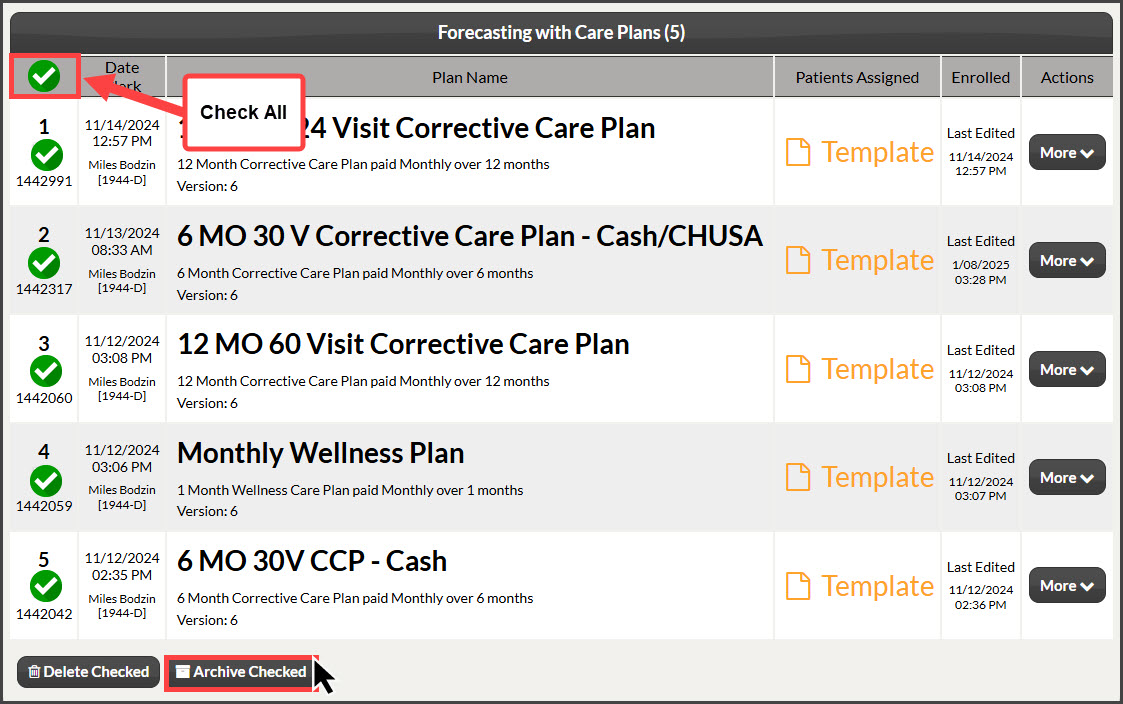
Can't see the [Archive] button? If you are unable to see the [Archive] button like the image displays, have your Account Owner/Admin verify that your User Account has the "Archive Plans" permission allowed. Please click HERE for more information about permissions.