There are two ways to view your Care Plans:
Option 1: Search Care Plans
Step 1:
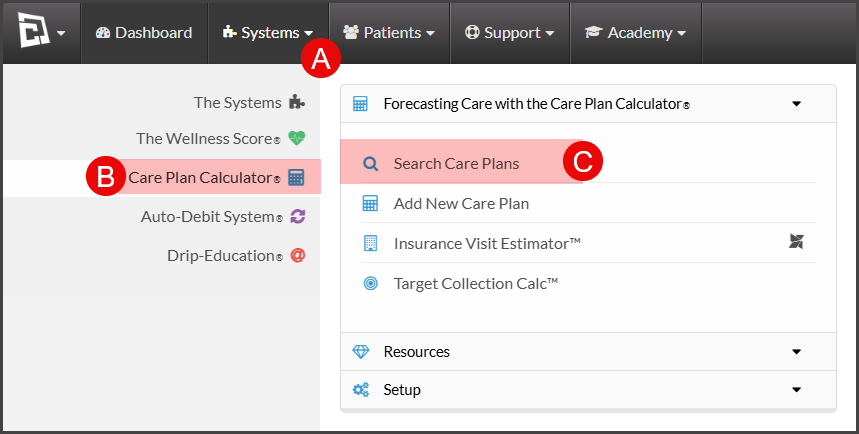
A: Hover over [Systems]
B: Click on [Care Plan Calculator®]
C: Select [Search Care Plans]
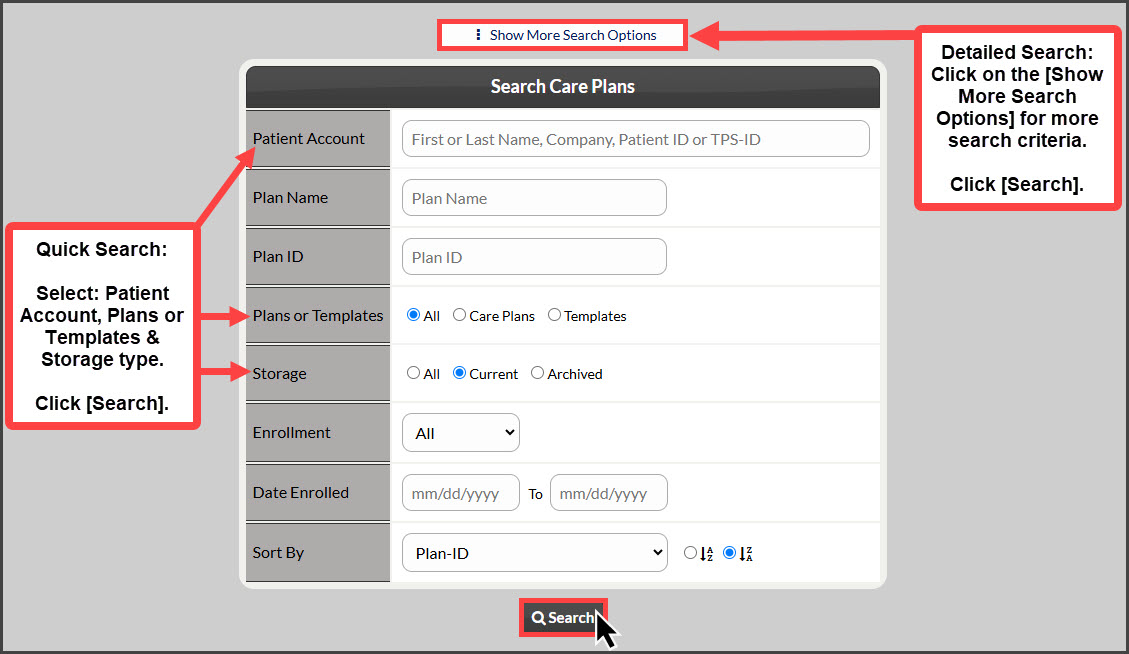
Step 2: Use the search options to define which care plan you are looking for. For more search options, click on the [Show More Search Options] tab at the top:
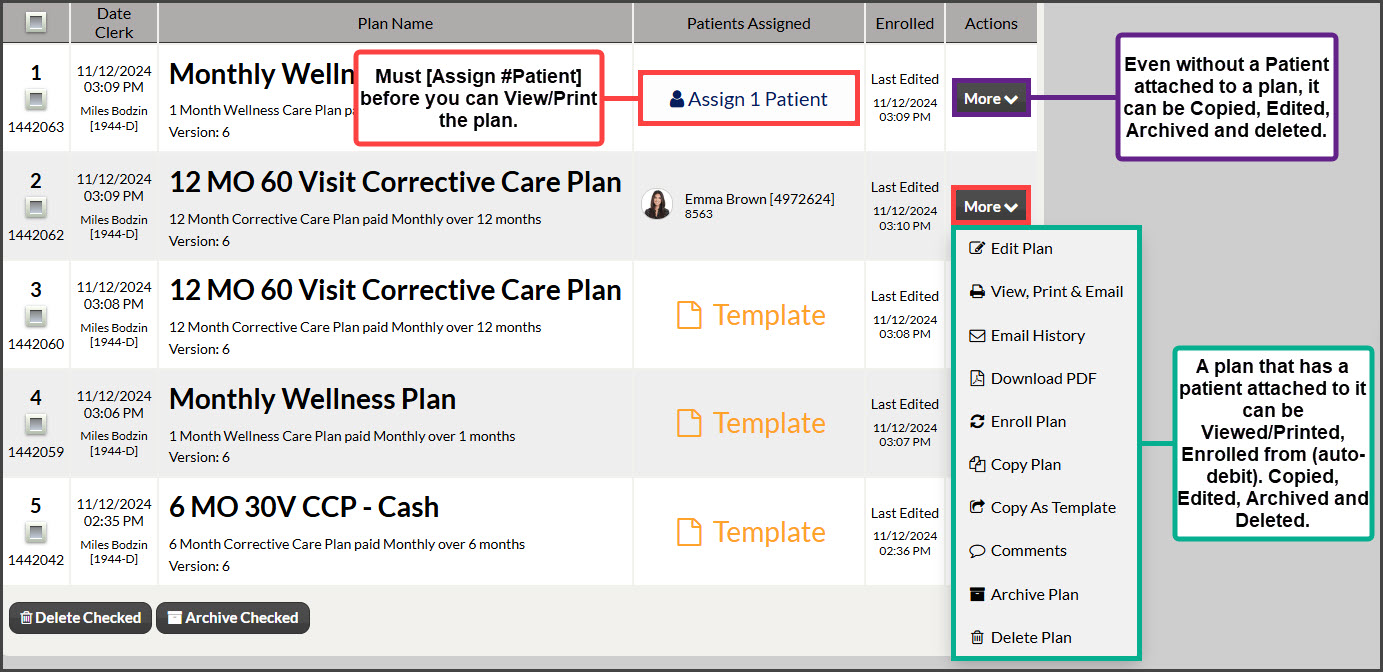
Step 3: From the search results, you can click on the More buttons to complete a task:
Option 2: Search Patient & View Care Plans (and view care plan email history)
Step 1: Type in your patient's first or last name in the "Search Patient" field in the top right-hand corner of the screen and select the patient account from the drop-down menu.

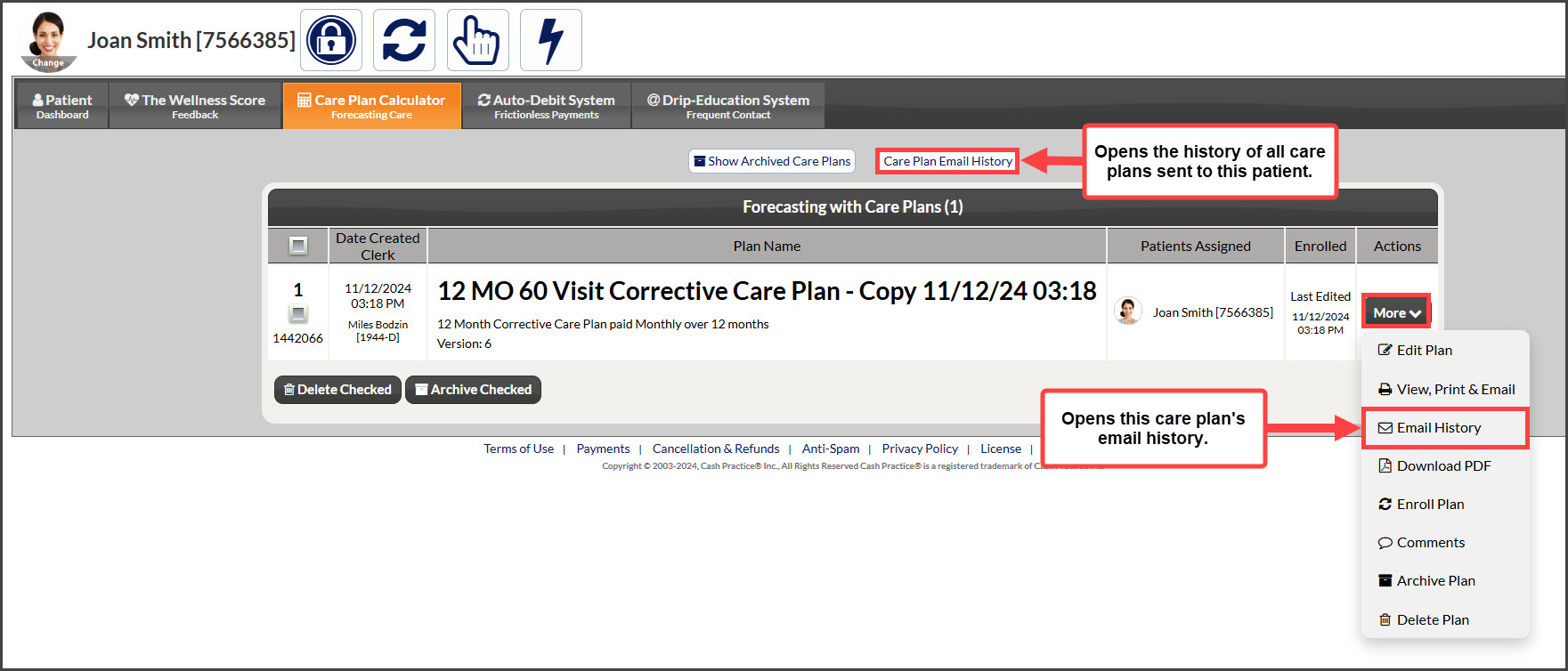
Step 2: Click on the [Care Plan Calculator] tab. Let's review:
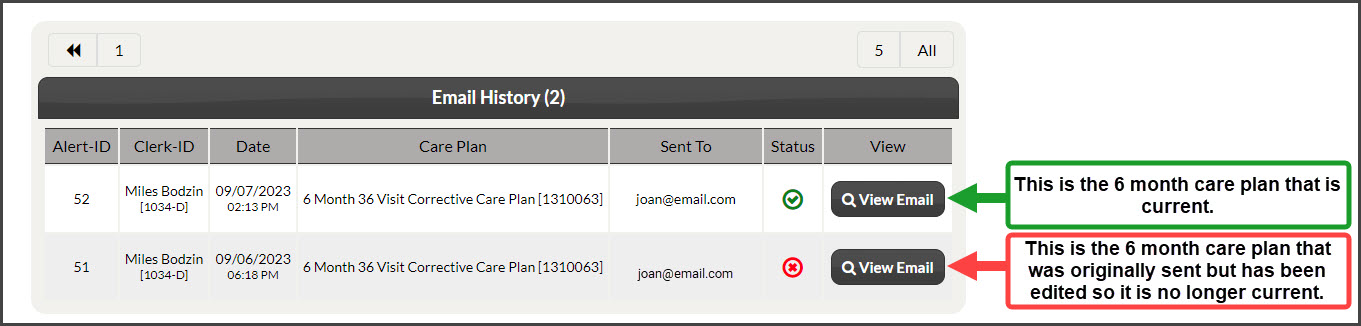
[Care Plan Email History]: Will display the history of all care plan email history for this patient.
[More] → [Email History]: Shows the history of the plan selected
Step 3: Review the emailed care plan history + details.