

Key Benefits
Separation of Funds: Ideal for offices with multiple providers who require individual deposits.
Business Segregation: Easily manage different entities or satellite locations within a single interface.
Simplified Reporting: View all activity under one login while keeping the actual cash flow distinct.
How using Multiple Merchant Accounts changes your Cash Practice experience
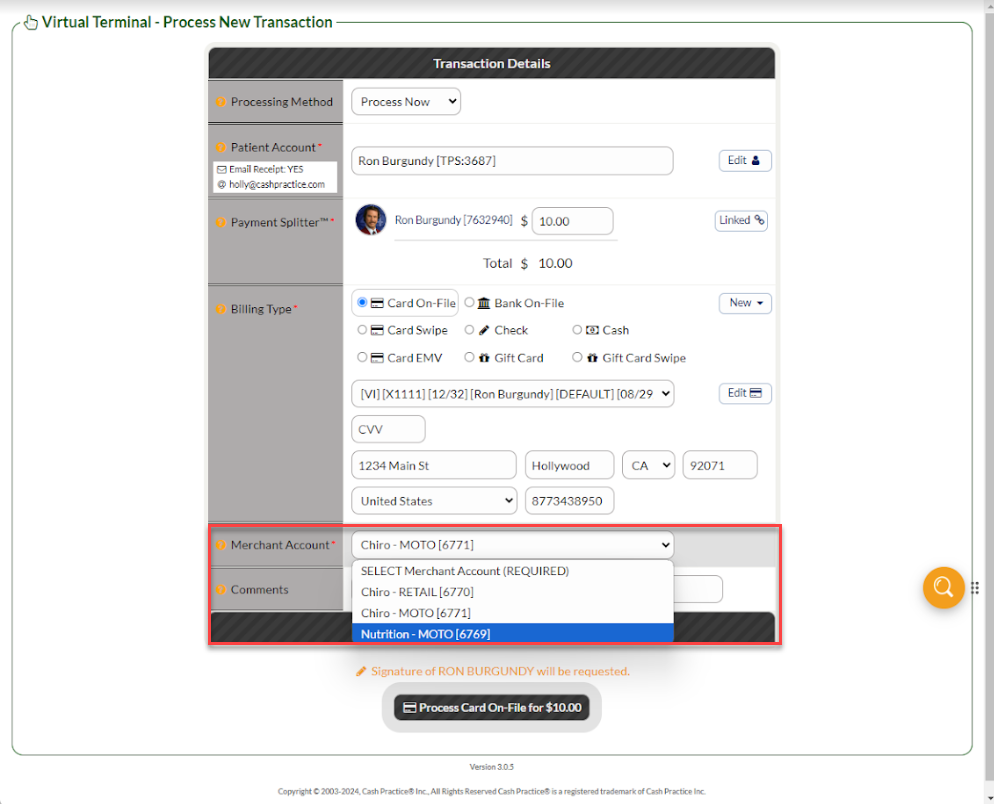
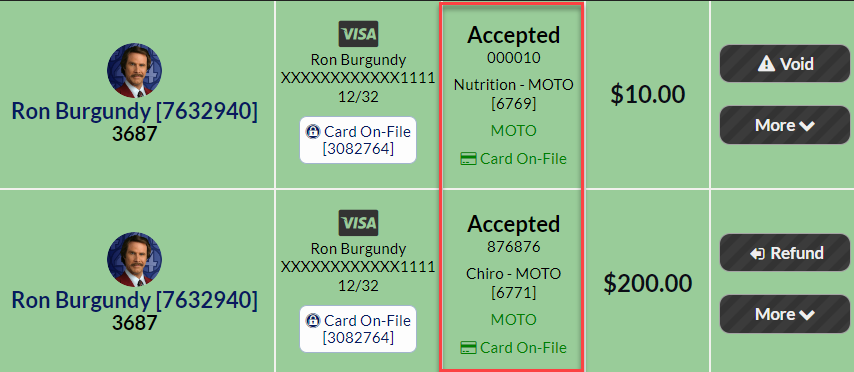
1. When processing Transactions using the Virtual Terminal, you have the ability to select which Merchant account is being used for the transaction! This is also reflected in the Posted Payment Report Generator, which shows which Merchant Account was used for each transaction.
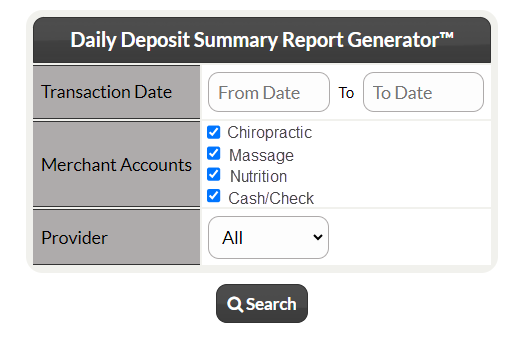
2. When reviewing your Daily Deposit Report Generator, you will now have the ability to toggle which Merchant Account results are shown, and you can review the specific deposits per Merchant Account!
For more information on adding multiple merchant accounts, contact our Merchant Services Department by phone at (877) 343-8950 x105 or email MerchantAccounts@CashPractice.com