
What are Auto-Debit Groups™?
The Cash Practice® Auto Debit Groups™ is a powerful feature that allows you to categorize your payments into groups. For example, it allows you to track your Chiropractic Services, Massage Services, Products, Gym Memberships, etc. They are really easy to create too!
Getting started:
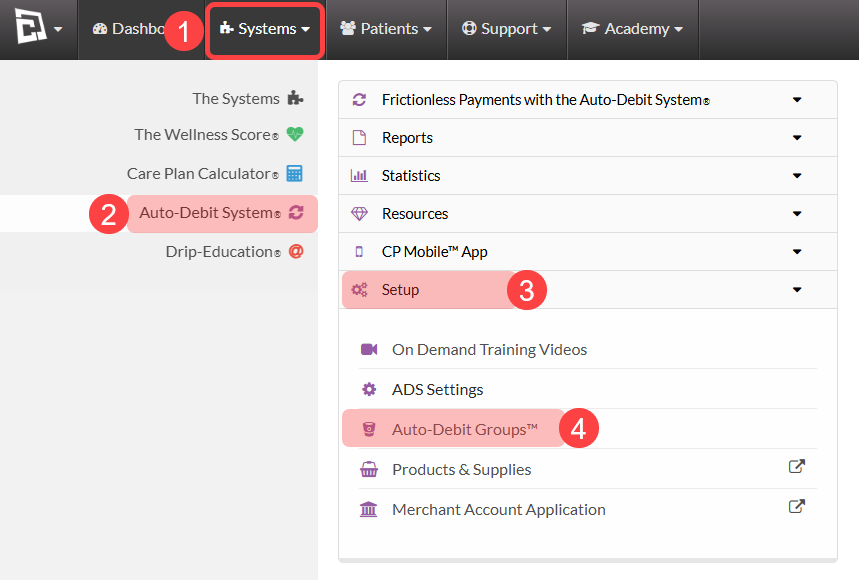
Step 1: Follow the sequence below to access your Auto-Debit Groups™ from the Systems menu:
1. Hover over the [Systems]
2. Click on [Auto-Debit System®]
3. Select [Setup]
4. Click[Auto-Debit Groups™]
Note: Account Admin/Owner or users with permissions will be able to access this feature.
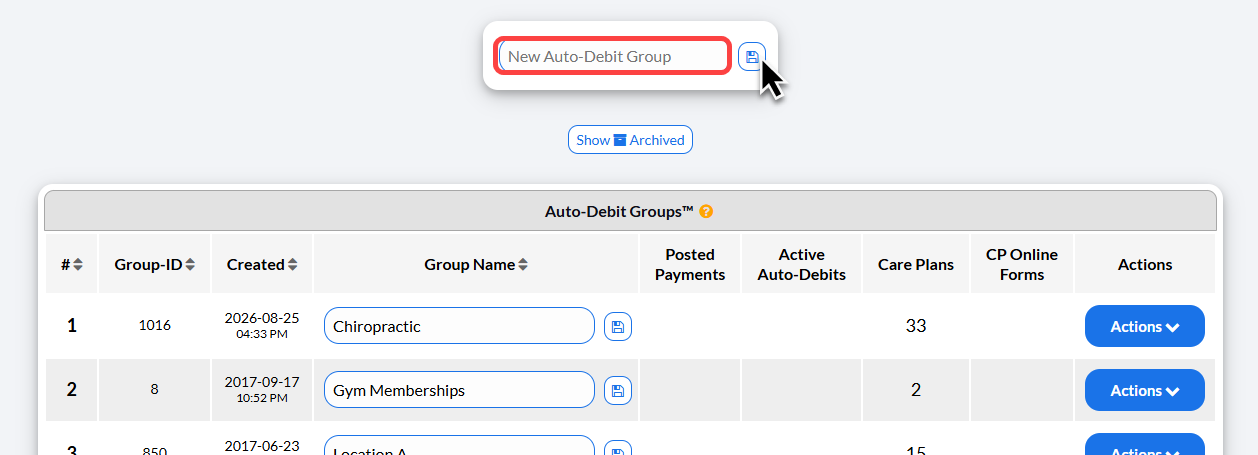
Step 2: In the [New Auto-Debit Group] box, type in the name of your new Auto-Debit Group™ and select the [Save] icon to complete.
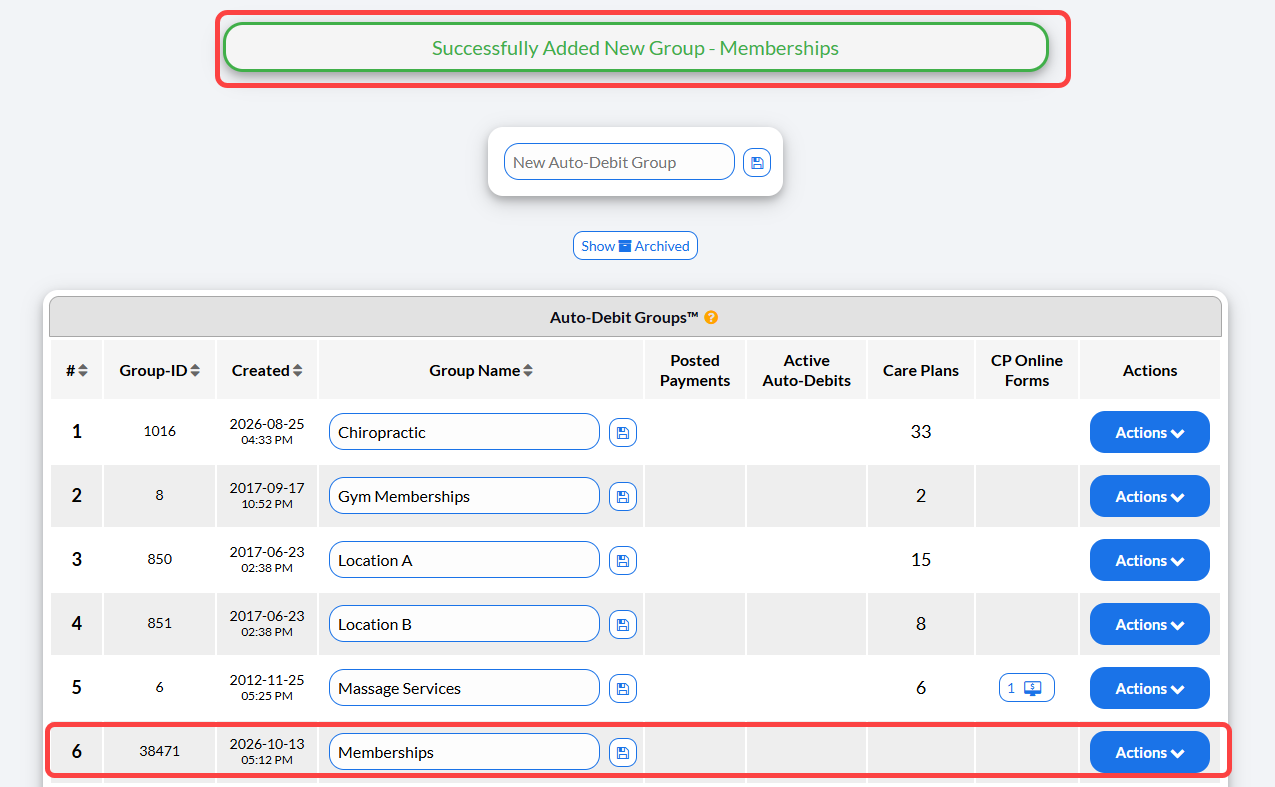
Step 3: A success confirmation will be displayed at the top of the page and you will find your new Auto-Debit Group™ listed on your list below.
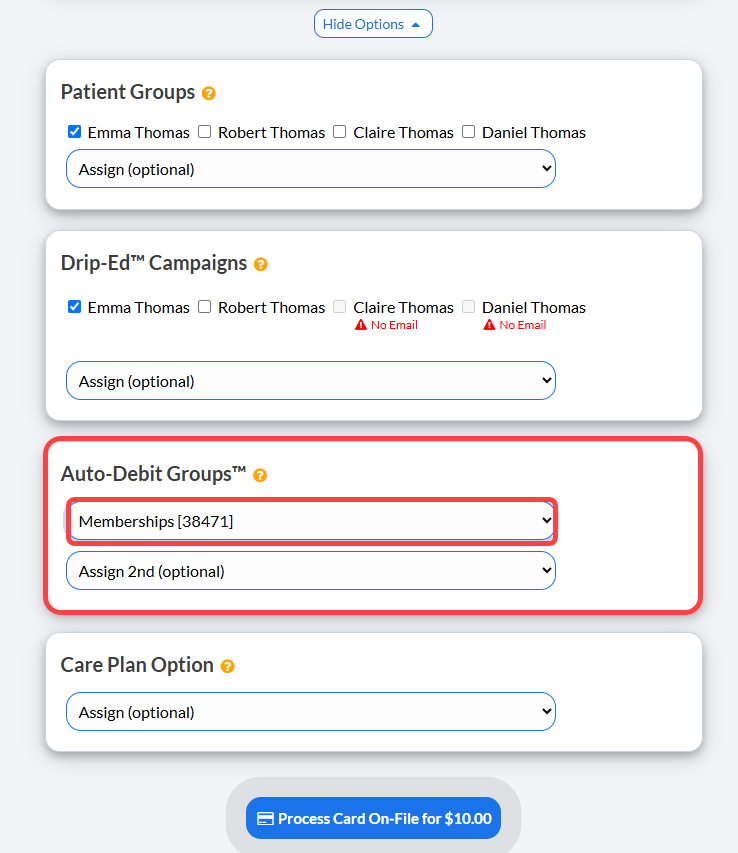
Your group(s) will now be displayed within your payment tools, and the system will now track how many transactions and how many auto-debits are associated with each group after it has been assigned. It will also show you the date and time that the group was created as well.
For example, when collecting payment, you can assign the transaction to the Auto-Debit Group related to that payment.